Outdoor map-first walkers
If you expect to glance at directions repeatedly between the terminal and city streets, screen readability and comfortable one-handed use matter alongside weather resistance.


Choose the smartphone and mobile network together for a walk starting at a ferry terminal. Prioritise a screen you can read outdoors, enough power for your planned use and a map prepared before you lose data; if you will check directions one-handed, consider the handset’s weight too. Ofcom’s coverage guidance makes the terminal postcode worth checking, while Google and Apple describe different limits for offline walking directions.
If you expect to glance at directions repeatedly between the terminal and city streets, screen readability and comfortable one-handed use matter alongside weather resistance.
If you need terminal details and a walking route when mobile data varies, prepare a map before departure and check the relevant postcode for your intended network.
If the same phone will handle maps, messages, tickets and photos for several hours, plan how you will keep it charged throughout the walk.
Start with the map and network you expect to use at the terminal, then judge the handset’s outdoor display, power arrangements and carry comfort against your route.
| Concern | What to check | Who this matters to |
|---|---|---|
| Outdoor map checks | Compare stated peak brightness and handset weight, then assess whether the size feels comfortable for one-handed use. | If I will keep checking turns on exposed streets, I need a screen and handset I can use comfortably outdoors; around 29% of consumers put outdoor map checks first. |
| Coverage and offline navigation | Check the terminal postcode and walking area with Ofcom’s mobile checker; download the map and test your app’s walking-route workflow. | When data drops after I leave the ferry, I still need to find my way; roughly 29% of consumers place coverage and offline navigation first. |
| Power for a long walk | Check what a battery claim measures and what charging equipment it requires; plan a compatible backup if the route will be long. | If I am using maps alongside tickets and messages for hours, I want enough power to finish the route; around 24% of consumers make power their primary concern. |
| Carry and SIM arrangements | Confirm the exact variant’s weight, physical size and SIM or eSIM configuration with the handset and carrier listings. | I may want a lighter phone for repeated pocket-to-hand use, or a particular SIM arrangement for my plan; about 18% of consumers prioritise carry or SIM flexibility. |
Google Maps Help says walking directions are unavailable offline, even though a downloaded map area can remain available. A visible map is therefore not the same as turn-by-turn walking guidance.
Download the area and review or save your walking route while connected. If offline walking instructions are essential, check and test the chosen map app’s behaviour before travelling.
Ofcom says mobile coverage varies by network, postcode and local conditions, including nearby buildings. A phone’s connectivity features cannot establish reception along your particular walk.
Check the terminal postcode and intended walking area for your network, and prepare a route you can consult without live data.
Google’s 24+ hour Pixel 10 battery-life claim and Samsung’s 4,300 mAh typical capacity for Galaxy S26 describe different measures. Neither figure establishes how long navigation will run on your walk.
Compare endurance figures only where test conditions match, and arrange a charging fallback for prolonged use of maps, data and the camera.
Google says its stated Pixel 10 fast-charging result requires a 30W USB-C PPS charger or higher, sold separately.
Colour and storage identify the product you would receive, so a different variant is not a substitute without checking its details.
Confirm the selected variant’s availability, warranty and delivery terms immediately before purchase.
The iPhone 17 is worth considering if repeated outdoor map checks and access to Apple Maps’ offline walking directions are priorities.
The Pixel 10 suits consideration by Android users who want Google Maps and a display with a stated high peak brightness.
The Galaxy S26 is relevant if low weight and a choice of SIM arrangements matter during the walk.
These phones offer different starting points for outdoor route checks, Android or iPhone use, and carry or SIM preferences. Choose your map workflow and network first, then check the exact model and variant against what you need for the walk.
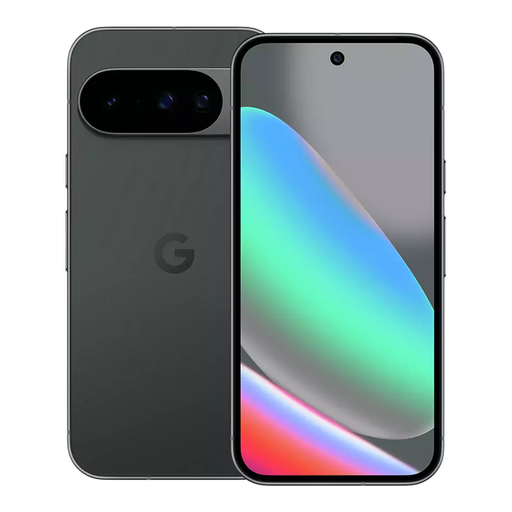 No image available
Consider this Android model if you want to check maps outdoors and can prepare your walking route before losing data.
Google lists Pixel 10 with a 6.3-inch OLED display, up to 3,000 nits peak brightness, a 204 g weight and a 24+ hour battery-life claim. The Joybuy listing identifies this variant as 128GB in Obsidian.
Google Maps does not provide walking directions offline. The battery claim does not establish navigation runtime, so plan a charging fallback for a long walk.
 No image available
Consider this variant if you want an Android phone with the listed Dual SIM arrangement for your travel plans.
The product title identifies 5G, 16GB RAM and 128GB storage. Check the exact SIM configuration with your carrier and test your chosen map app’s offline walking workflow before relying on it.
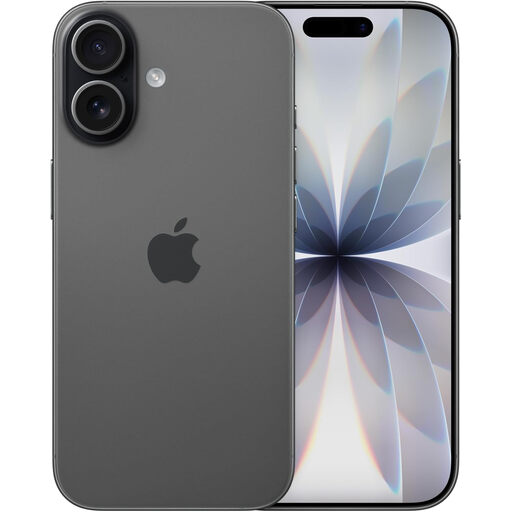 No image available
Consider iPhone 17 if outdoor map checks and Apple Maps’ offline walking directions, where available, fit your plans.
Apple lists the model at 177 g with 3,000-nit outdoor peak brightness. Its IP68 rating applies under IEC 60529 test conditions, to a maximum depth of 6 metres for up to 30 minutes; it does not guarantee protection from every water exposure.
Confirm that an offline map covers your destination and test the walking route before travelling. The Joybuy variant is 256GB in Black.
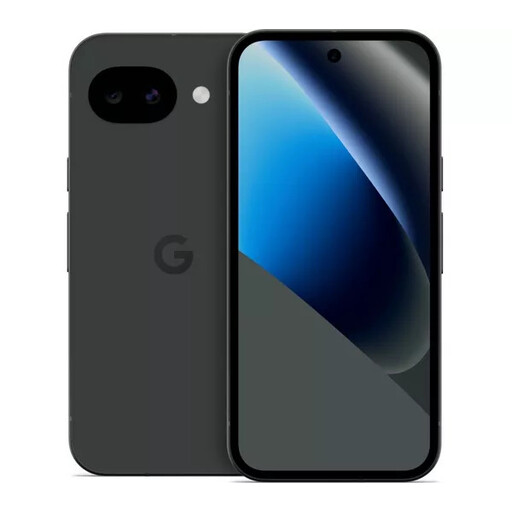 No image available
Consider this Android option if a 128GB Pixel 10a is the variant you want for planning and checking your walk.
Before relying on it away from mobile data, test offline walking directions in your chosen map app. Check the handset’s outdoor display specifications and plan a charging fallback around your intended use.
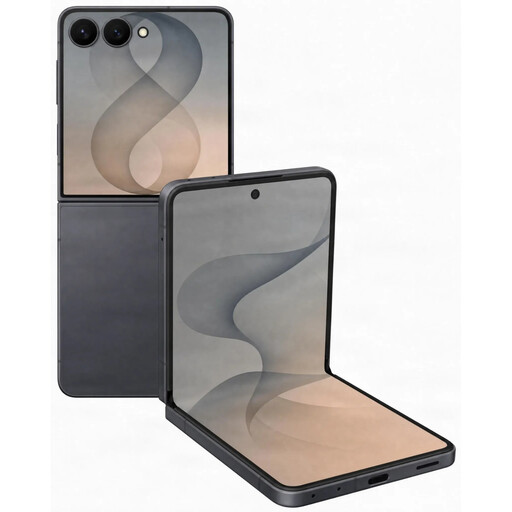 No image available
Consider this model if the Galaxy Z Flip 8’s foldable form appeals to you for carrying a phone between route checks.
The product title identifies this as the 5G, 256GB Graphite variant. For an exposed walk, check its display and water-resistance specifications for this exact model, and test your map app’s offline walking behaviour before departure.
That depends on the app and the downloaded area. Google Maps Help says walking directions are unavailable offline, while Apple Support says downloaded Maps areas can provide walking directions where offline maps are available. Download the terminal and walking area, then check your intended route before departure.
Check the places you will actually visit instead. Ofcom’s mobile checker lets you examine coverage for the terminal postcode and walking area by network; buildings and other local conditions can still affect reception.
No. Apple specifies the iPhone 17’s IP68 resistance under IEC 60529 test conditions, at a maximum depth of 6 metres for up to 30 minutes. Treat that rating as resistance under stated conditions, not permission to disregard water exposure.
Use 999 or 112 for an emergency in the UK. GOV.UK identifies 112 as the pan-European equivalent of 999 and confirms that it can be used in the UK.