Buying priorities
Start with the person’s regular tasks and where they will use the device, then test the exact model in their usual environment before relying on it for important services.
| Priority |
What to check |
Your needs |
| Confidence with routine tasks |
Set up a simple home screen; keep important contacts and services easy to find; check that setup help is available for repeated practice. |
I want to begin with a small, realistic set of tasks such as calling, messaging, reading information, receiving a code and using one familiar website or app. |
| Readable and operable interface |
Try font and icon size, display zoom, contrast, spoken feedback, sound and touch response; test unlocking, holding and returning to the home screen. |
The device needs to be comfortable to see, hear and operate in the user’s normal lighting and seating environment, not simply have a large display. |
| Connection and everyday access |
For mobile use, confirm 4G or 5G capability and check coverage at regular locations; for home tablet use, check Wi-Fi setup and the charging routine. |
I need a phone that works where the person travels, or a tablet that stays connected and charged for regular use at home. |
| Account security and recovery |
Check update support; set up two-step verification where appropriate; agree recovery contact details, backup methods and a privacy-respecting support plan. |
Important accounts should be protected without leaving the user locked out after a forgotten password, lost phone or changed number. The National Cyber Security Centre recommends two-step verification for important accounts. |
Joybuy product options
These Joybuy options cover smartphones for mobile calls and online access, plus larger tablets for home-based reading, video calls and online services.
 No image available
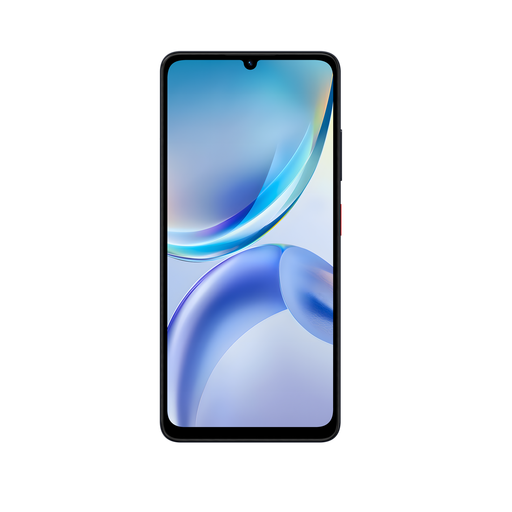
ZTE Blade A36 Black 4GB+128GB
A phone option for calls, messages and routine online tasks away from home. Listed details include a 6.75-inch HD+ display, 500-nit brightness, 4.5G and VoLTE, dual Nano SIM, Wi-Fi, Bluetooth, USB-C and a 3.5 mm audio socket. Test text scaling, touch accuracy and accessibility settings, and check update support, local 4G coverage and account recovery before setup.
Joybuy
 No image available
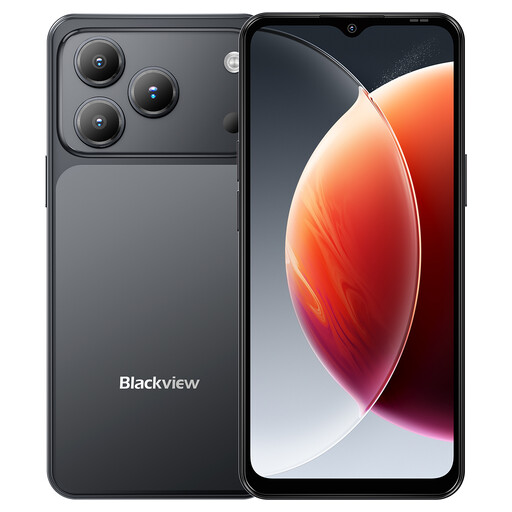
Blackview Wave 7C Android 16, 4GB+128GB
A smartphone to try for mobile communication and reading routine information on a larger phone screen. The listing states a 6.56-inch HD+ display with eye-comfort mode, 4G dual SIM, dedicated TF slot, 3.5 mm jack and IP54 splash resistance. Check whether the user can unlock, hold and tap it comfortably, then confirm local coverage, software support and a recovery plan.
Joybuy
 No image available
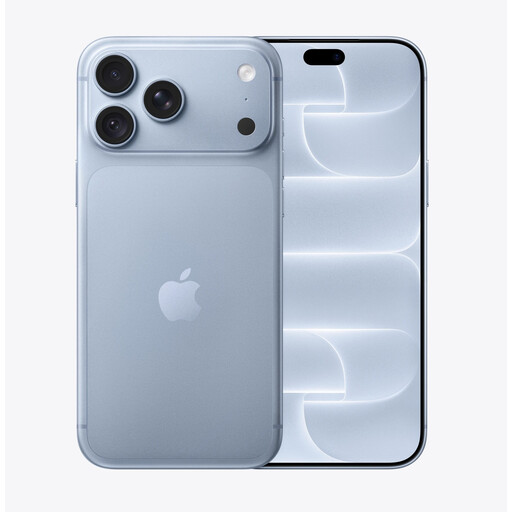
iPhone 18 Pro Max 512GB Glacier
A large-screen iPhone option for portable calls, messages, authentication codes and online tasks where trusted iPhone support is available. The listing states a 6.9-inch OLED display, high outdoor brightness, Face ID and cellular connectivity. Try routine tasks for grip and touch accuracy, and verify the exact accessibility settings, essential apps, cellular plan and recovery arrangements.
Joybuy
 No image available
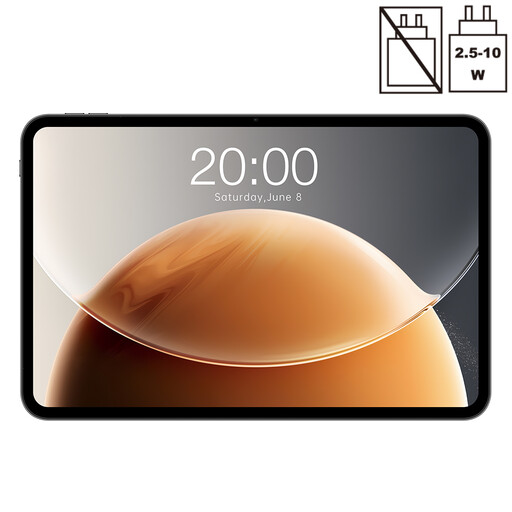
Teclast T65 13.4-inch Android Tablet, 128GB
A tablet option for home-based reading, websites, forms and video calls where a larger touch layout may be easier to test. The listing states a 13.4-inch 120 Hz display, Android, 128GB storage, dual-SIM 4G, Wi-Fi, Bluetooth and GPS. Test weight, grip, charging and accessibility settings in the user’s normal seating and lighting environment, and verify Wi-Fi reliability and update support.
Joybuy
 No image available
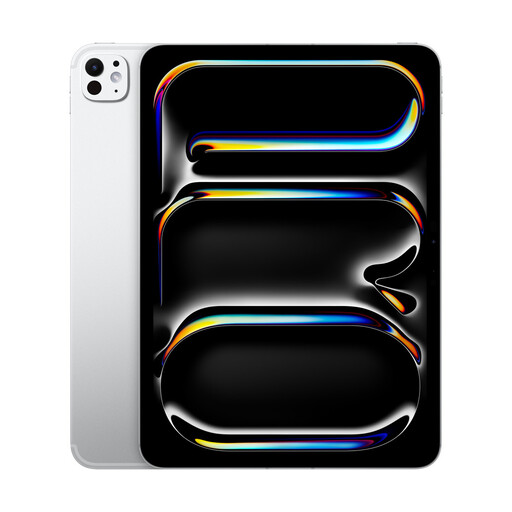
Apple iPad Pro 13-Inch M5 WiFi + Cellular 1TB Silver
A large iPad option for home reading, video calls and forms when the user can draw on iPad-experienced support. The listing states a 13-inch display, iPadOS, Wi-Fi plus cellular connectivity, Face ID and support for Apple Pencil Pro and keyboard accessories. Try positioning, carrying, charging and touch use before purchase, and verify essential service compatibility and recovery arrangements.
Joybuy
Frequently asked questions
Should an older person choose a smartphone or a tablet first?
Choose based on the tasks and location of use. A smartphone is more practical for calls, messages, authentication codes and use away from home, while a tablet can suit mostly home-based use when a larger touchscreen layout is easier to manage. Age UK recommends considering what the person wants to do, where they will use the device and whether they can try it before choosing.
What should be tested for someone with poor vision, hearing or dexterity?
Test the exact device with the user. Enlarge text and display elements, try contrast and spoken feedback where useful, check speaker volume or hearing-aid connection if relevant, and see whether the person can unlock, hold, tap and return to the home screen. A large display or specialist label alone does not establish that a device is accessible for that individual.
Does buying a device solve digital exclusion?
No. The Department for Science, Innovation & Technology identifies access to a device and connection alongside skills, confidence, usable services, offline options and trusted help. Arrange connection, setup, learning and ongoing support, while retaining non-digital routes for tasks the person cannot or does not want to complete online.
Should I avoid older 2G-only or 3G-only phones?
Yes for a new mobile-device purchase intended to remain usable on UK networks. Ofcom states that 3G networks are switched off and 2G networks are being switched off over coming years; it advises that 2G-only devices will need at least 4G. Check the exact device and the selected provider’s coverage before buying.
How should a relative help with passwords and account recovery?
Agree the help before setup, respect the user’s privacy and make a recovery plan for important accounts such as email. The National Cyber Security Centre recommends two-step verification for important accounts and notes that email access can enable password resets for other services.


