For attraction tickets on a road trip, choose a mobile network that suits your route before choosing the handset. Then weigh screen visibility, a workable charging setup and space for your apps and saved material. Google Pixel 10 offers Google’s stated 24+ hour battery life; Samsung Galaxy S26 has officially listed dual-SIM and eSIM options; and iPhone 17 starts at 256GB. None of those specifications guarantees a signal or access to a particular ticket at the entrance.
Who is this for?
Driver holding the tickets
If the bookings are on your phone, you need to be able to show them promptly after parking. Check that the screen is readable and the phone can stay charged; GOV.UK and nidirect advise against handling a phone while driving.
Family itinerary organiser
If you manage several confirmations alongside navigation and messages, consider storage, charging and how each ticket can be kept accessible. Manufacturer specifications from Apple and Google help compare devices, but each attraction determines how its tickets work.
Traveller taking rural routes
If mobile reception may vary along your journey, check your intended network at the places where you expect to use a ticket. Ofcom’s coverage predictions are useful for planning, though conditions on the ground can differ.
What matters when buying?
Start with the network and the way your tickets are accessed. Then decide which screen, charging and phone-setup requirements matter most on your trip.
| Concern | What to check | Who this matters to |
|---|
| Coverage and ticket access |
Check your intended network along the route and at attractions using Ofcom’s coverage checker. Ask each ticket provider whether its ticket can be saved for use without a live connection. |
I need to retrieve a ticket where reception may be patchy, rather than rely on the phone’s 5G label. Around 33% of consumers put route-specific ticket access first. |
| Outdoor readability |
Compare the exact model’s stated outdoor brightness and, if weather exposure matters, its documented resistance rating. |
At an outdoor entrance, I want to present the ticket clearly without treating a brightness or water-resistance rating as a guarantee. Clear outdoor presentation is the primary concern for around 25% of consumers. |
| Power and charging |
Check the charging standard, box contents and whether your car’s charging setup is compatible. Treat advertised battery duration as a manufacturer claim. |
I use navigation and ticket apps through the day and do not want a flat phone before the last stop. Keeping it powered is the first priority for around 25% of consumers. |
| SIM and device continuity |
Confirm the exact variant’s SIM options, your provider’s eSIM support where relevant, and access to the apps and accounts you use. |
I want to keep my usual number or use a separate travel plan without disrupting my existing apps. Around 17% of consumers chiefly prioritise that setup. |
What should you avoid?
-
Assuming 5G means tickets will load everywhere
Ofcom says coverage differs by network and location, and its maps predict rather than guarantee reception. Conditions inside a vehicle can also affect the signal.
Check your network along the route and at each destination. Save ticket details in advance where the provider permits it.
-
Getting a ticket ready while driving
GOV.UK says drivers in Great Britain must not hold and use a phone while driving, including at traffic lights or in a queue. Nidirect gives the same warning about hand-held use in Northern Ireland; hands-free use can still distract a driver.
Access tickets only after parking safely, or ask a passenger to handle them.
-
Assuming the phone comes with everything needed for charging
Apple says iPhone 17 comes with a USB-C cable but no power adapter. Google says Pixel 10’s quoted fast-charging result requires a separately sold 30W USB-C PPS charger or higher.
Check the contents and charging requirements of the exact phone, then make sure your car charger and cable are compatible.
You may need to bring or obtain a compatible adapter or car charger.
-
Treating every similarly named phone as the same variant
A separate Joybuy Galaxy S26 listing describes a 6.2-inch display and 4,900mAh battery, whereas Samsung UK lists a 6.3-inch display and 4,300mAh typical battery for Galaxy S26. Those descriptions should not be treated as proof of an identical variant.
Compare the full model number, storage, SIM configuration and applicable warranty before using one listing’s specifications to judge another.
Brands to consider for this trip
Google
Pixel 10 is an Android option if its stated battery life and 6.3-inch OLED display suit your ticket-and-navigation setup.
- Google specifies 128GB and 256GB storage options and states 24+ hour battery life for Pixel 10.
- The battery figure is Google’s claim, not a road-trip result. Google lists a 204g weight and says its quoted fast-charging result requires a separately sold compatible charger.
Samsung
Galaxy S26 is worth considering if you want an Android phone with officially listed Nano-SIM and eSIM or dual-eSIM configurations.
- Samsung UK lists a 6.3-inch display and 167g weight for Galaxy S26.
- Its listed 4,300mAh typical battery capacity cannot, by itself, predict journey runtime or be compared directly with another brand’s endurance claim.
Apple
iPhone 17 is an option if you want an iPhone with 256GB starting storage and Apple’s stated outdoor display specification.
- Apple specifies a 6.3-inch display, up to 3,000 nits outdoor peak brightness and IP68 resistance under stated laboratory conditions.
- Apple’s IP68 rating covers a maximum depth of 6 metres for up to 30 minutes under IEC 60529; it does not guarantee protection in every incident. The box includes a USB-C cable but no power adapter.
Joybuy smartphone options
These smartphones offer different storage and device options for carrying digital tickets on a road trip. Check your intended network, the exact variant and how your tickets can be accessed before choosing.
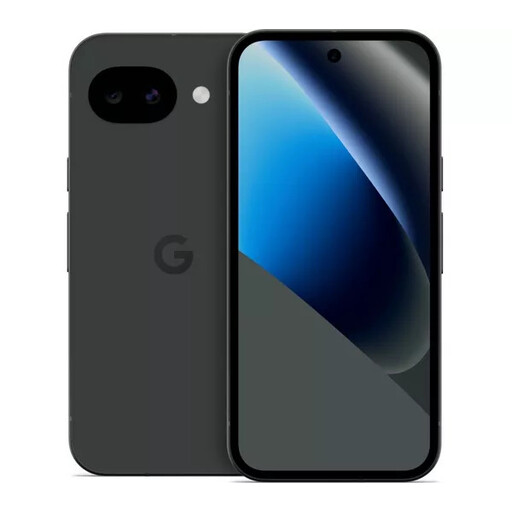 No image available
Google Pixel 10a 128GB Obsidian
Consider this option if 128GB of storage suits the ticket, map and other apps you plan to keep on your phone.
Check your network’s coverage and the exact variant’s charging requirements before travelling.
View on Joybuy
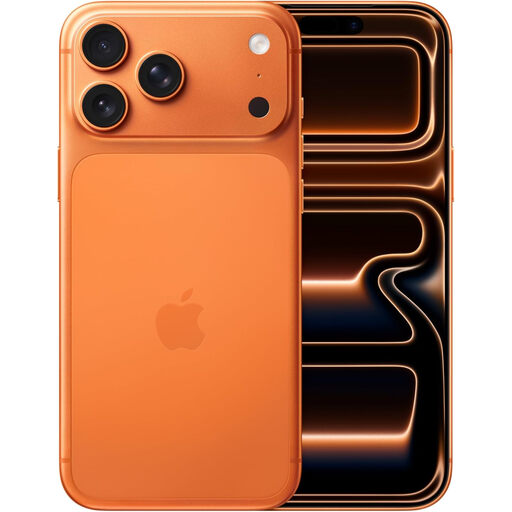 No image available
Apple iPhone 17 Pro Max 256 GB Cosmic Orange
Consider the 256 GB variant if you want room for ticket and travel apps alongside other material you keep on your phone.
Check the charging accessories required for this Pro Max model rather than applying the standard iPhone 17’s box contents to it.
View on Joybuy
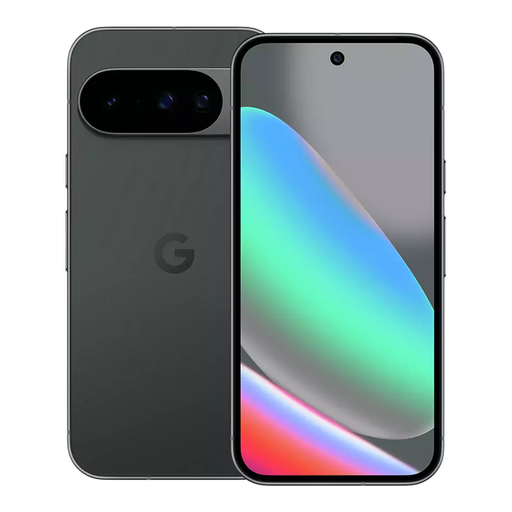 No image available
Google Pixel 10 128GB Obsidian
This Pixel 10 variant may suit you if 128GB meets your storage needs and you want to assess Google’s stated 24+ hour battery life alongside your charging plan.
Google’s battery figure is not a journey test. Check route coverage and use a compatible charger for any quoted fast-charging result.
View on Joybuy
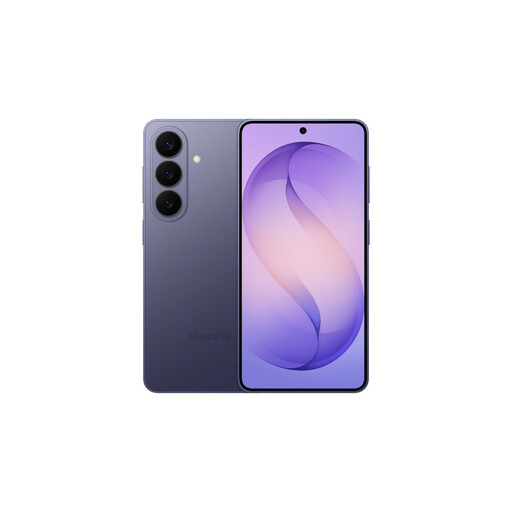 No image available
Samsung Galaxy S26 12GB 512GB Cobalt Violet
The 512GB storage variant is worth considering if you keep substantial trip material on your phone as well as ticket and navigation apps.
The name also specifies 12GB of memory. Confirm the exact variant’s SIM configuration and a compatible charging setup if either affects your trip.
View on Joybuy
 No image available
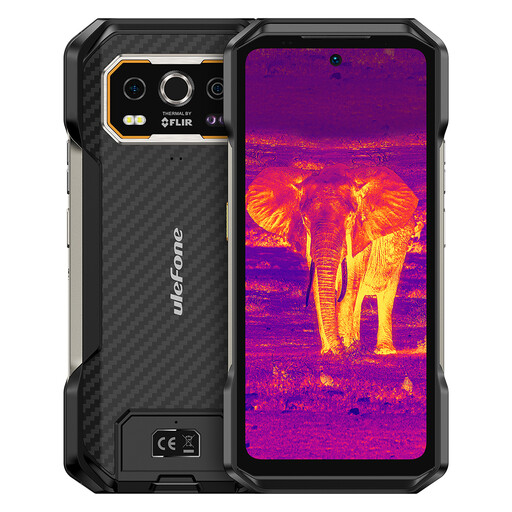
Ulefone Armor 27T Plus 4G, 256GB
Consider this 4G model if you want 256GB of storage for apps and travel material, subject to compatibility with your intended network.
Its product name states a 10,600mAh battery and 6.78-inch display. Battery capacity does not establish how long the phone will run with navigation and mobile data.
View on Joybuy
Frequently asked questions
Can the driver check a ticket while stopped in traffic?
No. GOV.UK says drivers in Great Britain must not hold and use a phone while driving, including at traffic lights or in a queue; nidirect gives the same warning for hand-held phone use in Northern Ireland. Park safely before checking, or have a passenger handle the ticket.
Will a 5G phone make sure tickets load at every attraction?
No. Ofcom’s checker provides network coverage predictions, not a guarantee at a particular entrance. Check your intended network along the route and at the attractions, and ask providers whether tickets can be saved for use without a live connection.
Will a charger be included with the phone?
Check the exact model and its box contents. Apple says the standard iPhone 17 includes a USB-C cable but no power adapter; Google says Pixel 10’s quoted fast-charging result requires a separately sold 30W USB-C PPS charger or higher.
What should I do with digital tickets before leaving?
Install and sign in to the apps you will need before departure. Check each attraction’s instructions to see whether its ticket can be saved in an app or wallet and shown without a live connection.


