What matters when choosing
Decide whether the existing screen still meets the household’s needs, then check the services and controls on the exact TV or streaming device.
Keep the TV and add a device
Choose this when: The picture is satisfactory, an HDMI input works and the chosen stick or player supports your required apps.
Allow for: Another powered device and input-selection step; 4K or HDR output still needs a compatible screen and content, as Roku and Apple specify.
Replace the smart TV
Choose this when: The current screen’s size, condition, picture capability or available inputs no longer suit the room.
Allow for: Built-in apps can differ by model and generation; ITV’s ITVX support list, for example, has model-year and platform qualifications.
| Concern |
What to check |
Who this matters to |
| App compatibility |
Check every essential service against the exact model and software version. ITV lists model-year restrictions for some smart TVs and a firmware requirement for current ITVX updates on Roku and NOW devices. |
If a favourite catch-up app or live event is the reason for buying, support on a phone or another TV is not enough. About 36% of consumers put exact app compatibility first. |
| Free TV and regional viewing |
Check live, catch-up and postcode-dependent services separately. Freely says an aerial can supplement its Wi-Fi channel selection. |
For a household centred on UK broadcaster programmes, the available channels matter more than a long general app list. About 29% of consumers prioritise free broadcaster and regional viewing. |
| Shared controls and accessibility |
Check profiles, child controls, captions and audio description on both the device and the required apps. Google says Kids profiles are available only on some devices. |
When adults and children share a screen, or someone needs accessible menus and programmes, one platform setting may not cover every app. About 21% of consumers put shared controls or accessibility first. |
| Screen and connection |
Confirm a working HDMI input, suitable power and a dependable network connection. Check the TV’s own resolution and HDR capability before choosing a 4K device. |
If the picture or connection is already causing problems, adding a stick may leave the main issue untouched. About 14% of consumers put the screen and connection first. |
A broadcaster-focused platform can be either a TV or an external device. Freely says its streaming device needs HDMI and Wi-Fi; its channel line-up can vary by postcode. Check subscription apps separately rather than assuming that broadcaster integration includes them.
Joybuy products for each route
These TVs are options when replacing the household screen; the streaming sticks are options when keeping a working HDMI television. Check the exact UK apps you need before choosing either route.
 Image unavailable
Coocaa 40CTQH38ZUK 40-inch Freely QLED TV
Consider this if you want to replace the screen with a 40-inch TV and are interested in built-in Freely viewing. The listing specifies a Full HD QLED display, TiVo OS, Wi-Fi and LAN; it is not a 4K screen. Check the exact broadcaster apps and regional services needed on this model.
View on Joybuy
 Image unavailable
Roku Streaming Stick 4K with Dolby Vision
This direct-HDMI stick is an option for keeping a working TV. The listing describes 4K, Dolby Vision, HDR10+ and Wi-Fi; those picture formats require compatible display equipment and content. BBC iPlayer is named in the listing, but check current support for it and every other required UK service on this exact model.
View on Joybuy
 Image unavailable
Roku Streaming Stick 4KPlus
Consider this stick if you are retaining an HDMI TV and want the listing’s Voice Remote Pro private-listening feature. The description also specifies Wi-Fi and 4K streaming; 4K viewing requires a compatible TV and content. Confirm the UK broadcaster apps and firmware requirements for this model.
View on Joybuy
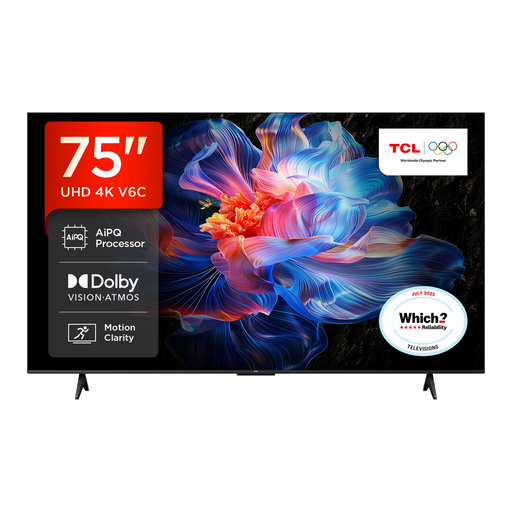 Image unavailable
TCL 75V6C 75-inch 4K Google TV
This is a replacement-screen option if a 75-inch display suits the room. The listing specifies 4K UHD, Google TV, Wi-Fi and HDMI 2.1. Check required UK broadcaster apps on the exact TV; if child controls matter, confirm their availability on this model and in each app.
View on Joybuy
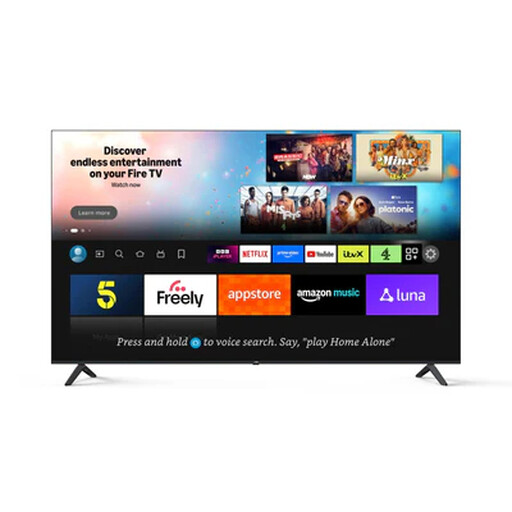 Image unavailable
Haier H50S80GUF 50-inch 4K QLED TV
Consider this model if a 50-inch replacement screen fits the shared viewing space. The listing specifies 4K UHD, Wi-Fi, HDR10 and three HDMI ports. Before relying on its smart-TV functions, confirm the platform, current broadcaster-app support and any household controls you need on the exact model.
View on Joybuy
Common questions
Can a streaming device take the place of a new smart TV?
It can provide an external app platform if the existing TV works, has HDMI and still meets your picture needs. Roku says its 4K players work with HDMI televisions, but a stick or box cannot improve the TV’s panel or provide 4K or HDR on an incompatible screen.
Will ITVX work on every smart TV from a supported brand?
No. ITV lists ITVX support by platform and model generation, including LG smart TVs from 2016 and Samsung smart TVs from 2017, with further qualifications for some devices. Check the exact model and software version rather than relying on the brand name.
Does using a streaming stick change UK TV-Licence requirements?
No: TV Licensing says the requirement follows what you watch, not whether you use a stick or a smart TV. A licence is required for live TV on any channel or streaming service and for downloading or watching BBC iPlayer. Watching only on-demand programmes on other services does not by itself require one, provided you do not watch live TV or use BBC iPlayer.
Do child profiles work across every streaming app?
No. Google says Kids profiles are limited to some devices, and ITV lists particular devices that support ITVX profiles. Check the chosen device and each service’s own profile and maturity controls before relying on them in a shared room.
What accessibility features should I check before buying?
Check the device interface and the programmes in your required apps separately. Apple documents VoiceOver, captions and audio settings on Apple TV 4K, while noting that some features and content vary by hardware or region; those device settings do not establish accessibility for every programme.


