Who is this for?

Phone-first notification users

If messages, calls and calendar alerts are the reason to wear a watch, check what you can read or do at the wrist—not just whether it vibrates. Which? notes that notification detail and response options differ between watches.

Low-maintenance activity trackers

If you mainly want a record of everyday activity, comfort and a manageable charging routine matter alongside the features. Which? includes wearability and battery behaviour among its smartwatch testing considerations.

Phone-platform-flexible consumers

If you use a supported iPhone or Android phone and might switch platforms, consider a device whose companion app supports both. Garmin publishes separate operating-system requirements for compatible iPhone and Android devices.

What matters when choosing?

Full smartwatch

Choose when: You need more than a prompt and want to check whether your usual messages, calls or apps can be handled at the wrist.

Trade-off: The phone, companion app and watch model can limit those functions, so an alert arriving does not guarantee you can respond to it.

Fitness tracker

Choose when: Routine activity tracking and basic phone alerts meet your needs without a fuller watch interface.

Trade-off: Check the alert detail and controls you would give up. Even a tracker’s stated battery life depends on its settings and use.

Concern What to check Who this matters to
Phone compatibility Match the exact watch to your phone model and operating-system version; check its required companion app. If I cannot pair the device with my phone, its alerts and synced activity data will not serve my purpose. Around 31% of consumers put compatibility first.
Notification handling Check whether your usual apps show message content and whether replies or calls work with your phone. I want to judge an incoming message without immediately taking out my phone, so a vibration alone is not enough. For around 25% of consumers, useful notification handling is the primary need.
Charging and comfort Compare battery claims under the display settings you plan to use, then consider case and band fit. A watch that interrupts my routine for charging or feels awkward throughout the day is hard to keep wearing. Comfortable wear and manageable charging come first for around 25% of consumers.
Tracker simplicity Decide whether basic alerts and activity records suffice, or whether you need a fuller watch screen and controls. If steps and everyday activity are my focus, I do not need to choose extra wrist-app functions I will not use. Around 19% of consumers primarily need the simpler tracker route.

Common buying mistakes

  • Choosing a watch before checking your phone

    Pairing requirements vary by model and generation. Apple publishes iPhone and iOS requirements for each Apple Watch generation, while Google specifies a compatible Android phone and companion app for Pixel Watch.

    Check your phone model and installed operating system against the exact watch before choosing a size or connectivity variant.

  • Assuming every alert is equally useful

    Which? reports that some watches merely signal an incoming notification, while others allow more detail or easier responses.

    Pick the calls, messages or calendar alerts you rely on most and check how the intended phone–watch pairing handles each one.

  • Comparing battery claims without their conditions

    A stated duration may change with display and feature settings. Google says the Fitbit Charge 6 requires more frequent charging when its always-on display or SpO2 features are used.

    Compare the settings behind each claim and decide whether the likely charging routine works for you; a tracker and a fuller smartwatch need not be used in the same way.

  • Overlooking the companion app’s data settings

    Activity records and alerts involve information beyond the watch screen. Data-sharing choices matter particularly if someone else, such as an employer, asks to access wearable information.

    Review app permissions, privacy information and sharing controls before syncing. If workplace access is requested, ask what information would be collected and how it would be used.

Brands to consider for these needs

Apple

Apple Watch is an iPhone-based route for notifications and everyday wrist use.

  • Apple Support publishes model-specific iPhone and iOS requirements that you can check before choosing a watch.
  • An Android phone is not a suitable pairing route for Apple Watch.

Google Pixel

Pixel Watch is an Android smartwatch route for notifications, apps and activity features.

  • Google specifies that Pixel Watch 5 works with most phones running Android 12.0 or newer and requires a Google Account and the Pixel Watch app.
  • Check the exact watch size and settings when reading a battery claim; do not assume every variant has the same stated runtime.

Samsung

Galaxy Watch offers another Android-oriented smartwatch route; Samsung UK lists a Galaxy Watch8 Bluetooth model with a 44 mm case.

  • The listed case and connectivity variant give you a specific model to assess for fit and phone use.
  • Confirm the chosen Galaxy Watch model’s current phone compatibility before purchase rather than assuming all models pair alike.

Garmin

Garmin is a route to consider if everyday activity data and phone notifications matter and you may use either a supported iPhone or Android device.

  • Garmin Support lists Garmin Connect requirements for compatible iPhones on iOS 18.2 or later and compatible Android devices on Android 9 or later.
  • Support for both phone platforms does not establish identical watch functions on every handset; check the precise device and app requirements.

Fitbit

Fitbit Charge 6 represents a tracker-led option when routine activity and alerts matter more than a full smartwatch interface.

  • Google states up to seven days of battery life for Charge 6 under its stated usage conditions.
  • Google says its always-on display and SpO2 features require more frequent charging; check notification functions separately if replies matter to you.

Joybuy product choices

These choices cover simpler activity trackers and smartwatches for wrist alerts, including iPhone-oriented models. Compare each one with your phone and the level of notification handling you need.
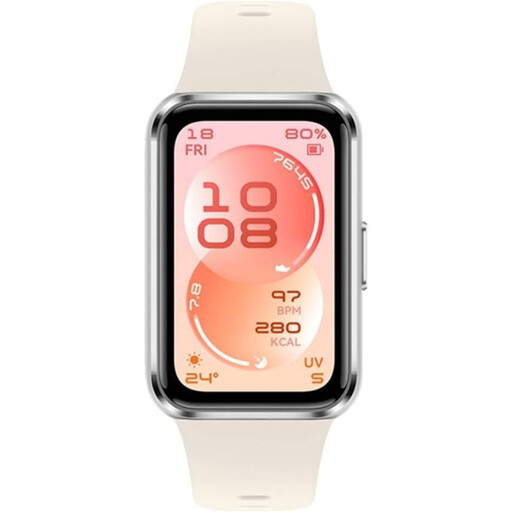
White HUAWEI Band 11 fitness tracker

HUAWEI Band 11 Fitness Tracker, White, Aluminium Case

Consider this tracker if everyday activity and phone alerts matter more to you than a fuller smartwatch interface.

Check its pairing requirements and the alert functions you need, particularly if reading or replying to messages at the wrist is important.

Joybuy
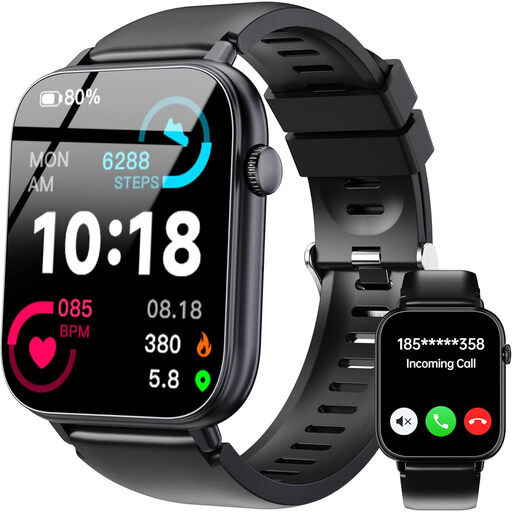
Black OUKITEL V3 smartwatch

OUKITEL V3 Black Smartwatch, 1.83-inch Touch Display

Consider this smartwatch if wrist calls and app-message alerts are important alongside everyday activity tracking.

Its product description lists a built-in speaker and microphone. Confirm your phone’s compatibility and how the alerts you use behave with the companion app before buying.

Joybuy
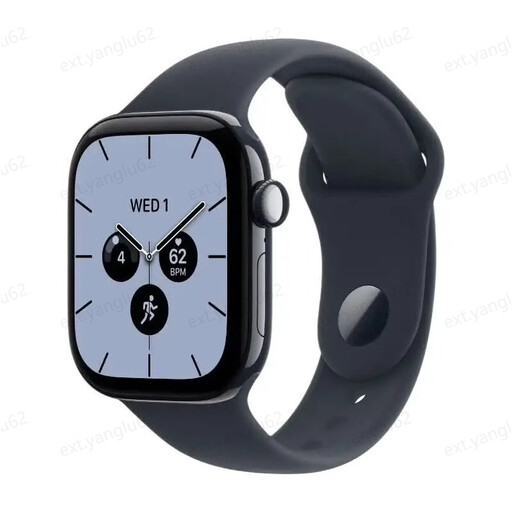
Apple Watch Series 12 GPS 46 mm with Space Grey case and Navy Blue Sport Band

Apple Watch Series 12 GPS 46 mm, Space Grey, Navy Blue Sport Band S/M

This iPhone-oriented smartwatch is worth considering if you want alerts and activity information on a watch rather than a simpler tracker.

Apple Support lists iPhone 11 or later with iOS 27 or later for Series 12. Check that requirement against your phone and consider whether the 46 mm case and S/M band will fit.

Joybuy
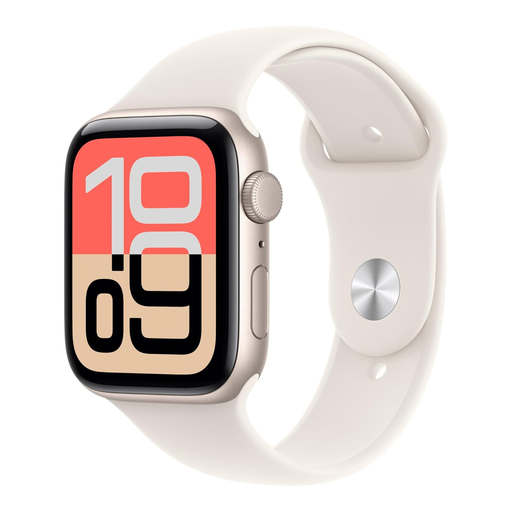
Apple Watch SE 3 GPS + Cellular 44 mm with Starlight case and Sport Band

Apple Watch SE 3 GPS + Cellular 44 mm, Starlight, Sport Band M/L

Consider this iPhone-oriented model if you want a smartwatch for alerts and activity and are assessing a cellular variant.

Check your iPhone against Apple’s SE 3 compatibility requirements and confirm the conditions for using cellular functions. The listed band size is M/L.

Joybuy
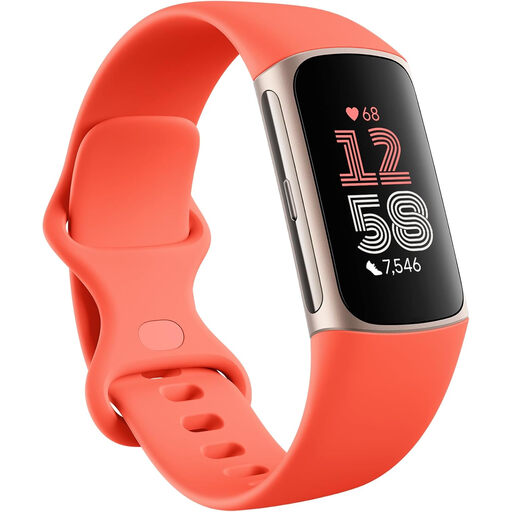
Fitbit Google Charge 6 tracker in Coral and Champagne Gold Aluminium

Fitbit Google Charge 6, Coral / Champagne Gold Aluminium, 3 Months Google Health Premium

This activity tracker suits a routine focused on movement data and basic alerts rather than a full smartwatch interface.

Google states up to seven days of battery life for Charge 6, with more frequent charging when the always-on display or SpO2 features are used. Check how your paired phone presents the notifications you need.

Joybuy

Frequently asked questions

Will an Apple Watch work with an Android phone?

No—choose a different route for an Android-phone setup. Apple Support specifies iPhone pairing for Apple Watch, with the required iPhone model and iOS version varying by watch generation.

Can I pair a Pixel Watch 5 with an iPhone?

Do not plan an iPhone pairing for Pixel Watch 5. Google specifies most phones running Android 12.0 or newer, plus a Google Account and the Pixel Watch app, for this model.

Do all smartwatches let me reply to notifications?

No. Which? reports that notification detail and response options differ: some watches indicate only that an alert arrived, while others make replies or calls easier. Check the apps you use on the exact watch and phone pairing.

When should I choose a fitness tracker instead?

Choose a tracker if routine activity data and basic alerts meet your needs without a fuller watch interface. If charging frequency is part of the decision, read the conditions behind each claim: Google states up to seven days for Fitbit Charge 6 but says some features require more frequent charging.

What should I check before sharing wearable data at work?

Ask what information an employer wants to collect, why it is needed, who can access it and how long it will be kept. The UK Information Commissioner’s Office discusses employer use of health and activity information from wearables; its guidance does not mean you must share your personal device data.