Start with your phone: Apple Watch offers calls, notifications and message responses alongside a compatible iPhone, while Garmin says its smartwatches work with supported iPhones and Android phones. If you mainly want activity information rather than fuller watch interactions, consider a basic tracker. Check the exact phone and app requirements, the alerts you can control, fit and charging routine before choosing.
Who is this for?
The useful distinction is how much you want to do on your wrist while exercising, not simply whether a device records activity.
Outdoor exercisers who want selected alerts
If you want to notice calls or chosen messages during a walk or run without repeatedly taking out your phone, check both the watch’s alert options and its paired-phone settings. Garmin says its smart notifications require configuration on the phone, device and app.
iPhone users choosing an exercise watch
Apple describes calls, incoming notifications and message responses on Apple Watch. If those interactions matter alongside workout information, check the particular watch’s compatibility with your iPhone before comparing other features.
Activity-first buyers
If everyday activity information matters more than calls or a larger watch display, a simpler tracker is worth considering. Garmin describes vívosmart 5 as an all-day activity tracker; check whether its own alerts and activity options cover your routine.
What matters when choosing?
Check phone compatibility first, then decide which wrist interactions you would actually use. Battery, fit and data controls matter more once those requirements are clear.
| Priority | What to check | Your needs |
|---|
| Phone compatibility |
Match the exact watch and companion app to your phone model and installed operating system. Garmin lists iOS 18.2 or later and Android 9 or later for Garmin Connect; those app requirements are not a compatibility guarantee for every watch or feature. |
My activity information and alerts need to work with the phone I already use. |
| Wrist notifications |
Check which calls, messages and app alerts can appear, and how to enable or silence them. Garmin says its smart notifications depend on settings on the paired phone, device and app. |
I want to notice the alerts that matter during exercise without every app interrupting me. |
| Activity and routes |
Check the activity information you want to see and whether outdoor route tracking uses the watch or a paired phone. Confirm which intended features or services have separate conditions. |
For a run or walk, I may want to leave my phone tucked away; if I want to leave it at home, the route-tracking setup matters. |
| Battery routine |
Read the conditions behind a stated battery figure and consider your workout length, notifications and connectivity. Apple says actual Apple Watch battery life varies with use, configuration, network and signal strength. |
Charging should fit around my normal exercise and daily wear, not interrupt a session I planned to record. |
| Fit |
Compare case dimensions and strap options with your wrist and intended wear time. Treat a maker’s comfort description as a starting point, not a personal fit guarantee. |
If I will wear it throughout the day, the case and strap need to feel manageable during movement. |
| Data and security |
Review alert permissions, activity-data settings and the stated security-update period. Garmin says notification copies transmitted through its Android app are removed when dismissed from the phone or device. |
I would rather show only selected alerts on my wrist and understand the data settings before switching them on. |
What should you avoid overlooking?
-
Assuming a brand’s watches all work with your phone
Companion-app requirements can rule out an older phone operating system even when a watch looks suitable. Garmin, for example, specifies minimum iOS and Android versions for Garmin Connect.
Check the exact watch model, phone model and installed operating-system version together before ordering.
-
Reading a battery figure as a promise
Your mix of workouts, alerts and connectivity may differ from the manufacturer’s test conditions. Apple says Apple Watch battery life varies with use, configuration, network and signal strength.
Compare the published test conditions with your longest exercise routine and decide when you could charge the device.
-
Enabling every alert without reviewing privacy settings
Notifications can expose message details on your wrist. Data handling can also depend on the paired-phone setup: Garmin describes temporary notification copies in its Android app.
Select the apps allowed to alert you and review the companion app’s notification and activity-data settings.
-
Overlooking security-update support
A smartwatch is a connected device that may remain in everyday use for some time. The UK National Cyber Security Centre identifies the stated minimum period for important security updates as information consumers should be able to check.
Look up that period for the device you are considering, and keep its watch software and companion app updated.
Relevant brand references
These examples illustrate different watch and tracker routes; a brand name alone does not establish phone compatibility or the features of a particular model.
Apple
Apple Watch is an iPhone-centred option for workout information and wrist interactions.
- Apple describes calls, incoming notifications and message responses on Apple Watch.
- Check the selected watch’s iPhone and iOS requirements. Apple says actual battery life varies with use and connection conditions.
Garmin
Garmin offers smartwatches for supported Apple and Android phones, as well as activity trackers such as vívosmart 5.
- Garmin says its smartwatches can pair with supported phones in either ecosystem.
- Check the exact device and Garmin Connect requirements; wrist notifications also depend on phone, device and app settings.
Samsung
Galaxy Watch8 is a touchscreen smartwatch to consider for workouts and everyday wrist wear.
- Samsung’s UK range includes a Galaxy Watch8 Bluetooth 40 mm model.
- Samsung’s comfort description is a manufacturer claim. Check case and strap fit, exact phone compatibility and any feature restrictions for the model.
Joybuy product options
These Joybuy options include activity bands for simpler tracking and smartwatches with calling or message-alert features. Compare each one against your phone, preferred alerts and outdoor routine rather than assuming every option handles those tasks in the same way.
 No image available
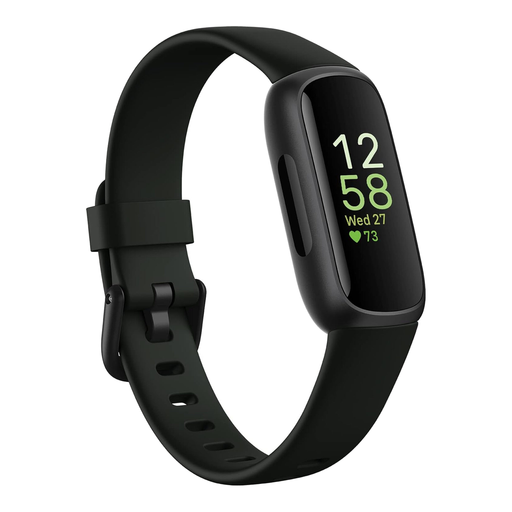
Fitbit Inspire 3 Fitness Tracker, Midnight Zen/Black
Consider this activity-tracker format if you want exercise information without fuller smartwatch interactions. Before choosing it for outdoor routes or selected alerts, check its phone requirements, GPS arrangement and notification controls against your routine.
View on Joybuy
 No image available
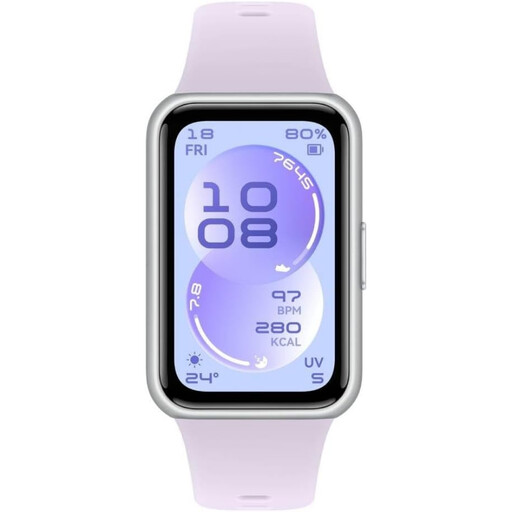
HUAWEI Band 11, Purple, Polymer Case
This band is an option to compare for everyday activity tracking with a paired phone. If outdoor routes or message alerts matter to you, check how this model handles GPS and phone notifications before buying.
View on Joybuy
 No image available
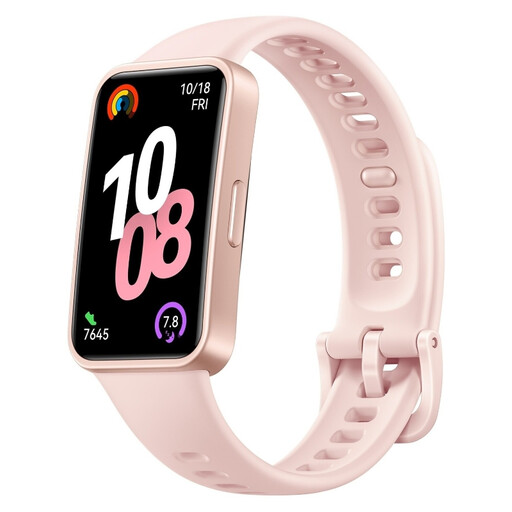
HUAWEI Band 10 (Nora-B19F), Pink
Compare this band if a tracker suits your exercise routine better than a fuller smartwatch. Confirm compatibility with your phone, the alerts you can manage and whether your preferred outdoor route tracking needs the phone.
View on Joybuy
 No image available
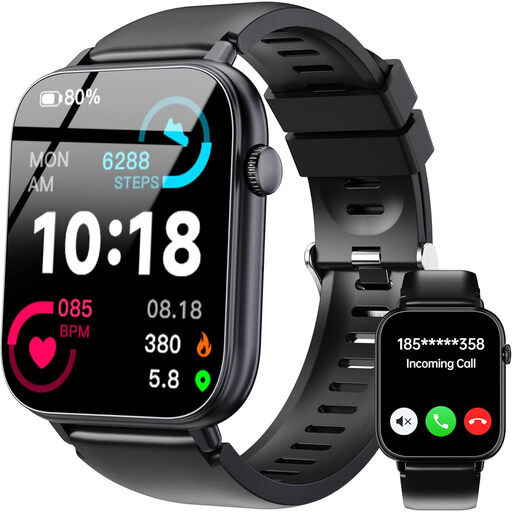
OUKITEL V3 Black Smartwatch, 1.83-inch Touchscreen
Its stated Bluetooth calling and message alerts may appeal if handling your phone less often is a priority during exercise. Check the phone and app requirements, alert permissions and route-tracking arrangement for your intended use.
View on Joybuy
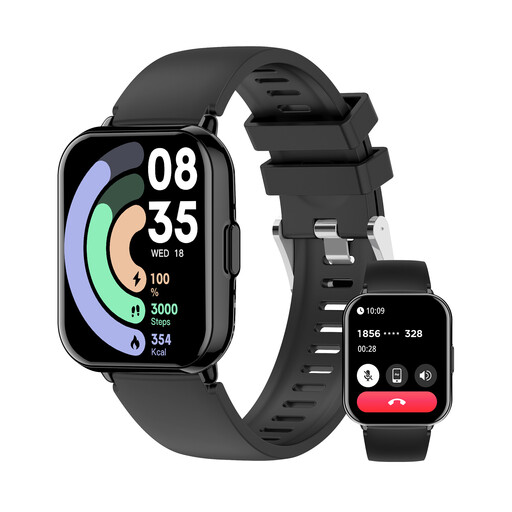 No image available
Newmine Black Sports Watch with Bluetooth Calling
The named calling and message-alert features make this a watch to consider for fewer phone checks during running or routine fitness activity. Check phone compatibility, fit, charging needs and any outdoor route-tracking requirements before choosing it.
View on Joybuy
Common questions
Can smartwatch activity or heart-rate information guide a medical decision?
Do not use general consumer fitness readings to make diagnosis or treatment decisions. The UK Medicines and Healthcare products Regulatory Agency distinguishes monitoring general fitness and wellbeing from a medical purpose; seek appropriate clinical advice about symptoms or treatment.
Why might alerts fail even when my watch is paired?
Pairing alone may not enable wrist alerts. Garmin says its smart notifications require settings on the paired phone, watch and Garmin app, so check permissions and the individual alerts you want to receive.
What security information should I check for a connected watch?
Check the manufacturer’s stated minimum period for important security updates for the device. The UK National Cyber Security Centre highlights this information for consumer smart devices; install available watch and companion-app updates during use.
Will the activity features I want require a subscription?
Check the exact watch, companion app and intended service before deciding. Activity metrics and optional services can have different conditions, so confirm access to the particular features you plan to use rather than assuming one arrangement applies to every model.


