Xbox or Windows PC players
If Riders Republic is your snowboarding game, Ubisoft lists the Xbox Wireless Controller for PC, Xbox One and Xbox Series X|S. Check support separately if you play a different title.


Choose a controller supported by both the device running your snowboarding game and the game itself. Ubisoft lists the Xbox Wireless Controller for Riders Republic on Xbox and PC, and DualSense for PS5 and PC; for PS4 or Nintendo Switch, check the chosen game’s platform and controller support rather than assuming either route applies. On PC, features such as DualSense haptic feedback also depend on the connection and game.
If Riders Republic is your snowboarding game, Ubisoft lists the Xbox Wireless Controller for PC, Xbox One and Xbox Series X|S. Check support separately if you play a different title.
Ubisoft lists DualSense for Riders Republic on PS5 and PC. If you play on PS4, check which controller the game supports instead of treating PS5 controller support as PS4 support. On PC, PlayStation says haptic feedback requires USB and game support.
A Switch Pro Controller is worth considering once you have confirmed that your chosen snowboarding game runs on Switch and supports it. Ubisoft’s Riders Republic supported-peripherals information does not list a Nintendo Switch route.
Start with the device running the game and its controller support. Once that route is clear, decide how you want to connect from the sofa and whether you would use any extra controls or feedback features.
| Concern | What to check | Who this matters to |
|---|---|---|
| Game and device support | Check the game publisher’s controller list for the exact console or PC version you will play. | If my chosen game does not accept the controller on my device, its other features will not help me play. Around 50% of consumers put game and device compatibility first. |
| Connection from the sofa | Check the available wireless or USB connection and whether a wanted PC feature requires a cable. | I want a connection that works from where I sit, without losing a feature I intend to use. Connection practicality is the primary concern for around 30% of consumers. |
| Custom controls and feedback | Check which remapping, physical adjustments or feedback features the controller and game support. | If I regularly change my controls, I may use adjustable sticks or saved profiles; otherwise, I would focus on basic support. Around 20% of consumers prioritise customisation or supported feedback. |
A familiar controller can still be unsupported by the game on your particular device. Ubisoft’s Riders Republic guidance lists supported peripherals by platform and notes that other input devices may require third-party software.
Check the publisher’s current support information for the version you will play. Bluetooth connectivity alone does not establish in-game support.
PlayStation says PC haptic feedback needs both a USB connection and game support; adaptive triggers also depend on game support.
Check the game’s DualSense features before choosing a connection method.
If supported PC haptics matter in a large-screen setup, you may also need a USB-C cable that reaches your playing position.
Xbox Elite Wireless Controller Series 2 has adjustable-tension thumbsticks and interchangeable controls, but those options require you to set them up and use them.
Identify the adjustments or mapped actions you want before choosing it over a standard controller.
A controller route for Xbox consoles and Windows PC. Ubisoft lists the standard Xbox Wireless Controller for Riders Republic on those platforms.
DualSense is a route for PS5 and compatible PC play; Ubisoft lists it for Riders Republic on both.
The Switch Pro Controller is a full-size option for a snowboarding game confirmed to run on Nintendo Switch.
These controllers cover Xbox and PlayStation routes, including PC use where the chosen game supports the controller. The Elite model adds an option for players who will use configurable controls; confirm its compatibility with your exact device before choosing it.
 No image available
A standard controller to consider for Xbox or Windows PC snowboarding games that support Xbox controllers.
For Riders Republic, Ubisoft lists the Xbox Wireless Controller on PC, Xbox One and Xbox Series X|S. Xbox lists Xbox Wireless, Bluetooth and button mapping for the standard controller; check support for any other game you plan to play.
 No image available
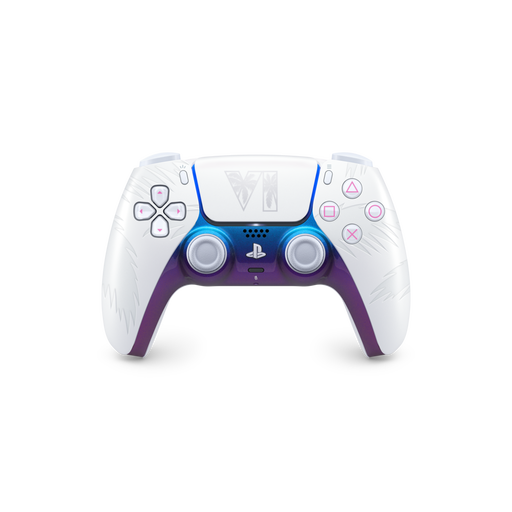
A DualSense variant to consider for a supported PS5 game or a compatible PC game; confirm the exact game before ordering.
The product title also lists Mac and mobile use. For PC haptic feedback, PlayStation requires USB and game support; adaptive triggers likewise depend on game support. Plan the cable arrangement if those PC features matter from your playing position.
 No image available
Consider this model if you want to configure its controls for a snowboarding game, rather than simply use a standard layout.
Xbox lists adjustable-tension thumbsticks and interchangeable components for Elite Series 2. Confirm that this exact variant works with your Xbox or PC and that your chosen game supports the controller; do not assume the extra adjustments are required for play.
Bluetooth alone does not confirm game support. Ubisoft lists DualShock 4, DualSense, Luna, Xbox 360 and Xbox Wireless Controller for Riders Republic on PC; other input devices may work but are not officially supported and may require third-party software.
PlayStation says haptic feedback on PC requires a USB connection and game support. Adaptive triggers also require game support, so pairing by Bluetooth does not establish that either feature will be available in your chosen game.
Choose between them according to whether you will use Elite Series 2’s adjustable-tension sticks, interchangeable controls or saved profiles. The standard Xbox Wireless Controller is listed by Ubisoft for Riders Republic on Xbox and PC; check the exact game and device compatibility of any Elite variant separately.