What matters when buying?
Check the game and platform first. Then decide how you will keep playing through a long session, whether adjustable inputs matter to you and which other devices the controller needs to serve.
| Concern |
What to check |
Who this matters to |
| Game and platform compatibility |
Check your exact console or PC system and the game’s controller-support information. |
I want the controller to work with the snowboarding game I actually play, not merely pair with my device. Around 36% of consumers would put confirmed game support first. |
| Comfort and power for long sessions |
Consider personal hand fit, the power source and whether a usable cable or spare batteries will be available. |
A long session makes an awkward grip or a power interruption harder to ignore. For around 29% of consumers, staying comfortable and powered would be the primary need. |
| Adjustable controls |
Check whether remapping or extra inputs work on your platform and need supporting software. |
I want to set up inputs around the way I handle turns and tricks, rather than pay for controls I will leave unused. Around 21% of consumers would prioritise that flexibility. |
| Use across devices |
Compare the stated device list and the connection method required for each device. |
Moving between supported devices matters more to me than specialised features on just one of them. That would be the main consideration for around 14% of consumers. |
Joybuy controllers for different platforms
These controllers offer options for Xbox or PC play, PC play and PS5 play. Choose by your actual platform and snowboarding game, then consider whether wireless power planning or adjustable controls affect your session.
 No image available
Microsoft Elite Wireless Controller Series 2 (Xbox One S, Xbox Series X/S, PC)
Consider this Xbox or PC option if you want to tailor your controls for longer sessions. Check support in your snowboarding game, how you will keep the controller powered and whether its shape suits your hands.
View on Joybuy
 No image available
Turtle Beach PDP Victrix Pro BFG Wireless Controller (Xbox, Windows 10/11 PC, Black)
This wireless Xbox or Windows 10/11 PC controller is worth considering if adjustable controls suit the way you play. Check game support and allow time to set up your preferred controls before a long session.
View on Joybuy
 No image available
Xbox Wireless Controller (Carbon Black)
For Xbox or Windows PC play, this standard controller is an option if you do not need additional adjustable controls. Check your game’s support and decide how you will manage power through a long session.
View on Joybuy
 No image available
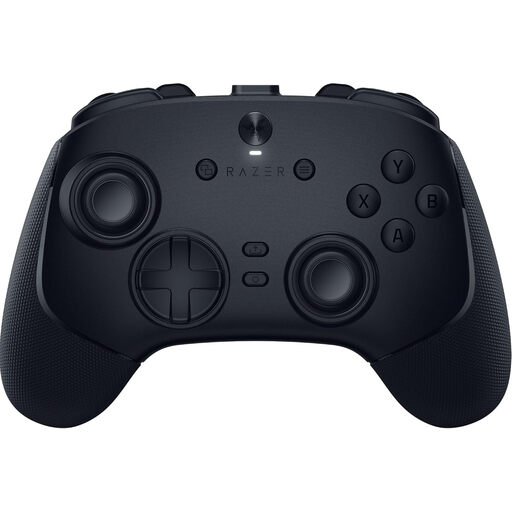
Razer Wolverine V3 Pro Wireless Esports Controller (PC)
Consider this PC controller if adjustable controls are a priority for your snowboarding game. Confirm the game’s controller support and your preferred connection and charging arrangements before planning an extended wireless session.
View on Joybuy
 No image available
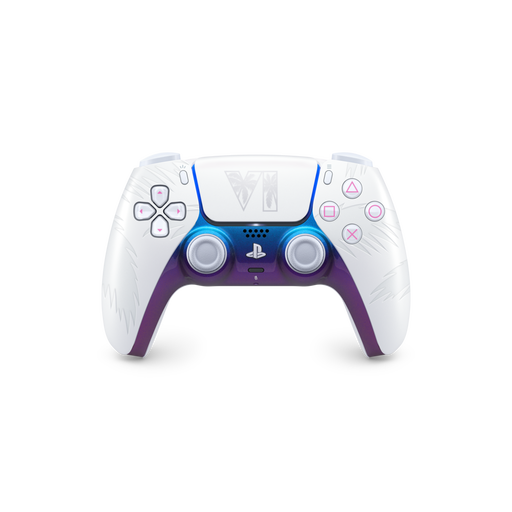
PlayStation DualSense Wireless Controller (Grand Theft Auto VI White Limited Edition)
This DualSense variant is an option for PS5 play or a compatible PC, Mac or mobile setup. Check the snowboarding game’s controller support; PlayStation says haptic feedback and adaptive triggers may require USB and support from the game.
View on Joybuy
Common questions
How can I check controller support for a PC snowboarding game?
Check the individual game’s controller information as well as the controller’s PC compatibility. Valve’s Steam listings mark Shredders as controller-required with full controller support for Xbox and PlayStation controllers, while Riders Republic has partial controller support.
Will DualSense adaptive triggers work in every PC snowboarding game?
No. PlayStation says adaptive triggers and haptic feedback are available when the game supports them and may require a USB connection, so check the intended title before choosing DualSense for those features.
How long can a Nintendo Switch Pro Controller run on a full charge?
Nintendo states that a fully charged Switch Pro Controller can last approximately 40 hours, but duration may be shorter depending on the software and functions used. Nintendo lists approximately six hours for a full charge, which is worth allowing for before a planned long session.
Can an old controller or its battery go in household rubbish in the UK?
UK government guidance says electrical products and batteries bearing the crossed-out wheelie-bin symbol should not go in household rubbish. Use an appropriate recycling or eligible take-back route, and follow its advice to tape the terminals of removable lithium batteries before recycling.


