What matters when choosing?
Check the TV connection first, then decide how much control over speech and bass you want in everyday use.
| Concern |
What to check |
Who this matters to |
| Speech clarity |
Look for a voice, speech or dialogue control on the exact model, and check how you switch it on. Try familiar speech-heavy programmes at your usual volume where possible. |
If voices get lost beneath music or effects, I want to adjust speech without raising every sound. Around 42% of consumers put clearer dialogue first. |
| Connection and controls |
Match the TV’s labelled HDMI ARC/eARC or optical output to the soundbar’s input. Check whether TV-remote operation needs HDMI-CEC or separate setup. |
I want the soundbar to work with my current TV and not make daily volume control awkward; for around 33% of consumers, compatibility and controls are the main concern. |
| Quiet viewing and placement |
Check for a night mode and how it works. If there is a separate subwoofer, plan its space and power point. |
When I watch while others are resting, bass and vibration matter as much as hearing the words. Quiet shared-home use comes first for around 25% of consumers. |
Soundbars to consider on Joybuy
These soundbars offer different starting points for checking speech controls, TV connections and the space needed for a separate subwoofer. Match any promising model to your TV and viewing routine before choosing.
 No image available
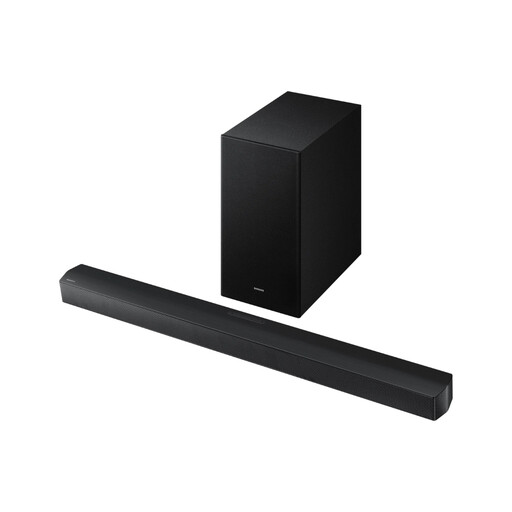
Samsung HW-B650F/XU 3.1ch Soundbar with Wireless Subwoofer
Consider this model if you want a speech-focused control alongside a separate subwoofer. Samsung lists Voice Enhancement Mode, Night Mode and HDMI ARC for the HW-B650F/XU; check your TV’s output and allow space and power for the subwoofer.
Joybuy
 No image available
Samsung HW-C400/XU 2.0-channel Soundbar, Black
This is a 2.0-channel option for households considering a soundbar without a separate bass unit. Before choosing it for your TV, confirm its speech settings, the connection you intend to use and how volume will work with your remote.
Joybuy
 No image available
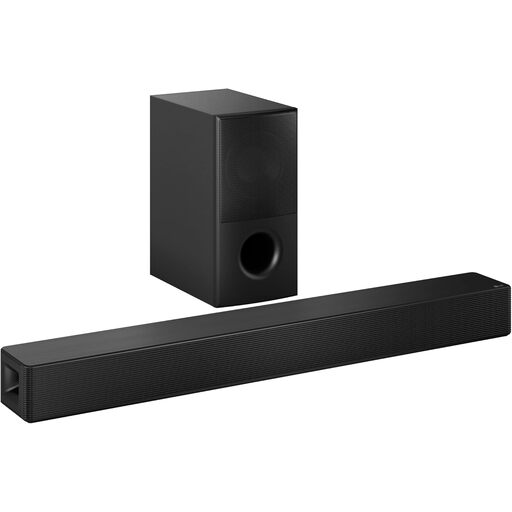
LG SH5A 320W 2.1-channel Soundbar with Wireless Subwoofer
Consider this 2.1-channel package if a separate subwoofer fits your room as well as your TV-viewing needs. Check the exact model’s dialogue and evening-listening controls, your TV’s matching audio output and a powered position for the subwoofer.
Joybuy
 No image available
Bose Smart Ultra Soundbar, Arctic White
This model is worth checking if you want a dialogue-oriented soundbar and are prepared to confirm its setup requirements. Compare its exact TV inputs and speech controls with your television; if late-night viewing matters, check its available controls and what comes in the package.
Joybuy
 No image available
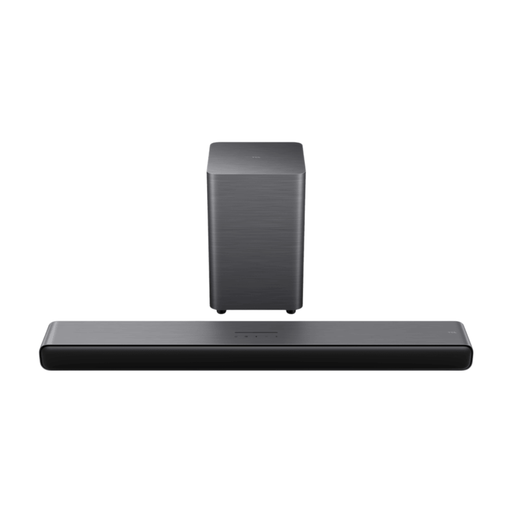
TCL S55H S Class 2.1-channel Soundbar
Consider this 2.1-channel model if its connection and control options suit your TV. Check for a dedicated speech setting rather than relying on general clarity claims, and confirm remote behaviour with your exact TV; plan a suitable position if using its separate subwoofer.
Joybuy
Frequently asked questions
Should I use HDMI ARC/eARC or optical for TV dialogue?
Use whichever connection both your TV and chosen soundbar support; HDMI ARC/eARC is worth considering when matching labelled ports and TV-remote integration matter, while optical can serve a TV without that HDMI route. Check both manuals for control behaviour. Sonos guidance specifies eARC for lossless Dolby TrueHD Atmos, but that format is not a requirement for using a dialogue-focused soundbar.
Will my TV remote control the soundbar volume?
It can, but the answer depends on the exact TV, soundbar and connection. Sony says HDMI control requires Control for HDMI/CEC to be enabled; Sonos describes automatic TV-remote operation over HDMI-ARC for its home-theatre products and manual remote setup over optical.
Does a separate subwoofer make dialogue clearer?
Not automatically: choose a separate subwoofer when you also want its bass contribution and have room to place it. For speech, assess the soundbar’s own dialogue controls and how voices sound at your usual listening level rather than treating the subwoofer as a speech feature.
Where should I put a soundbar and subwoofer?
Place the soundbar in front of the TV without blocking the screen, then choose a practical powered position for any separate subwoofer. Which? advises keeping a subwoofer away from a wall to avoid boomy bass and warns that cabinet placement can cause distracting vibrations.
What should I check if I watch TV late at night?
Check whether the exact soundbar offers an accessible night mode, and manage the volume and any subwoofer’s position rather than assuming that mode prevents disturbance. In England, GOV.UK states that councils must investigate complaints about noise that could be a statutory nuisance; noise guidance outside England should be checked for the relevant nation or area.


