Dialogue-first TV viewers
If spoken lines get lost behind music or effects, assess speech clarity rather than volume alone. Which? considers both speech on default settings and dialogue-enhancement features when testing soundbars.


For a dialogue-focused soundbar, check how it will connect to your TV before comparing surround-sound features. Look for a speech mode or dedicated centre channel on the exact model, then consider how easily you can use that feature and control volume day to day. A separate subwoofer and additional audio formats may matter for other viewing priorities, but they also bring placement or compatibility decisions.
If spoken lines get lost behind music or effects, assess speech clarity rather than volume alone. Which? considers both speech on default settings and dialogue-enhancement features when testing soundbars.
If you are keeping your TV and connected devices, check their audio connections before choosing a bar. Sony notes that not every HDMI socket on a TV supports eARC.
If you want few boxes and familiar controls, consider the bar’s physical fit alongside its connection method. Sonos documents TV-remote control over HDMI-ARC for its supported home-theatre products, while an optical connection can require manual remote setup.
Start with a workable TV-audio connection, then compare speech-focused features and the controls you will use every day. Check the bar’s size and any separate subwoofer before deciding where it will go.
| Concern | What to check | Who this matters to |
|---|---|---|
| Speech clarity | Look for a dialogue or speech setting or an explicitly specified centre channel. Check how the setting is accessed and consider independent comments on speech at default settings. | When voices get lost during films or drama, I want to follow the words without simply turning everything up; roughly 31% of consumers would make speech clarity their primary concern. |
| TV compatibility | Match the labelled HDMI ARC/eARC connections on the TV and soundbar, or check that both support optical. Verify any audio formats you intend to use across the connected devices. | If I am keeping my current TV, I need a connection that carries its audio to the bar; around 31% of consumers would put compatibility first. |
| Daily control | Check the TV’s HDMI-CEC settings and the soundbar’s stated remote-control method. Find out whether speech settings need an app. | For everyday viewing, I want to change the volume and reach the settings without juggling controls; roughly 25% of consumers would prioritise simple operation. |
| Room fit | Measure the space beneath the TV and decide whether a separate subwoofer has a practical position. Check wall-mount hardware if needed. | Where space around the TV is limited, I would rather avoid an awkward extra box; around 13% of consumers would put room fit and clutter first. |
Sony notes that a TV can have several HDMI sockets without every socket supporting eARC. Plugging into an unlabelled input may prevent the intended TV-audio connection.
Check the ARC or eARC labels on both devices and confirm the correct sockets in their manuals before ordering.
eARC concerns audio transport and format capability; it does not establish how clearly a particular soundbar reproduces dialogue. Additional format support matters only when the connected equipment and content can use it.
Check the full TV-to-soundbar path for formats you want, and assess speech-focused features separately.
Optical may provide TV audio without the same control arrangement. Sonos says its supported home-theatre products require manual remote setup over optical, rather than the automatic TV-remote operation it describes for HDMI-ARC.
If one-remote use matters, confirm the exact TV and soundbar control method before choosing an optical connection.
A wireless subwoofer is still a separate piece of equipment to place. The bar itself also needs to fit without obstructing the screen or TV sensor.
Measure the intended spaces for both components and check what mounting hardware is supplied.
Wall mounting may require a separate bracket, as Which? notes in its soundbar setup guidance.
These brands offer relevant soundbar features, but connections and controls vary by model. Compare the exact product with your TV rather than relying on a brand-wide feature description.
A range to examine if you want to compare speech settings with TV-integration features.
The Smart Ultra Soundbar is a single-bar option with an app-operated AI Dialogue Mode.
The compact Cinema SB510 is worth examining if a separate subwoofer would be inconvenient.
The BRAVIA Theatre Bar 6 offers a centre-speaker design with a separate wireless subwoofer.
Arc is relevant if you want to compare app-based Speech Enhancement with TV-remote operation.
These soundbars offer different ways to approach a dialogue-focused TV upgrade. Compare each model’s controls and physical setup with the connections and space available at home.
 No image available
Consider this single bar if an app-operated dialogue setting fits how you watch TV. Bose specifies AI Dialogue Mode for the Smart Ultra Soundbar, along with HDMI eARC and an optical cable; check your TV’s connection and whether re-enabling the mode after standby or an input change would be convenient.
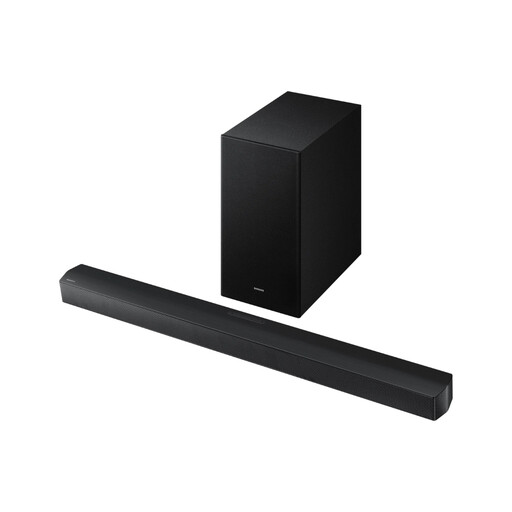 No image available
Consider this model if a separate subwoofer has a suitable place in your room. It is a 3.1ch soundbar with a wireless subwoofer; check your TV’s audio connection and how the model’s speech settings are operated before choosing it for dialogue.
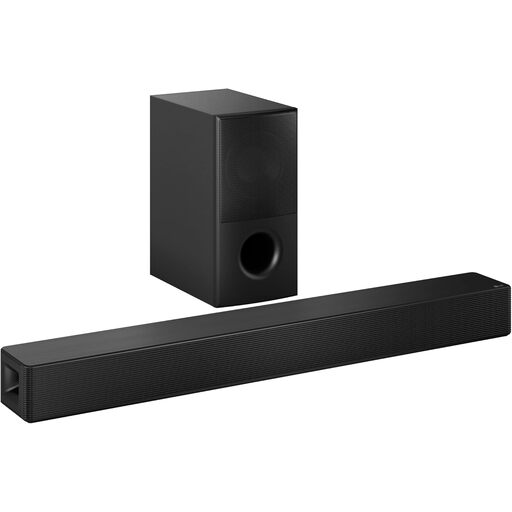 No image available
Consider this model if you have room for a separate wireless subwoofer as well as the bar. The product is identified as a 320W, 2.1-channel system; check its TV connection and how its sound adjustments are selected if dialogue is your main reason for upgrading.
No soundbar can promise the same result for every viewer and programme. Look for a speech setting or specified centre channel on the exact model, and consider independent assessments of dialogue on default settings; Which? treats speech clarity and enhancement features as separate test factors.
Match an HDMI socket labelled ARC or eARC on the TV with the soundbar’s documented TV connection. Sony cautions that not every TV HDMI socket supports eARC. If there is no suitable ARC/eARC connection, check whether the TV has optical output and the soundbar has optical input.
It may do so over a compatible HDMI-ARC and HDMI-CEC connection, but check the exact devices and their settings. Sonos says its supported home-theatre products work automatically with the TV remote over HDMI-ARC, whereas optical requires manual remote setup.
Not necessarily: eARC’s additional audio-format capability is separate from a soundbar’s speech-focused features. HDMI Licensing Administrator describes eARC as an advance over ARC; check whether your TV, connected sources and preferred formats need that capability before making it a priority.