What to check before buying
Start with the existing screen: a usable HDMI connection makes an external device an option, while a working built-in platform may need no extra hardware. Then check the services and features that will actually be used in the spare room.
Streaming stick
Consider it when: the TV has accessible HDMI and a compact device suits the space behind it.
Allow for: Roku Support warns that a TV’s USB port may not supply enough power, so a mains socket may be needed.
Streaming box
Consider it when: the TV has HDMI and there is room for separate hardware, particularly if a wired-network-capable model would suit the room.
Allow for: a box still needs a compatible TV connection, its own power and space for its cables.
Existing smart-TV platform
Consider it when: the TV already runs the required services and features on its current software.
Allow for: ITVX support can depend on the TV model or platform software, so a smart-TV label alone is not enough.
Replacement smart TV
Consider it when: the screen lacks a usable connection or no longer meets the household’s display or accessibility needs.
Allow for: replacing the screen also means choosing a new platform; confirm its apps on the precise TV model.
| Concern | What to check | Who this matters to |
|---|
| Connecting the existing TV |
Check for usable HDMI, room around the socket and a suitable power source. Roku Support notes that TV USB power can be insufficient. |
If I want to keep a working screen, the device must fit and power up where the TV stands. About 36% of consumers put installation compatibility first. |
| Apps and accessibility |
Check each essential service against the exact model and software version; confirm required accessibility features for that platform and content. |
For viewers relying on a particular broadcaster app or audio description, access matters more than the device’s format. Roughly 29% of consumers make app and accessibility fit their primary concern. |
| Connection and picture |
Assess internet access in the room. For Roku’s documented 4K setup, check the TV and connection chain for HDMI 2.0 and HDCP 2.2. |
If spare-room Wi-Fi is unreliable or I want to use a 4K screen, the network route and display capabilities shape my choice. Around 21% of consumers prioritise those needs. |
| Viewing and account conditions |
Check whether viewing includes live TV or BBC iPlayer, and whether each streaming account permits the intended household use. |
When a screen will be used at another address, I need to know whether my usual account arrangement applies. For about 14% of consumers, viewing and household conditions come first. |
Joybuy options for adding or replacing
These options include a streaming stick for keeping an HDMI-equipped TV and smart TVs for replacing the spare-room screen. Check the viewing services you need on the precise device before choosing either route.
 Image unavailable
Coocaa 40CTQH38ZUK 40-inch FHD QLED Freely TiVo TV
Consider this as a replacement if a 40-inch screen suits the room. The product name specifies FHD, HDR10, Dolby Audio, Freely and TiVo; check that essential apps and accessibility features work on this precise model.
 Image unavailable
Roku Streaming Stick 4K
This is an add-on option for keeping an HDMI-equipped TV. Its 4K capability will not make an HD screen display 4K; check physical fit, power accessories and the software requirements of essential apps, including ITVX.
 Image unavailable
TCL 43V6C 43-inch 4K Google TV
Consider this replacement if a 43-inch screen and Google TV suit the room. The product name specifies 4K and HDR; check the model’s network connections, required apps and accessibility features. Google TV setup requires a Google Account and internet connection, according to Google TV Help.
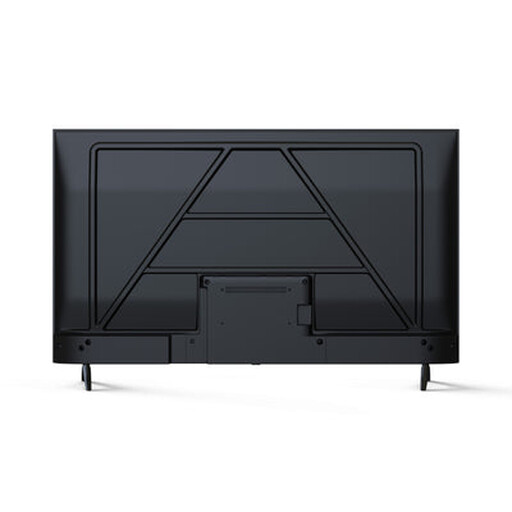 Image unavailable
Haier H43K85GUF 43-inch 4K Wi-Fi Smart TV
This is a 43-inch replacement option with 4K and Wi-Fi stated in the product name. Check its smart-TV platform and the availability of essential apps and accessibility features on the exact model.
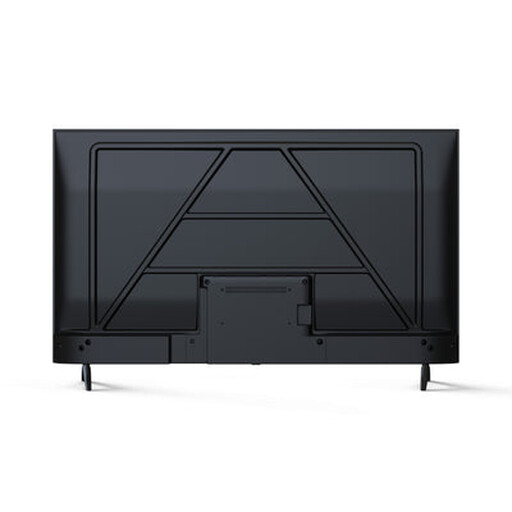 Image unavailable
Haier H50K85GUF K85 36200181 50-inch 4K Smart TV
Consider this replacement if the room can accommodate a 50-inch screen. The product name specifies 4K, HDR10 and Wi-Fi; check the space available, its smart-TV platform and support for the services and accessibility features you need.
Frequently asked questions
Can I add streaming to an older spare-room TV?
Yes, if it has a working HDMI input and you can provide internet access and power for a compatible player. Roku Support says its streaming players work with HDMI televisions; without a usable HDMI connection, assess another verified connection route or whether replacing the TV better meets your needs.
Will a 4K streaming device improve a 1080p TV’s resolution?
No. Roku Support says a compatible 4K television is needed to display 4K, and HDR likewise needs a compatible display. Its documented 4K setup also calls for suitable HDMI and HDCP connections throughout the chain.
Do Fire TV, Roku and Google TV have the same broadcaster apps and accessibility features?
Do not assume they do. ITVX lists those platform families but gives model or firmware conditions for some devices, and its audio-description support differs by platform. Check the precise device and the feature needed for the intended content.
Does watching through a spare-room streamer change TV Licence requirements?
No: the device does not determine the requirement. TV Licensing says TV Licence coverage is needed to watch live TV on any channel or service, or to use BBC iPlayer, on any device. Check that the intended viewing is covered.
Can a TV at another address use the main home’s Netflix account?
Netflix says an account may not be shared outside the Netflix Household, which it defines around the main place where Netflix is watched. A spare room in the same household is different from a screen at a separate household; check the current permitted account options before setting up the latter.


