Standing solo presenters
If you explain research or slides while standing, the speakerphone needs to pick up your voice from where you normally speak—not merely from where it sits on the desk.


Choose a speakerphone whose stated microphone pickup range reaches your usual standing position, then check its connection to the device running the meeting. USB is the specified computer connection on several of the cited models; Bluetooth support varies by device type. If colleagues will speak from elsewhere in the room, check the room rating and full-duplex specification too.
If you explain research or slides while standing, the speakerphone needs to pick up your voice from where you normally speak—not merely from where it sits on the desk.
If you switch between a presentation computer and a phone or tablet, check which connection method the particular model supports for each device.
When colleagues in the room also contribute to the meeting, consider their positions as well as your own, and check the model’s stated room coverage and full-duplex support.
Check the distance from the desk unit to your standing position before choosing a connection method or weighing up portability.
| Concern | What to check | Who this matters to |
|---|---|---|
| Voice pickup | Compare your desk-to-speaking-position distance with the stated microphone pickup range. Check room coverage if other people will speak. | If I stand back from the desk to present, I need my voice to reach remote attendees without moving towards the unit for every question; around 42% of consumers put standing-position pickup first. |
| Device connection | Confirm the computer’s USB port and whether Bluetooth supports the device you intend to use. Check the exact adapter or dongle bundle if one is needed. | When my presentation runs from a computer but I also take calls on a phone, I need to know how each device connects; for around 33% of consumers, connection certainty is the primary concern. |
| Portability | Compare stated talk time and weight, and check whether the required carrying or charging accessories are included. | If I move between desks or meeting rooms, I want the unit to travel easily and last through calls away from a fixed setup; roughly 25% of consumers prioritise that flexibility. |
Connection rules differ by model. Jabra specifies USB-A or USB-C for computer use with the Speak2 55, while its Bluetooth specification covers smartphones and tablets.
List the device and port you will present from, then confirm that the exact speakerphone and bundle support that connection.
The useful question is whether the microphone can pick up your voice from your normal standing position. Jabra specifies up to 2.3 m for the Speak2 55, HP Store UK lists up to 2.5 m for the Poly Sync 40+, and Yealink claims 4 m all-round pickup for the SP92; those figures do not guarantee the same result in every room.
Measure the distance to where you speak, keep the unit unobstructed and test the arrangement before an important presentation.
Several people speaking from different positions place different demands on a device than one presenter at a desk. Jabra specifies rooms up to 4.5 m × 4.5 m for the Speak2 55; HP Store UK lists a 4 m × 4 m room rating for the cited Poly Sync 40+.
Check both the room rating and the positions of local speakers before choosing a unit for a huddle.
The Speak2 range includes portable speakerphones for desk and hybrid-work use.
The Sync range includes speakerphones intended for flexible workspaces and small-room meetings.
The PowerConf A3301 is a home-office speakerphone with USB-C and Bluetooth options.
The SP92 is a portable speakerphone with USB, Bluetooth and dongle connection options.
These choices cover a wired desk speakerphone and a Bluetooth conference speaker. For either one, check that the connection and voice pickup suit your standing position before ordering.
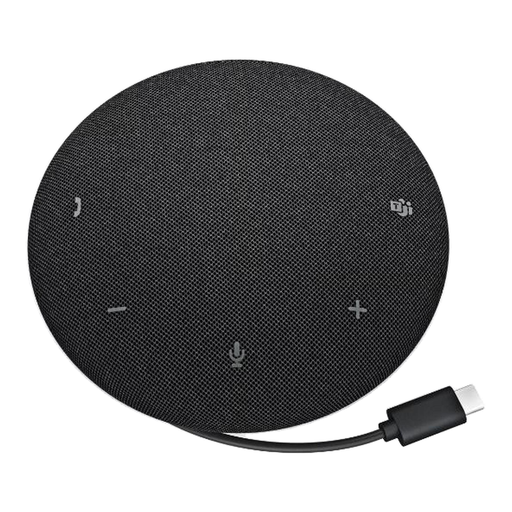 No image available
Consider this wired model if your presentation stays at one desk. Confirm its USB connection fits your computer and that its microphone pickup reaches your usual standing position; check full-duplex support if you expect interruptions or discussion.
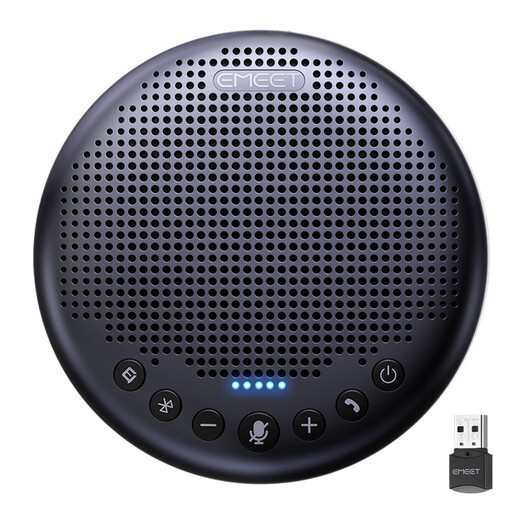 No image available
Consider this model if Bluetooth and voices coming from different directions matter to your setup. Its title specifies eight microphones, 360° voice pickup and a 5W speaker; check the usable distance from your standing position and whether your presentation computer supports the connection you intend to use.
Use a supported USB connection when presenting from a computer; choose Bluetooth if you need its supported mobile-device connection or cable-free placement. Check the particular model rather than assuming Bluetooth works with your computer: Jabra specifies Bluetooth for smartphones and tablets on the Speak2 55, with USB-A and USB-C as its computer connections.
Stand within the chosen model’s stated microphone pickup range, with the unit positioned near where you normally speak. Jabra specifies up to 2.3 m for the Speak2 55, HP Store UK lists up to 2.5 m for the Poly Sync 40+, and Yealink claims 4 m all-round pickup for the SP92. Room noise and placement can still affect whether remote attendees hear you clearly.
Not necessarily: compare your laptop setup with where you will stand and who else needs to speak. A separate speakerphone is worth considering if you need to place the microphone nearer your standing position or include nearby colleagues, but check its pickup range and connection before deciding.