Choose a screen size that keeps each player’s split-screen view readable from their usual seat, then check the console features on the HDMI input you will actually use. OLED is worth considering for a dim, film-focused room; Mini LED offers large-screen options, including models with anti-reflection treatment. Neither display type establishes console compatibility on its own: the exact TV, game, cable and any equipment between console and screen all matter.
Who this setup suits
Households playing with several people
If three or four players regularly share the screen, judge the TV from every usual seat. Maps, speed indicators and position information each have less space in a divided view, so the room layout matters alongside screen size.
PS5 and Xbox console racers
If 4K/120Hz gaming or variable refresh rate (VRR) matters to you, check the game and console as well as the TV’s chosen HDMI input. PlayStation and Xbox guidance also makes the connection path relevant, particularly when a receiver or soundbar sits between console and TV.
Households combining films and racing
If the same screen serves film nights and local multiplayer games, consider room lighting, placement and sound-system connections as well as gaming features. Check the exact size and version you plan to install rather than relying on a series-wide description.
What to prioritise
Large OLED TV
Consider it when: The room is usually dim and film viewing is as important as racing.
Check first: Size, mounting arrangement and higher refresh-rate support can differ by version; LG specifies 4K 165Hz VRR for selected 55-, 65-, 77- and 83-inch G-series models, not its separately listed 97-inch G5.
Large Mini LED or QD-Mini LED TV
Consider it when: Room light or access to a particularly large screen shapes the choice. Sony lists anti-reflection treatment on its 75-inch BRAVIA 9, while TCL lists C7K sizes up to 115 inches.
Check first: Refresh-rate figures alone do not establish which HDMI port will accept your intended console signal.
For split-screen racing, settle the viewing distance and screen fit before comparing gaming modes; then check the complete console-to-TV connection.
| Concern |
What to check |
Who this matters to |
| Readable shared screen |
View the chosen size from the furthest player seat; check TV width and stand footprint against the installation space. |
When several of us race together, I need the smaller views to remain legible without placing a screen that overwhelms the room. Around 40% of consumers put readable shared-screen space first. |
| Console connection |
Confirm 4K/120Hz, VRR and automatic low-latency mode (ALLM) on the intended input, including the cable and any receiver or soundbar in the path. |
I want to use supported racing-game modes without finding that my audio setup changes the video signal. Console compatibility is the first concern for around 30% of consumers. |
| Room and film use |
Assess the room’s usual light, mounting arrangement and sound-system connections for the exact model and size. |
The TV also has to work for films, so I care about how its picture and placement fit the room between gaming sessions. Around 30% of consumers prioritise that home-cinema fit. |
Buying pitfalls
-
Choosing by headline refresh rate alone
A TV’s refresh-rate figure does not establish the mode available through every console connection. Xbox says Series X 4K gaming at 120 frames per second requires an HDMI 2.1 TV and an Ultra High Speed HDMI cable; Xbox also warns that an intervening receiver or soundbar can affect video features.
Identify the HDMI port and every device in the intended signal path, then check the supported 4K/120Hz, VRR and HDR modes for that route.
If the existing connection cannot carry the intended signal, a different cable or compatible receiver may be needed.
-
Assuming every size shares the same specification
LG specifies 4K 165Hz VRR for selected G-series sizes, while Panasonic lists its Z95B in 55-, 65- and 77-inch versions. A series name cannot confirm the features or size of the version you plan to buy.
Check the exact model suffix, screen size, supported input rate and HDMI-port details on the manufacturer’s specification or manual.
-
Treating a large screen as an automatic fit
A larger image can give split-screen panels more physical space, but the TV still has to fit the installation area and work from the regular seats.
Measure the wall or furniture space, including room for the stand where applicable, and assess split-screen readability from each player position.
A change of screen size may also call for different furniture, mounting or room layout.
-
Leaving old-TV removal until delivery
A large old screen can be awkward to move once its replacement arrives. GOV.UK identifies the Waste Electrical and Electronic Equipment Regulations 2013, as amended, as the framework underpinning UK electrical-equipment recycling.
Arrange a suitable retailer take-back or local collection route before delivery, rather than planning to put the old TV in ordinary household waste.
Brands to consider
These brands illustrate model ranges relevant to large-screen gaming and film viewing; compare the exact TV and size, not the brand name alone.
Samsung
Samsung offers OLED and Neo QLED models to examine for this setup. Expert Reviews named the S95F its overall gaming-TV pick in April 2026; Samsung identifies the S95F as a 4K OLED model.
- The S95F has model-specific coverage from Expert Reviews.
- That assessment does not extend to every Samsung TV. Check the selected size and HDMI features independently.
LG
LG’s G5 OLED range includes large sizes for a cinema-led room, including separately listed 83- and 97-inch models.
- LG specifies 4K 165Hz VRR for selected 55-, 65-, 77- and 83-inch G-series models.
- Do not apply that refresh-rate specification to the 97-inch G5; check the exact suffix and whether the chosen version is configured for wall mounting or a stand.
Sony
Sony’s 75-inch BRAVIA 9 is a Mini LED model with a listed 120Hz panel, 4K120, VRR, ALLM and anti-reflection treatment.
- Sony’s specification identifies four HDMI inputs and the gaming features available on this particular model.
- Sony specifies VRR on HDMI ports 3 and 4, while ALLM is listed for ports 1–4. Plan port use if connecting multiple consoles and an eARC audio system.
Panasonic
Panasonic describes its Z95B OLED range as combining film and gaming features across 55-, 65- and 77-inch versions.
- Panasonic lists 144Hz refresh, VRR up to 144Hz and HDMI 2.1 support for the Z95B range.
- Those are Panasonic’s product specifications, not independent performance measurements; the stated size range ends at 77 inches.
TCL
TCL lists its C7K-UK QD-Mini LED range in sizes from 50 to 115 inches, with a stated 144Hz native refresh rate.
- The stated size range provides several options to assess for a shared screen; Expert Reviews separately named the C7K its value gaming-TV pick.
- Check specifications for the exact size, including its audio arrangement, rather than applying one C7K version’s details to the whole range.
Joybuy product choices
These TCL TVs offer 75- to 98-inch screens for shared racing and film viewing, across QLED, QD-Mini LED and Direct LED listings. Compare room fit and the required console input mode before choosing by screen size.
 No image available
TCL 98Q6C-UK 98-inch QD-Mini LED TV
Consider this 98-inch model if the shared image needs to remain readable from more distant seats and the installation space can accommodate it.
The listing identifies a 4K QD-Mini LED screen, a 144Hz native refresh rate and an Onkyo 2.1 sound system. Its stated width is approximately 2,180 mm; measure the intended position before ordering.
Confirm 4K/120Hz with VRR and ALLM on the intended HDMI input and through any audio equipment. Check the applicable local-dimming specification for this model if it affects your decision.
Joybuy
 No image available
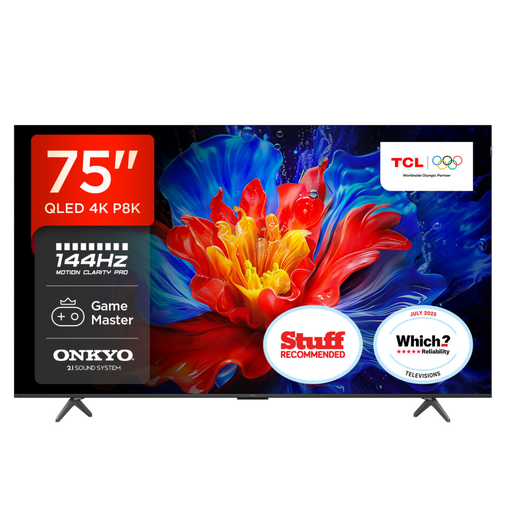
TCL 75P8K-UK 75-inch QLED TV
Consider this size when you want a shared racing screen but need to check a smaller installation footprint than the larger models shown here.
The listing identifies a 4K QLED TV with 120Hz and VRR support up to 144Hz, plus an Onkyo 2.1 sound system.
Measure for the stand arrangement and confirm whether the selected HDMI input and any receiver or soundbar carry the 4K/120Hz mode you intend to use.
Joybuy
 No image available
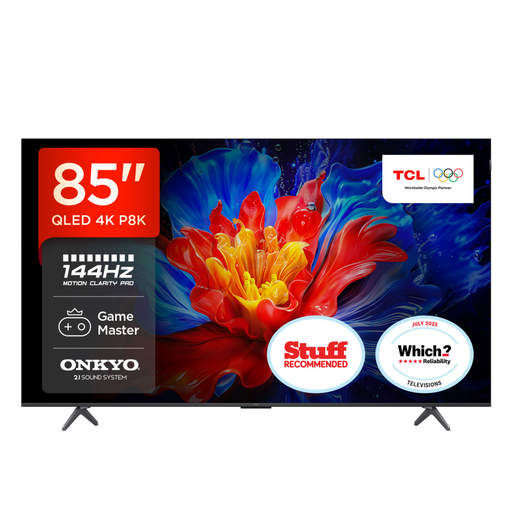
TCL 85P8K-UK 85-inch QLED TV
This 85-inch version is worth considering when a larger shared image is a priority and the planned wall or furniture has sufficient space.
The listing identifies a 4K QLED screen and an Onkyo 2.1 sound system. Its stated width is approximately 1,893 mm.
Check the exact supported 4K/120Hz, VRR and ALLM combination on your chosen HDMI input, including any receiver in the connection path.
Joybuy
 No image available
TCL 75Q6C 75-inch QD-Mini LED TV
Consider this model if a 75-inch shared screen fits your seating plan and you want to examine a QD-Mini LED option.
The product description identifies a 4K screen, 144Hz native refresh rate, HDMI 2.1, VRR and ALLM.
Check its physical dimensions and stand footprint, then confirm 4K/120Hz and the gaming features on the exact input and audio path you will use.
Joybuy
 No image available
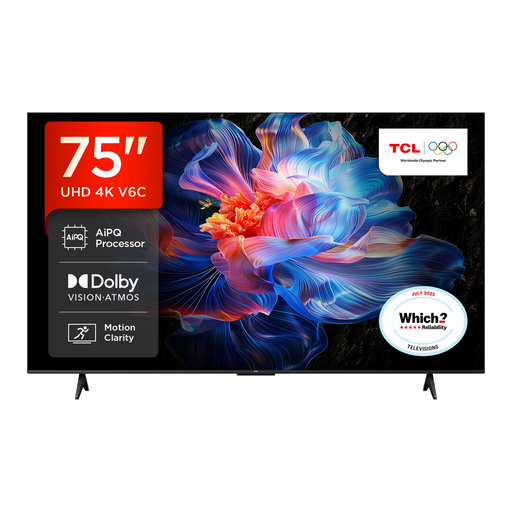
TCL 75V6C 75-inch Direct LED TV
This 75-inch screen is an option for shared play if 4K/120Hz output is not a requirement.
The listing states 4K input up to 60Hz, with a 120Hz gaming mode at a lower resolution. It also lists VRR and ALLM; confirm the resolution of that 120Hz mode before choosing it for a particular game.
Check the TV’s dimensions and stand footprint, along with the HDMI path for the console features you plan to use.
Joybuy
Frequently asked questions
Do I need a 144Hz or 165Hz TV for PS5 or Xbox split-screen racing?
No: a higher advertised rate is not required merely to use a supported 120Hz console mode. PlayStation ties PS5 120Hz output to compatible TVs and games, while Xbox says Series X 4K gaming at 120 frames per second needs an HDMI 2.1 TV and an Ultra High Speed HDMI cable; higher rates may instead matter to a compatible PC setup.
Can a soundbar or AV receiver affect 4K/120Hz gaming?
Yes, equipment between the console and TV can affect the video features available. Xbox advises a direct console-to-TV connection for video quality; if you route the signal through an AV receiver or soundbar, check that its HDMI path supports the intended 4K/120Hz, VRR and HDR combination.
What should I check after connecting the new TV?
Check the console’s reported display capabilities against the TV input you have used. PlayStation provides settings for compatible 120Hz output and VRR; on Xbox, select supported resolution and refresh-rate settings and inspect the TV capability information. Follow the TV manufacturer’s instructions for any required HDMI or game-mode setting.
How should I dispose of an old TV in the UK?
Arrange an appropriate electrical-equipment recycling route rather than putting the TV in ordinary household waste. Check retailer take-back arrangements or your local authority’s collection options; GOV.UK identifies the Waste Electrical and Electronic Equipment Regulations 2013, as amended, as the legislation underpinning the UK framework.


