What matters when choosing
Decide where the photographs will go before choosing the printer's size. Then check whether the device fits the space and printing workflow you will actually use.
| Concern |
What to check |
Who this matters to |
| Print area |
Compare the stated image or paper size: Canon UK specifies 100 x 148 mm for CP1500 postcards and smaller card or square media for the QX20; MyFUJIFILM UK specifies a 62 x 99 mm picture area for instax Link WIDE. |
If I want to put action shots in an album or frame, I need a print large enough for the details I want to keep. Around 36% of consumers would put print area first. |
| Working space |
Measure the intended surface and check the setup instructions for access to the media, cables and output; stored body dimensions are not the whole working footprint. |
If I have to clear a small desk each time I print, I need a device I can set up and put away comfortably. Working space comes first for around 29% of consumers. |
| Mobile printing |
Check phone and app compatibility, connection method and power source. If photographs are on a card or computer, confirm that input route too. |
For sharing photographs at a match or event, I would prioritise printing from my phone without a fixed desk. Around 21% of consumers would make mobile use their primary concern. |
| Media supply |
Identify the exact compatible paper, film or cartridge and the number of prints in a pack before committing to a printer. |
If I plan to print regularly throughout a season, I want to know I can obtain the right refills. That is the leading concern for around 14% of consumers. |
Joybuy product choices
These choices include a 4 x 6 inch desktop printer for larger sports-photo prints and two smaller, portable options for phone-led keepsakes. Compare their print formats before deciding which suits your albums, frames or match-day sharing.
 No image available
Polaroid Hi-Print Bluetooth 4x6 Photo Printer, White
Consider this desktop option if you want 4 x 6 inch sports photographs for an album or frame. The product name specifies Bluetooth; check the compatible cartridge and the room needed to load and retrieve prints on your desk.
Shop on Joybuy
 No image available
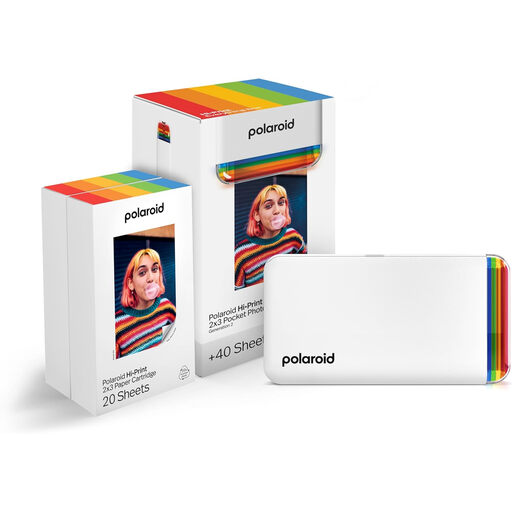
Polaroid Hi-Print 2x3 Gen 2 Bundle, White, with 40-Sheet Cartridge
Consider this smaller-format bundle if portable sports-photo keepsakes matter more than postcard-size display prints. The title specifies a 2 x 3 inch format and an included 40-sheet paper cartridge; check the compatible refill before buying more media.
Shop on Joybuy
 No image available
Xiaomi Portable Photo Printer 1S
Consider this portable option if storing the printer away is more important than making large sports-photo prints. Confirm its print dimensions, phone compatibility and the exact Xiaomi paper it uses against the listing before choosing it for albums or frames.
Shop on Joybuy
Questions about choosing and using a printer
What print size should I choose for sports photographs?
Start with a 100 x 148 mm postcard format if the photographs are mainly for conventional albums or frames; Canon UK specifies that size for the SELPHY CP1500. If portability matters more, Canon UK specifies smaller card and square media for the QX20, while MyFUJIFILM UK specifies a 62 x 99 mm picture area for instax Link WIDE.
Can I print without moving photographs to my phone?
Yes, if you choose a printer with another suitable input route. Canon UK specifies SD-family card and computer printing for the SELPHY CP1500; the QX20 and instax Link WIDE use smartphone-app workflows, so check where your photographs are stored before choosing either of those routes.
Can compact photo printers use ordinary paper?
Do not assume they can: check the media specified for the exact printer. Canon's SELPHY CP1500 guide says regular postcards cannot be used and calls for compatible SELPHY CP colour ink and paper sets; the instax Link WIDE uses INSTAX WIDE film.
How should I dispose of an old photo printer in the UK?
Use an appropriate electrical-waste collection route rather than treating the printer as ordinary household rubbish. GOV.UK says waste electrical products can be taken to a local household waste recycling centre; follow its battery guidance if the device has a removable lithium battery.


