Socket-limited Excel learners
If you practise away from a convenient outlet, you need to weigh the stated battery test against the screen and keyboard space you need for worksheets. Screen size, weight and battery life are competing considerations.


If your spreadsheet course may use VBA macros or instructions written for Windows, start with a Windows laptop and check that it can run the required desktop Excel software. A MacBook Air is an option when the course supports macOS; a Chromebook suits browser-based formula practice only when dependable internet access and Excel for the web meet the course requirements. Whichever route you take, compare battery claims by their stated test activity rather than treating them as promised spreadsheet runtime.
If you practise away from a convenient outlet, you need to weigh the stated battery test against the screen and keyboard space you need for worksheets. Screen size, weight and battery life are competing considerations.
If your exercises include VBA or workbook features that require the desktop app, check the course files before choosing an operating system. Microsoft Support says VBA macros cannot be created, run or edited in Excel for the web.
If your exercises work in Excel for the web and you have dependable internet access, a Chromebook may cover your practice. Microsoft Support says the Windows and Mac desktop versions of Microsoft 365 cannot be installed on a Chromebook.
Choose when: Your course calls for Windows-specific instructions or desktop Excel features, including VBA macros.
Allow for: The Windows label alone does not establish battery runtime or confirm that the required Excel software is included.
Choose when: Your course files and required applications support macOS and you favour a portable setup.
Allow for: Check course-specific add-ins and instructions; Apple’s wireless-web battery rating is not an Excel runtime figure.
Choose when: Your exercises can be completed in Excel for the web with dependable internet access.
Allow for: Microsoft says desktop Microsoft 365 cannot be installed on a Chromebook, and Excel for the web cannot create, run or edit VBA macros.
Once the software route is clear, judge each laptop against the sessions you need to complete between opportunities to charge.
| Concern | What to check | Who this matters to |
|---|---|---|
| Time away from a socket | Compare the battery-test activity for the exact configuration and confirm the supplied charger and charging connection. | I need to finish a study session without planning around an outlet, so the stated test needs to resemble how I will use the laptop. Around 46% of consumers put unplugged study time first. |
| Excel compatibility | Check a course workbook for VBA or desktop-only features, and confirm the required Excel version and any software licence. | If my course uses macros or specific add-ins, a portable laptop is little help unless it can run the exercises. For around 36% of consumers, software compatibility is the primary concern. |
| Worksheet space and mobility | Assess the exact model’s display, keyboard layout and carrying weight together. | I want room to follow formulas and instructions, but I still need to carry the laptop between places where I can study. Screen comfort balanced against portability comes first for around 18% of consumers. |
A Chromebook can use Excel for the web, but Microsoft Support says it cannot install desktop Microsoft 365. Excel for the web cannot create, run or edit VBA macros, and some workbook features can prevent a file from opening there.
Inspect a sample workbook or ask the tutor whether VBA, particular add-ins or a desktop Excel version are required.
A battery figure applies to its stated activity and configuration. Apple, for example, quotes wireless-web use for its MacBook Air specification, not a measured spreadsheet-practice session.
Compare the test basis for the exact model and check its charging options before relying on it for a long session.
A larger screen adds weight, and more processor power can shorten battery life—trade-offs when study locations and sockets are limited.
Choose a screen on which you can read formulas comfortably, then assess the carrying weight and battery specification of that configuration.
A laptop’s charging arrangement matters when you have few opportunities to plug in. GOV.UK’s electrical-equipment guidance concerns products placed on the Great Britain market; Northern Ireland has different provisions.
Confirm the adapter, plug arrangement and product documentation with the seller. For delivery to Northern Ireland, check the applicable requirements rather than assuming Great Britain guidance applies unchanged.
MacBook Air is a macOS option when your spreadsheet course supports that operating system.
Lenovo’s ThinkPad family is relevant to buyers considering a business-oriented Windows laptop.
HP presents business-laptop families for different working arrangements, including ChromeOS and other laptop options.
Dell’s Latitude family is a business-laptop option for buyers comparing Windows configurations.
These laptops cover Windows options for checking against desktop-Excel course requirements and a MacBook Air for courses that support macOS. Compare their exact configurations and charging information before choosing for socket-limited study.
 No image available
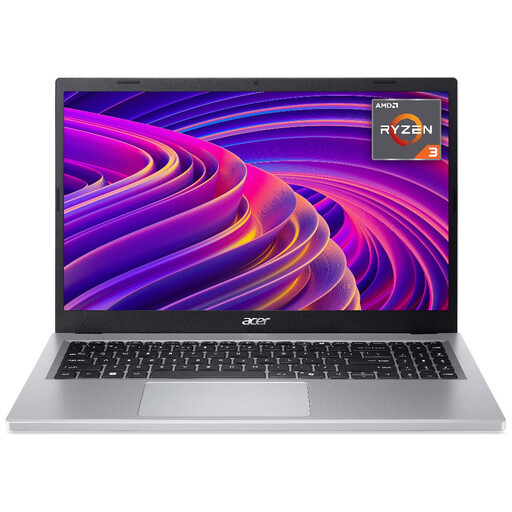
Consider this Windows 11 Home model if you want a 15.6-inch Full HD screen for reading worksheets alongside a physical keyboard.
The listed processor is an AMD Ryzen 3 7320U. Check that the required Excel software is available and that the battery-test conditions and supplied charger suit your sessions.
 No image available
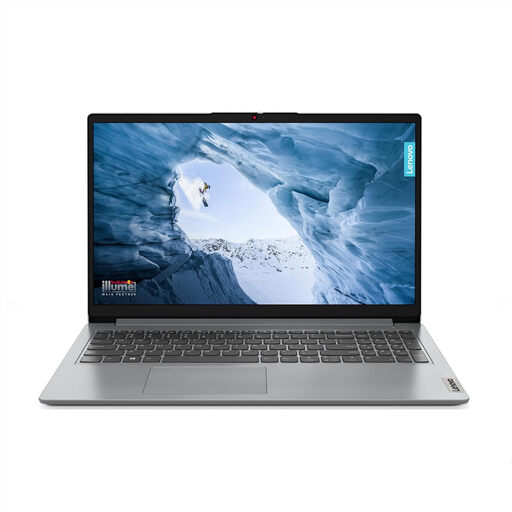
Consider this model if you want a 15-inch Full HD worksheet display and your required applications can run under its stated Windows 11 Home in S Mode setup.
It lists an AMD Ryzen 3 7320U. Check whether your course requires software unavailable in S Mode, as well as the battery-test conditions and supplied charger.
 No image available
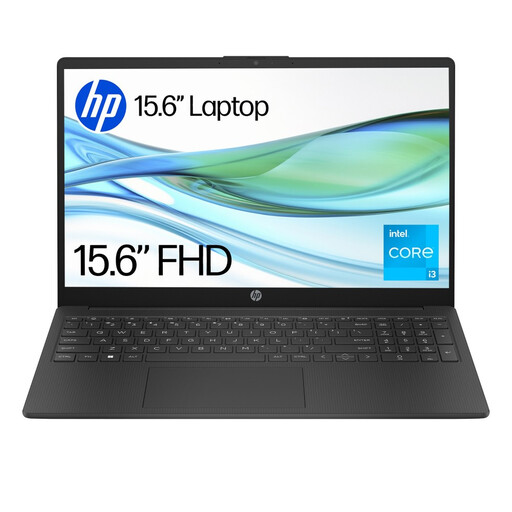
Check this Windows laptop against your course’s software and file requirements before choosing it for formula practice.
The named configuration has 4GB RAM and 128GB UFS storage. Confirm whether its Windows 11 Home S setup permits the required applications, and compare its battery rating by the stated test conditions rather than assuming Excel runtime.
 No image available
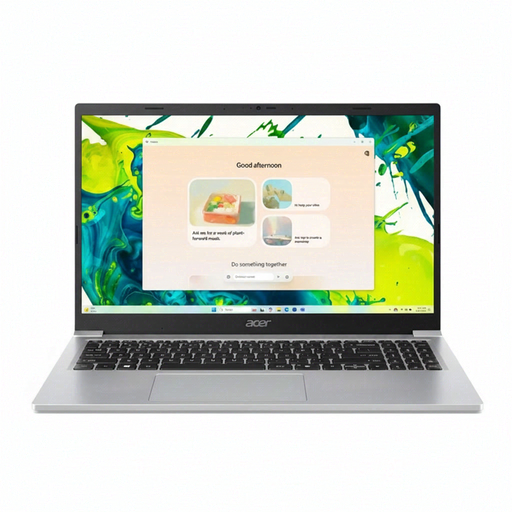
This 15.6-inch Full HD Windows laptop is worth assessing if worksheet space and carrying the laptop between study locations both matter.
Confirm whether the delivered Windows 11 Home configuration runs in S Mode before planning to install course software. Check the battery-test basis and supplied charger for the exact configuration.
 No image available
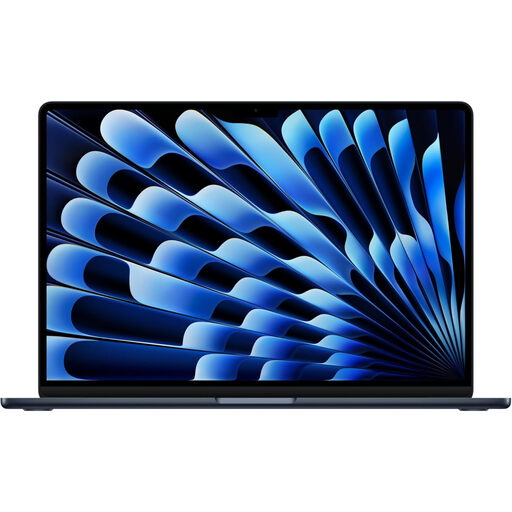
Consider this macOS route only if your course files, required applications and any add-ins support it.
The named variant has an M5 chip with a 10-core CPU and 10-core GPU. Check the included software, charger and battery-test activity before relying on it for unplugged spreadsheet sessions.
A Chromebook can suit exercises completed in Excel for the web when you have dependable internet access. Microsoft Support says desktop Microsoft 365 cannot be installed on a Chromebook, so check the course files before choosing one if the exercises may require desktop features.
Yes. Microsoft Support says VBA macros must be created, run and edited in the Excel desktop app, not Excel for the web. Confirm which desktop version and operating system your course expects.
No: a stated rating describes its particular test, not a guaranteed Excel session. For instance, Apple’s MacBook Air wireless-web figure measures a different activity; compare the exact model’s test conditions and charging setup with your planned use.
Confirm the supplied adapter, plug arrangement and product documentation with the seller. GOV.UK’s guidance on the Electrical Equipment (Safety) Regulations 2016 concerns equipment placed on the Great Britain market; check the applicable provisions separately if the laptop is being supplied in Northern Ireland.
Keep the order confirmation, product listing and any claims about the supplied software or battery so you can show what was agreed with the trader. The Consumer Rights Act 2015 addresses faulty goods; raise the fault with the seller rather than assuming a voluntary returns policy determines your rights.