Choose a portable SSD if you copy active sewing-pattern folders frequently and value a compact drive; choose a portable HDD if storing a growing archive matters more than transfer speed. Whichever you choose, check the workstation’s ports and the supplied cable, plan the file format before sharing the drive between Windows and Mac, and keep another recoverable copy of important patterns.
Who needs an external pattern drive?
Frequent pattern-file copiers
If you regularly move active pattern folders, scanned instructions, PDFs and project images, consider both transfer speed and whether the drive’s cable fits your workstation. The maximum speeds quoted by Samsung and Crucial depend on a compatible connection.
Growing pattern-archive keepers
If your library of patterns, scans and project photographs keeps expanding, choose a capacity that accommodates the collection and your planned backup routine. The National Cyber Security Centre advises keeping a copy of important data in a separate safe location.
Windows-and-Mac pattern users
If the same drive must move files between Windows and Mac computers, decide on its file format before loading it. Apple advises choosing ExFAT for a disk over 32GB intended for Windows use and warns that reformatting erases existing files.
What matters when choosing?
Start with the job the drive will do most often: moving active folders or holding a growing archive. Then check connection, sharing and backup requirements before settling on a capacity or speed rating.
Portable SSD
Choose when: You repeatedly copy or carry active pattern folders and prefer a compact drive with faster manufacturer-rated transfers.
Bear in mind: Quoted maximum speeds depend on the computer’s USB capability and the cable; an SSD still needs a separate backup copy.
Portable HDD
Choose when: Holding a sizeable, growing archive matters more than repeatedly copying files at SSD-rated speeds.
Bear in mind: Check the actual capacity variant and connection. Seagate lists a USB Type-A cable with its Backup Plus Portable, which may not connect directly to a USB-C-only computer.
| Concern |
What to check |
Who this matters to |
| Routine copying |
Compare the drive’s stated USB interface with the workstation’s port and the cable you will use. Treat quoted maximum speeds as conditional. |
When active project folders need copying regularly, waiting for each transfer becomes the main consideration; around 34% of consumers put routine copying first. |
| Archive capacity |
Check the size of your current pattern and project folders, allow for growth, and confirm the capacity of the exact variant. |
If scans, PDFs and project photos are accumulating, room to keep the collection together takes priority; roughly 33% of consumers chiefly need archive capacity. |
| Windows and Mac sharing |
Check which computers must write to the drive and choose the file format before loading files. Apple advises ExFAT for disks over 32GB intended for Windows use. |
When files must pass between a Windows workstation and a Mac, being able to use the same drive on both matters most; about 25% of consumers prioritise that need. |
| Recoverable copies |
Plan a separate backup location and check that important files open from the backup. The National Cyber Security Centre recommends a recent offline copy of important data. |
If purchased or scanned patterns would be difficult to replace, I need another copy I can recover; around 8% of consumers make that protection their primary concern. |
Buying mistakes to avoid
-
Choosing an SSD by its highest quoted speed alone
Samsung and Crucial qualify their maximum transfer figures by the host hardware and connection. A speed printed on the drive’s listing does not establish what an older or differently equipped workstation will achieve.
Identify the computer’s USB ports and check the drive’s supplied cable before deciding whether its speed rating is relevant to your setup.
-
Reformatting after loading the pattern archive
Changing a drive’s format can be necessary for a Windows-and-Mac workflow, but Apple warns that erasing or reformatting deletes the files already on it.
Decide how the drive will be shared before its first use. If it already contains files, copy them elsewhere before reformatting.
-
Keeping the only copy on the external drive
A drive holding the sole copy of a pattern is storage, not a separate recoverable backup. The National Cyber Security Centre recommends keeping important data in another safe location and maintaining a recent offline copy.
Keep another copy of important patterns, check that it opens, and disconnect a backup drive when it is not in use.
Losing the sole copy could mean spending time reconstructing a pattern archive or being unable to recover particular files.
-
Assuming the supplied HDD cable fits every computer
Seagate lists a USB Type-A cable with the Backup Plus Portable. That cable will not plug directly into a workstation with only USB-C ports.
Check the physical ports and, if needed, choose a compatible data-transfer cable or adapter.
A suitable cable or adapter may be needed before the drive can be used.
Brands to consider
These product lines illustrate different storage priorities; check the exact model and variant rather than treating a brand name as a specification.
Samsung
Portable SSD options for frequent copying. The T7 Shield line also has manufacturer-stated protection features for a drive that may be carried away from the workstation.
- Samsung rates the T7 Shield at up to 1,050MB/s sequential read and 1,000MB/s sequential write, with IP65 dust and water resistance and a 3m drop claim under controlled testing.
- Maximum speeds require compatible hardware and cables. Samsung’s protection claims do not mean liquid, dust or drop damage is covered by its warranty.
Crucial
The X9 and X10 portable SSD lines offer different manufacturer-rated read-speed options for a copying-focused setup.
- Crucial rates X9 reads at up to 1,050MB/s and X10 reads at up to 2,100MB/s; it also lists IP65 resistance and a 3m drop claim for the X10.
- These are manufacturer maximums, not expected speeds on every workstation. Check the host connection, cable and formatting for the exact model.
Seagate
The Backup Plus Portable HDD line is a capacity-led option for a pattern archive and a planned backup routine.
- Seagate lists capacities up to 5TB and Toolkit software for scheduled backups.
- The listed USB Type-A cable calls for a connection check if the workstation has only USB-C ports. A scheduled copy should still be checked for recoverability.
Portable SSDs for pattern files
These portable SSDs are choices for copying working pattern folders and carrying a collection between workspaces. Compare the stated capacity and USB connection with your own workstation and archive; this selection does not replace the capacity-led HDD route discussed above.
 No image available
Samsung T7 Portable SSD, 4 TB, Grey
Consider this variant if your working pattern folders and archive call for 4 TB on one portable SSD.
The name specifies USB Type-C 3.2 Gen 2. Check the workstation’s connection and the drive’s format before using it across Windows and Mac.
View on Joybuy
 No image available
Samsung T7 Portable SSD, 2 TB, Blue
This 2 TB variant suits a working pattern collection when you do not need the capacity of the 4 TB T7 listed here.
It is specified as a USB Type-C 3.2 Gen 2 portable SSD. Confirm the connection and file format for the computers that will use it.
View on Joybuy
No image available
Samsung T7 Portable SSD, 1 TB, Blue
Consider the 1 TB T7 for a portable working collection after checking how much space your pattern and project folders need.
The stated connection is USB Type-C 3.2 Gen 2. If files will move between Windows and Mac, decide on formatting before loading the drive.
View on Joybuy
 No image available
Samsung MU-PE1T0S Portable SSD, 1 TB, Black
This 1 TB model is worth considering when a pattern drive will also be carried away from the home workstation.
Its stated interface is USB Type-C 3.2 Gen 2. For the T7 Shield MU-PE1T0S line, Samsung states IP65 resistance and a 3m drop claim under controlled testing; neither is a reason to submerge the drive or rely on it as the only copy of your files.
View on Joybuy
 No image available
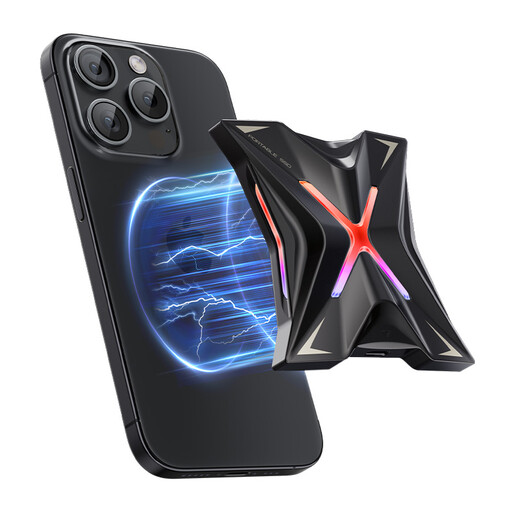
MOVESPEED YSPSRX20M-1TTG Portable SSD, 1 TB
Consider this model for frequent pattern-folder copies if your workstation has a connection suited to its stated interface.
The product name specifies USB 3.2 Gen 2×2 and advertises transfer speeds of 2,060MB/s. Check the workstation’s USB capability and the required data cable before relying on that maximum figure.
View on Joybuy
Questions about pattern storage
Should I choose an SSD or an HDD for sewing patterns?
Choose a portable SSD for frequent copying of active pattern folders, or a portable HDD when keeping a large, growing archive is the priority. Check the exact capacity variant and how its cable will connect to your workstation before ordering.
Can I use one pattern drive with both Windows and Mac?
Yes, if its file format suits both computers. Apple advises choosing ExFAT for a disk over 32GB intended for Windows use; if the drive already holds files, copy them elsewhere before reformatting because the process erases them.
Will an SSD reach the speed quoted on its listing?
Not necessarily: Samsung and Crucial qualify their maximum speed figures by the host connection and cable. Match the drive’s USB requirements to your workstation rather than choosing solely by the largest MB/s figure.
Is one external copy enough for important patterns?
No. The National Cyber Security Centre recommends a copy of important data in a separate safe location and a recent offline backup. Keep another recoverable copy of patterns that would be difficult to replace, and check that the files open.


