What to check when buying
Start with typing height and hand placement, then decide how much desk width your document work can spare. Connection options matter most once the keyboard fits the devices you actually use.
| Concern |
Buying check |
Who this matters to |
| Typing position |
Set the desk for relaxed upper arms and horizontal forearms. Decide whether you need palm lift or independently positioned keyboard halves. |
If my hands feel awkward at a workable desk height, I want more control over where they rest while typing. Around 36% of consumers put posture and adjustment first. |
| Document layout |
Check for a dedicated number pad and the exact UK key layout if you rely on either for handouts. |
When I enter marks or edit tables often, I do not want routine keys hidden behind another key combination. For around 29% of consumers, the full document layout is the primary need. |
| Desk space |
Allow room for the keyboard, mouse and lesson notes; compare a compact layout with a full-size one. |
With papers beside my keyboard, I need enough room to position the mouse comfortably and can manage without some dedicated keys. Desk space comes first for around 21% of consumers. |
| Device switching |
Confirm connection methods, device compatibility and any software needed to customise shortcuts. |
If I prepare material on more than one device, I want switching or familiar shortcuts to fit that workflow. Around 14% of consumers prioritise connections and customisation. |
Joybuy keyboard options for handout work
These keyboards offer different ways to accommodate handout typing, from a split-layout design to options for keeping a number pad or connecting wirelessly. Check each model’s layout and fit against your standing-desk setup rather than treating them as interchangeable ergonomic designs.
 No image available
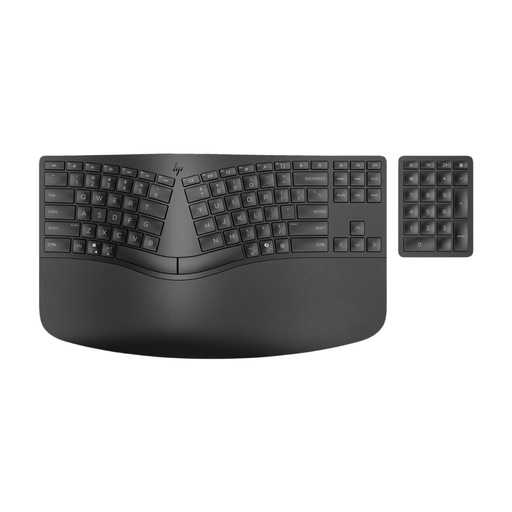
HP 960 Ergonomic Split Layout Wireless Keyboard with padded wrist rest
Consider this split-layout option if your main concern is hand placement during longer handout-writing sessions. The name specifies a wireless keyboard with a padded wrist rest; confirm the key layout and whether its shape fits your adjusted desk height.
View on Joybuy
 No image available
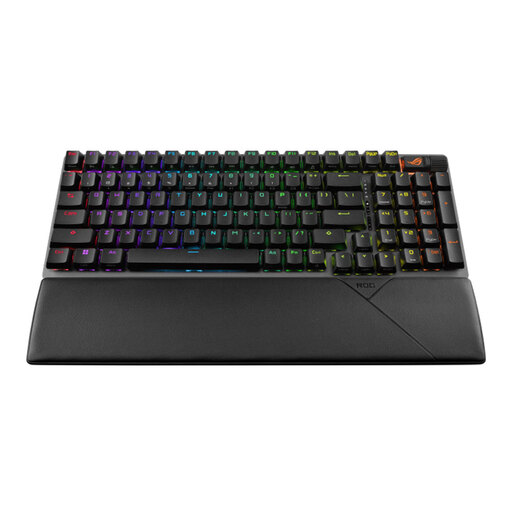
ASUS ROG Strix Scope II 96 Wireless Gaming Keyboard, UK layout, black
Consider this UK-layout option if you want to assess a 96% keyboard for a desk shared with lesson notes and a mouse. Confirm that its key arrangement includes the dedicated keys you use and that its typing position suits your standing-desk height.
View on Joybuy
 No image available
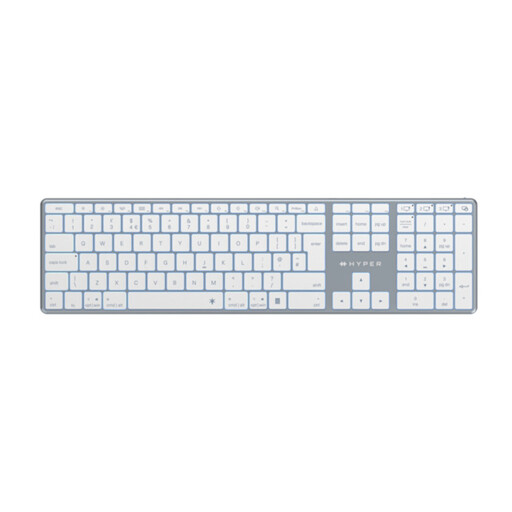
Hyper HyperSpace Next Bluetooth Wireless Keyboard, UK version, white
Consider this Bluetooth option if wireless connection matters to your handout workflow. Check its exact key arrangement, device compatibility and typing height before deciding whether it fits your document tasks and standing desk.
View on Joybuy
Common questions
How high should my keyboard be when I work standing?
Set the typing surface so your upper arms hang relaxed at your sides and your forearms are horizontal, as the Chartered Institute of Ergonomics and Human Factors advises. Adjust the desk before judging whether a keyboard’s height or shape works for you.
Does a standing desk make any keyboard comfortable to use?
No: keyboard choice is only one part of positioning the workstation. Check desk height, screen position and mouse reach together, and change position during longer work sessions.
Can UK display screen equipment rules apply when I prepare lessons at home?
They can apply to workers whose home working is permanent or long term, or who routinely split work between home and a workplace, according to the Health and Safety Executive. Its guidance describes regular display screen equipment users as workers using it daily for continuous periods of an hour or more; discuss an applicable workstation assessment with your employer rather than assuming that every occasional home session falls under the same conditions.
Should I choose a UK-ISO keyboard for handout writing?
Choose a UK-ISO variant if familiar UK key placement and legends matter to your typing. Confirm the exact variant before ordering, especially when a model is offered in several regional layouts; for a specialist import, also check the seller’s warranty and return terms.


