What to check before choosing
Set the standing desk to a workable height before judging keyboard angle or shape. Then decide which report-review keys and how much mouse space your desk needs.
| Concern |
What to check |
Who this matters to |
| Standing comfort |
Check key height with the desk raised and whether the available keyboard angles suit your position. The Health and Safety Executive advises keeping the keyboard just below elbow height. |
If I type through a long review session, I want to work without raising my shoulders or holding my hands at an awkward angle. Around 33% of consumers put standing comfort first. |
| Editing keys and layout |
Check the exact UK layout, navigation keys and whether you need a dedicated number pad. |
When I edit tables or move repeatedly through a draft, familiar keys matter more than a smaller keyboard. For around 25% of consumers, editing-key access is the main priority. |
| Mouse space |
Allow room for both the keyboard and mouse, then compare compact layouts with the keys you use. |
I switch between comments and the document with my mouse, so I want it within comfortable reach. Mouse space comes first for around 25% of consumers. |
| Device switching |
Check the connection modes and compatibility of the exact variant you plan to use. |
If I move a draft between devices, I want a keyboard that fits that workflow without repeatedly rearranging my desk. Around 17% of consumers prioritise device switching. |
Joybuy keyboard options
These keyboards offer full-size or space-saving layouts for report review. Compare their keys and desk footprint with your working position; a compact layout or wireless connection does not, by itself, establish a comfortable standing setup.
 No image available
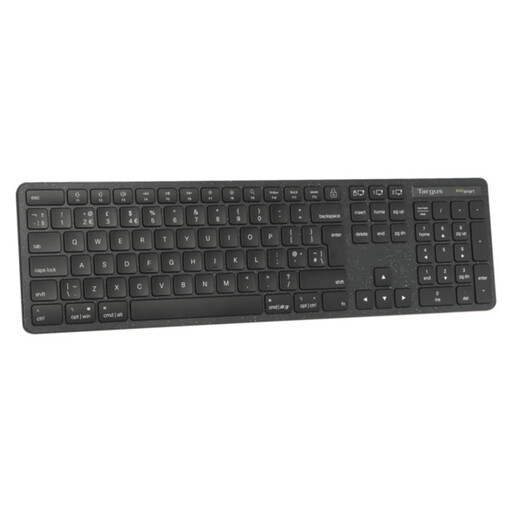
Targus EcoSmart full-size wireless keyboard (UK)
Consider this full-size option if your report work calls for a broad keyboard layout. Allow space for your mouse and check the key height and kickstand position at your standing desk.
View on Joybuy
 No image available
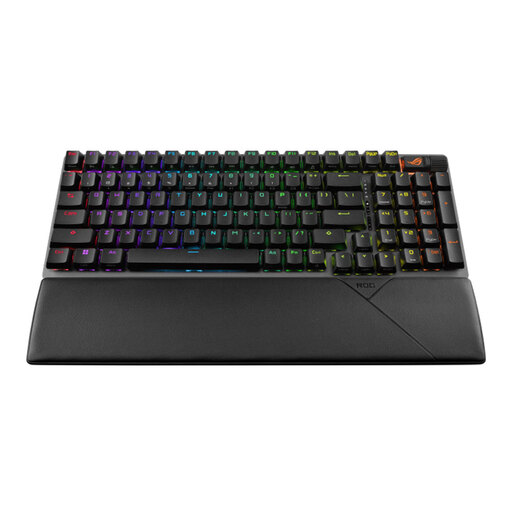
ASUS ROG Strix Scope II 96 wireless keyboard, black (UK layout)
The 96 layout is worth examining if you want to balance key access against mouse space. Confirm the exact UK key arrangement and check its height at your standing desk.
View on Joybuy
 No image available
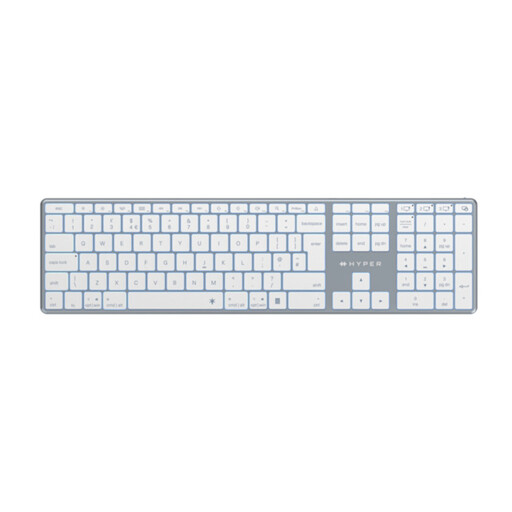
Hyper HyperSpace Next Bluetooth wireless keyboard (UK), white
Consider this UK-labelled wireless option if you prefer a full-size keyboard for document work. Check the exact key arrangement and leave enough desk space for your mouse.
View on Joybuy
 No image available
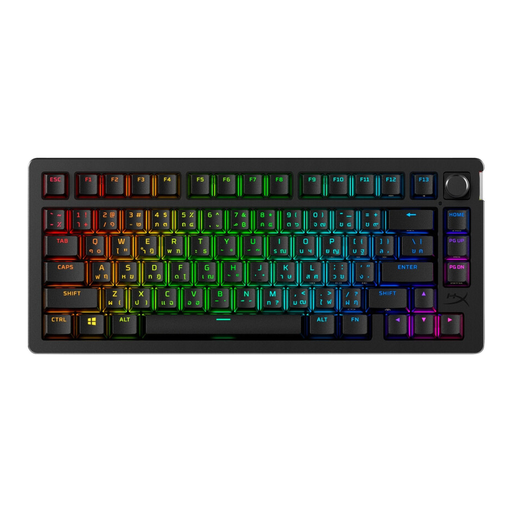
HyperX Alloy Rise 75 wireless keyboard (UK)
This 75-layout option may suit a desk where keyboard width matters. Compare its navigation keys with your editing habits, confirm the exact UK layout and check its position at standing height.
View on Joybuy
 No image available
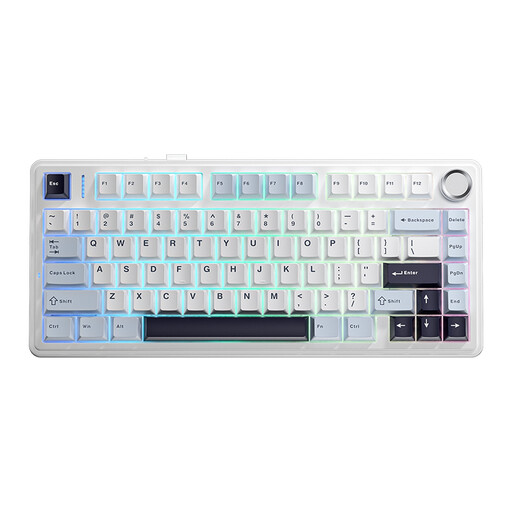
AULA F75 75% wireless mechanical keyboard (US layout)
Consider this compact option only if its stated QWERTY US layout suits your typing. The title lists wired, Bluetooth and 2.4G modes; check its navigation-key arrangement before using it for report edits.
View on Joybuy
Frequently asked questions
How high should my keyboard be when I work standing up?
Place the keyboard just below elbow height, as the Health and Safety Executive advises. Check its effective key height again if you add a wrist rest or change the keyboard angle, and keep the screen and keyboard central.
Is a tenkeyless or full-size keyboard better for reviewing reports?
A tenkeyless layout is worth considering when mouse space matters more than a dedicated number pad; a full-size layout makes more sense if you enter figures frequently. Keychron identifies its K1 Max as 80% tenkeyless and its K5 Version 2 as full-size, but check the exact navigation-key arrangement you need.
What should I check for a UK keyboard layout?
Check the selected variant and its key diagram rather than relying on the word QWERTY. If you need UK-ISO keys, confirm that designation explicitly, along with the navigation keys and connection compatibility you require.
Does UK display-screen guidance require a particular ergonomic keyboard?
The Health and Safety Executive's guidance does not prescribe a particular keyboard model. For workers using display-screen equipment daily for continuous periods of an hour or more, its guidance addresses assessment of the whole workstation, including equipment, furniture and working conditions; keyboard shape alone is not a substitute for that assessment.


