
24/7 Customer Support

Free returns

Same-day & Next-day Delivery

Quality Guaranteed

Unlock Your Welcome Offers: FREE Delivery | Up to 80% OFF | Free 30-day JoyPlus trial
Download the APP
By Joybuy Product Recommendation Officer
Buying Stealth gaming accessories can make a console or PC setup more convenient, but product names and bold claims do not always tell the full story. A low-cost accessory may be useful, while another may create compatibility problems, take up unnecessary space or require additional purchases.
Before choosing, focus on the details that affect everyday use: platform compatibility, power requirements, physical fit and the features you will genuinely use.
Nintendo Switch accessories can vary significantly between the original console, Switch Lite, Switch OLED and Switch 2. A case may fit one device but not another, while a Joy-Con attachment may depend on the shape and rails of a specific controller.
For example, Switch 2 racing wheels designed for Switch 2 Joy-Con controllers are not automatically suitable for older Nintendo Switch models. Always check the exact console and controller generation before purchasing.
Wireless accessories often use different connection methods. A headset may support Bluetooth for mobile devices but require a USB transmitter for low-latency console audio. Similarly, a charging dock may be designed only for Switch 2 Joy-Cons rather than Pro controllers or older Joy-Cons.
Look beyond phrases such as “multi-platform” and check the included transmitter, cable, charging method and supported devices.
A travel case that looks compact may not hold your charger, game cards or spare controllers. A gaming laptop with a large display may provide more workspace but weigh considerably more when carried between home and university.
Power accessories also deserve attention. A Switch 2 mains adaptor should provide the correct output for the console and dock, include a suitable UK plug arrangement and offer appropriate protection features. Do not assume that every USB-C charger is suitable for docked play.
Start with the exact platform:
For a wireless gaming headset, 2.4GHz wireless is generally intended for a direct, low-delay connection through a USB transmitter, while Bluetooth is useful for phones, tablets and compatible handheld devices. A headset with both options may be more flexible, but only if the connection method suits your console.
For a Switch 2 travel case, inspect:
A Switch 2 screen protector should be correctly cut for the screen, remain touch-responsive and provide clear visibility. Twin packs can be practical because they provide a replacement if installation is not clean or the first protector becomes damaged.
A Switch 2 charging dock or mains adaptor should be assessed by its stated electrical specifications rather than appearance alone. Check:
For rechargeable headsets, compare battery capacity and charging features. “Up to” battery figures depend on volume, wireless mode and software settings, so treat them as a guide rather than a guaranteed runtime.
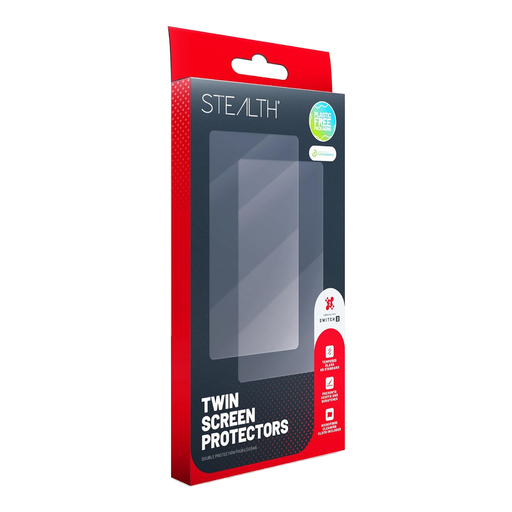
Why This Fits Their Persona: A straightforward starting point for Switch 2 owners who want everyday screen protection without adding bulk to their handheld setup.
The twin pack offers a spare protector, while the product is sized specifically for Switch 2 rather than relying on a generic fit.
Two clear protectors, bubble-reduction installation design and a touch-responsive surface.
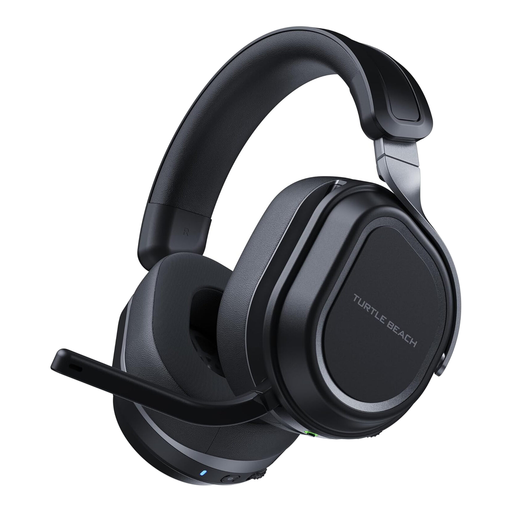
Why This Fits Their Persona: Suitable for players moving between PC and PlayStation who value extended battery life and multiple audio connections.
The specification lists dual USB transmitters, 2.4GHz wireless and Bluetooth 5.2, making the connection options clear.
Up to 80 hours of battery life, 60mm dual drivers and simultaneous wireless and Bluetooth connections.
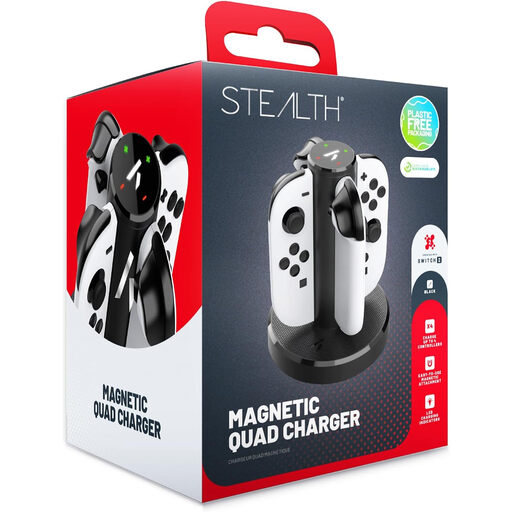
Why This Fits Their Persona: A practical choice for families and households with several Switch 2 Joy-Con controllers in regular rotation.
It states that it is designed for Switch 2 Joy-Cons and does not claim broad compatibility with other controller types.
Charges up to four Joy-Cons simultaneously and uses LED indicators with a compact upright design.
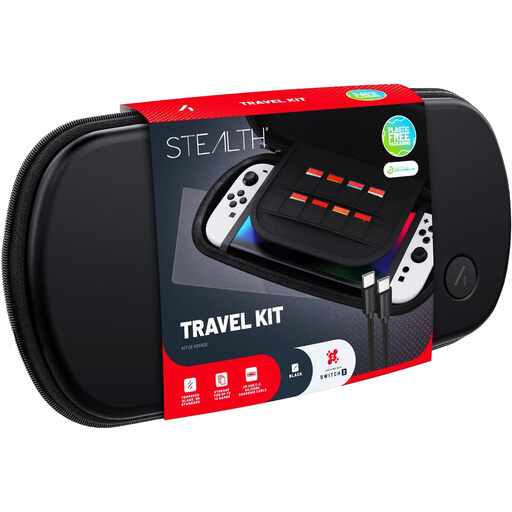
Why This Fits Their Persona: Designed for commuting, holidays and family trips where the console and small accessories need to travel together.
The hard shell, padded interior and stated Switch 2 fit address the common problems of pressure, scratching and movement in transit.
Includes accessory storage and a high-transparency screen protector in one portable bundle.
We have compiled a complete, real-time list of products that fully satisfy these strict selection criteria and UK safety regulations.
Your needs may extend beyond Nintendo Switch accessories. A Stealth racing wheel twin pack can add two-player control without batteries or Bluetooth pairing, as the Joy-Con controllers remain the electronic input devices. For PC gaming, the MSI Stealth 18 AI Studio combines an Intel Core Ultra 9 processor, RTX 4070 graphics, 32GB RAM and a 2TB SSD, although its 2.89 kg weight is worth considering before regular travel.
Outside gaming, the Stealth range also includes a SWAN Stealth 5 Piece Cookware Set, a 26-inch Boss mountain bike and a KAWA dash cam. Compare each item by its practical specifications rather than by the shared product name.
No. Compatibility varies by product. Some travel cases support Switch, Switch OLED, Switch Lite and Switch 2, while specific racing wheels and charging docks may be designed only for Switch 2 Joy-Con controllers. Check the product listing before ordering.
It can be useful if you regularly play away from your desk or want fewer cables. Compare 2.4GHz wireless, Bluetooth support, transmitter compatibility, microphone controls and battery life. Remember that advertised battery figures are maximum estimates and can change with volume and connection settings.
Lifespan depends on construction, frequency of use and storage. Hard-shell cases can reduce everyday handling damage, while charging accessories should be kept away from moisture and used with suitable cables. For headsets, protect the ear cushions, avoid excessive volume and follow the manufacturer’s charging instructions. Check the stated guarantee and exclusions before purchase.