Choose a stop-motion support for the camera angle your scene needs: a mini tripod for a low, front-facing set, a desk rig for a directly overhead view, or a horizontal-column tripod when you need overhead reach with a larger camera setup. Check that the complete camera setup fits the support’s stated load limit and that its position can stay locked between frames. Flexible legs offer more placement options for lightweight equipment, but they are not a substitute for a rigid overhead arrangement when the same top-down framing must be repeated.
Who is each setup for?
Tabletop stop-motion beginners
If you animate small figures, LEGO, clay or craft scenes from the front, a mini tripod can hold a low camera position without taking up much of the set. Check its height and stated load limit against your assembled camera before choosing one.
Top-down desk animators
For drawings, flat-lay scenes or objects viewed directly from above, an overhead rig can place the camera over the work area. The desk must accommodate the rig’s mounting arrangement, and the camera needs to remain clear of the scene while you animate.
Flexible phone-and-camera creators
If you use a phone or lightweight camera in a changing workspace, flexible legs offer standing and wrap-around placement options. Check both the device mount and the stability of the surface or anchor point.
What matters when choosing a support?
Decide where the camera must sit before comparing height or portability. Stop Motion Studio advises firmly supporting the camera during capture; the right form factor also has to fit your set, device and working space.
Overhead desk rig
Choose it when: A flat-lay scene needs the camera directly above a desk without floor-tripod legs beside the set.
Allow for: A compatible desk mount, room for the rig and more setup than a mini tripod.
Tabletop mini tripod
Choose it when: A small set can be filmed from a close, front-facing position.
Allow for: Limited height and a model-specific load limit; Manfrotto lists a 13.5 cm maximum height and 1 kg safety payload for the PIXI Mini Tripod.
Flexible tripod
Choose it when: A lightweight phone or camera needs a secure position on an irregular surface or around a suitable support.
Allow for: The exact model’s load limit and a less straightforward route to repeatable, directly overhead framing.
Horizontal-column tripod
Choose it when: You need overhead or angled reach while using a floor-standing tripod layout.
Allow for: Floor space and careful balancing when the camera is offset; check the load limit for the intended orientation.
| Concern |
What to check |
Who this matters to |
| Keeping the frame fixed |
Compare the stated load limit with the complete mounted setup, including the lens and any clamp or plate. Check that the camera position locks at your chosen angle. |
If I am animating a front-facing set, I need the camera to stay in the same position while I move the subject. Around 42% of consumers put fixed framing first. |
| Overhead composition |
Check the camera-to-set distance and available desk or floor space. For a desk rig, confirm the mounting fit; for an offset camera, check the load limit in that position. |
For a flat-lay scene, I need room to work beneath a camera pointing down at the set. Overhead placement is the primary need for around 33% of consumers. |
| Flexible placement |
Confirm the phone attachment or camera thread, the exact model’s load limit and a secure surface or anchor point. |
When my small workspace or shooting position changes, I want to place a lightweight device without relying on one permanent layout. Around 25% of consumers prioritise that flexibility. |
Mistakes to avoid
-
Choosing by maximum height alone
A tall tripod does not necessarily position a camera directly above the set, while a short mini tripod may work well for a low, front-facing view.
Sketch the intended camera position, then check whether the support can physically create that angle without obstructing the animation space.
-
Counting only the camera body as the load
A lens, phone clamp, plate or mounted accessory adds to the weight the support must carry. Load limits also differ between exact models.
Compare the stated limit with everything mounted on the support, and check whether that limit applies when the camera is positioned as planned.
-
Expecting a tripod to prevent every visual change
A firm support addresses physical camera movement, but changes in camera settings can still affect the appearance of successive frames.
Once the camera is positioned, keep capture settings consistent where your workflow permits. Stop Motion Studio offers manual controls for focus, exposure, ISO and white balance.
-
Overlooking powered accessories in a bundle
A tripod may be non-powered even when a bundle includes a light or another electrical accessory that needs its own safety checks.
For any powered item, check the seller and manufacturer details, relevant markings, instructions and warnings before use. GOV.UK’s consumer-product safety guidance advises checking appropriate markings and manufacturer identification.
Brands to consider
Manfrotto
Its PIXI Mini Tripod is an example of a compact support for a low tabletop camera position.
- Manfrotto lists a 13.5 cm maximum height, rubber feet, a push-button ball-head lock and a 1 kg safety payload for the PIXI Mini Tripod.
- That height and load limit need checking against the full setup; the model is not a general overhead or heavy-camera solution.
NEEWER
Its NK003 illustrates a purpose-built overhead desk-rig layout for top-down shooting.
- NEEWER describes adjustable stands and crossbars, a phone clip and a stated 3 kg maximum load for the NK003 camera-and-phone shooting platform.
- Check that the mounting arrangement fits your desk and that the stated load limit applies to your intended camera position.
JOBY
Its GorillaPod 1K Gen 2 illustrates flexible placement for lightweight phone and camera setups.
- JOBY lists independently poseable legs, phone and 1/4-inch camera mounting, and a 1 kg load capacity for this model.
- The stated capacity does not establish suitability for a heavier camera-and-lens assembly or make it equivalent to a rigid overhead rig.
Ulanzi
Its MT-59 illustrates a full-size tripod with a centre column that can be positioned vertically or horizontally.
- Ulanzi states a 15 kg maximum load for the MT-59 and describes vertical and horizontal centre-column positions.
- Check the exact model’s capacity in the planned offset position, as well as its footprint and camera mounting fit.
Joybuy products for tabletop and flexible setups
These compact and flexible supports are relevant to small, front-facing stop-motion scenes or lightweight setups needing alternative placement. For a directly overhead scene, choose a support that can place and hold the camera above the set rather than treating a mini tripod as an overhead rig.
 No image available
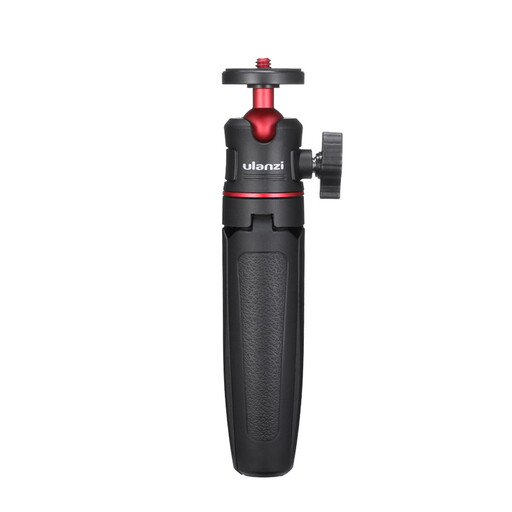
ULANZI MT-08 Compact Mini Tripod with 1/4-inch screw
Consider this for a low, front-facing tabletop scene with a compatible camera. Its listed 1/4-inch screw and compact format are the relevant mounting details; check the complete setup’s weight and whether the camera position locks securely before buying.
Joybuy
 No image available
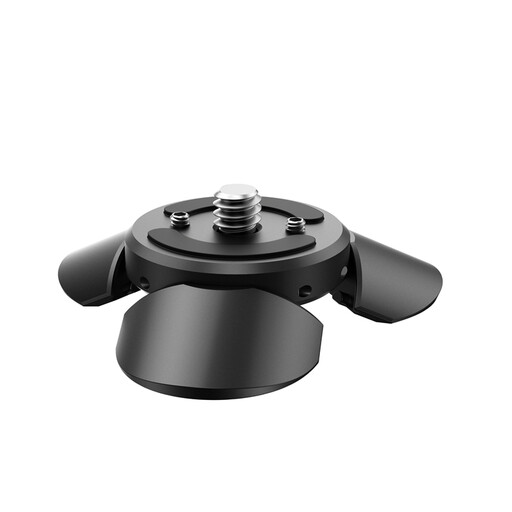
ULANZI PK-08 Mini Tripod for DJI Osmo Pocket 3, 1/4-inch mount
Its desktop format suits a small set when the intended device fits the mount. The title also names Insta360 X5, X4 and X3; check compatibility for your particular device, the complete mounted weight and whether the chosen position locks.
Joybuy
 No image available
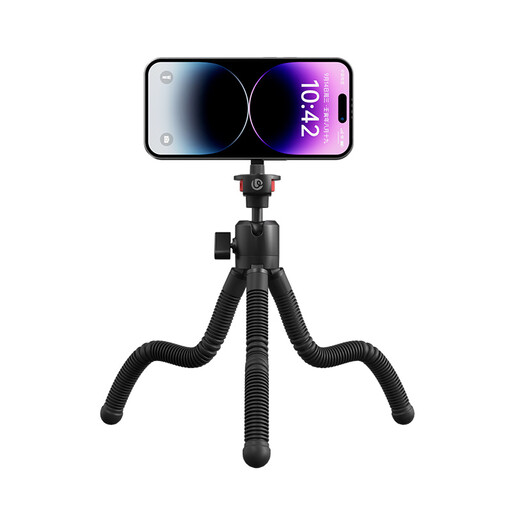
Ulanzi MT30 Magnetic Flexible Tripod for iPhone 12–17, 1/4-inch thread
Consider the bendable-leg format when a lightweight device needs a standing or wrap-around position in a small workspace. The title specifies a MagSafe-style magnetic phone attachment for the named iPhone series and a 1/4-inch thread; check attachment security, the complete load and stability at the chosen position.
Joybuy
 No image available
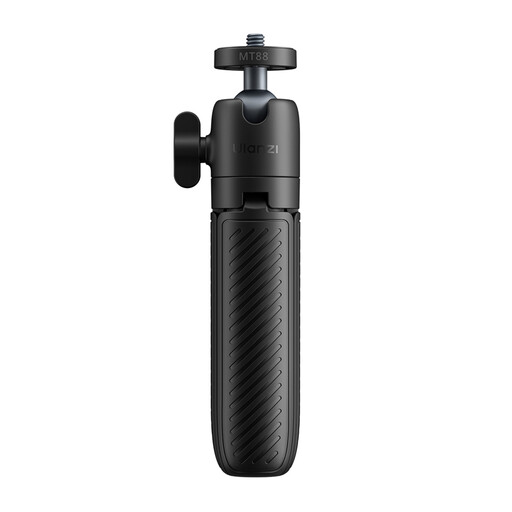
Ulanzi MT88 Compact Mini Tripod with 1/4-inch screw and Velcro strap
This is a compact option for a compatible action camera or other lightweight device on a stable, level surface. Its title names DJI Pocket3, Insta360 X5 and DJI Osmo Action 5/4/3; confirm your device’s mounting fit, the complete load and whether the selected angle locks securely.
Joybuy
Frequently asked questions
How do I stop the image shifting between stop-motion frames?
Keep the camera firmly supported in one position, compose the set before capture and avoid moving the support while animating. Stop Motion Studio warns that camera shaking can make the finished animation appear jumpy and interrupt continuity.
Can I make stop-motion animation with a phone instead of a camera?
Yes, provided the support has a secure mount that fits your phone. Check the mount and complete device weight as carefully as you would for a camera; capture-app features do not replace a stable physical support.
Should I choose a mini tripod or an overhead rig for a tabletop set?
Choose a mini tripod if a low camera can face the set from the front; choose an overhead rig if the composition must look directly down on it. For scale, Manfrotto lists a 13.5 cm maximum height for the PIXI Mini Tripod, while NEEWER describes the NK003 as an overhead camera rig. Check the rig’s desk fit and your assembled camera load.
What should I check if a tripod bundle includes a powered light?
Check the powered accessory separately for seller and manufacturer identification, appropriate markings, instructions and warnings before use. GOV.UK’s consumer-product safety guidance recommends checking markings and the manufacturer’s name and address; the checks for the light do not establish the tripod’s load capacity or stability.


