
24/7 Customer Support

Free returns

Same-day & Next-day Delivery

Quality Guaranteed

Unlock Your Welcome Offers: FREE Delivery | Up to 80% OFF | Free 30-day JoyPlus trial
Download the APP
Running out of laptop space, waiting for large files to transfer or trying to protect family photos can make storage shopping feel more complicated than it should. Product listings often focus on impressive speed figures and large capacities, while leaving out important details such as connector limits, drive format and suitability for continuous use.
This guide from the Joybuy Product Recommendation Officer explains how to compare external and internal storage drives, avoid common buying mistakes and match a drive to your actual needs.
A drive advertised at 2,000MB/s or more may require a compatible USB 3.2 Gen 2x2 port to reach its stated performance. Connected to a slower USB 3.0 or USB 3.2 Gen 1 port, it will operate at the host device’s limit.
The same applies to an internal SSD. A PCIe Gen 5 NVMe SSD needs a compatible M.2 slot and platform to deliver its published figures. Installing it in a PCIe Gen 4 system may still work, but performance will be limited by the older interface.
A listed 1TB, 2TB or 4TB capacity is measured using decimal units. The usable space shown by Windows or macOS will be lower after formatting and system overhead. For everyday documents, a 1TB SSD may be sufficient; photographers, video editors and gamers may find a 2TB SSD or 4TB external hard drive more practical.
It is also worth allowing room for growth. A drive filled close to capacity can become inconvenient for file management, even when it continues to operate normally.
An external hard drive or portable SSD is only one copy of your information. Damage, loss, accidental deletion or drive failure can still affect the files stored on it. Keep important documents and photographs in at least two separate locations, such as an external drive and a cloud account or second drive.
Also check protection claims carefully. A portable SSD may resist drops, but that does not automatically mean it is waterproof. For example, an IP65 rating generally concerns dust protection and temporary water exposure, not submersion.
A portable SSD uses flash memory and has no moving platters. This usually makes it lighter, quieter and more resistant to everyday movement than a mechanical external hard drive. It is well suited to commuting, editing projects, quick backups and moving large files between computers.
A traditional external hard drive generally offers more capacity for the price. It can be a sensible choice for photo libraries, media archives and backup storage, but it should be handled carefully while operating.
For internal upgrades, a 2.5-inch SATA SSD such as the Kingston A400 is designed for desktops and notebooks with a matching SATA bay. It offers quoted sequential read and write speeds of up to 500MB/s and 450MB/s. An NVMe SSD uses an M.2 slot and PCIe interface, offering substantially higher transfer figures where the computer supports it.
Check both ends of the connection:
A NAS hard drive is designed for multi-user storage and extended operation in a network-attached storage enclosure. Look for the correct 3.5-inch size, SATA interface, NAS compatibility and recording technology.
For sustained workloads, CMR recording is a useful specification to check. NAS models such as Synology’s 4TB, 6TB and 16TB drives use CMR technology and are designed for file sharing, backups and surveillance workloads in compatible systems. A desktop drive is not automatically a suitable substitute for a NAS drive.
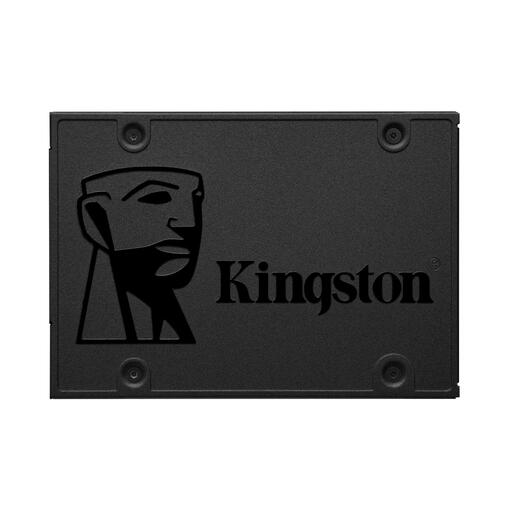
Why This Fits Their Persona: A practical internal upgrade for a compatible desktop or notebook that needs responsive everyday storage without moving to an M.2 platform.
Its 2.5-inch SATA III format makes the required connection clear, helping buyers avoid purchasing an M.2 drive for a SATA bay.
480GB capacity, TLC flash memory, no moving parts and quoted speeds of up to 500MB/s read and 450MB/s write.

Why This Fits Their Persona: A compact option for remote workers, photographers and commuters who regularly carry project files between their UK home, office and travel setups.
The IP65 rating and stated drop resistance are clearly specified, while the USB 3.2 Gen 2 interface helps set realistic connection expectations.
1TB capacity, USB-C connection, quoted read/write speeds of up to 1,050/1,000MB/s and a 98g portable design.
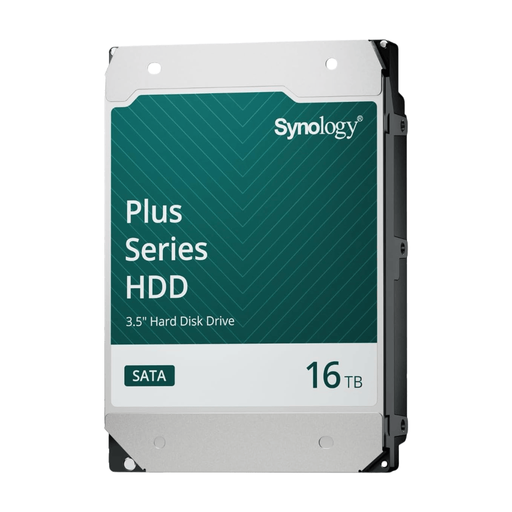
Why This Fits Their Persona: Intended for compatible home or small-business NAS systems handling large file libraries, backups, surveillance recording and multi-user access.
It is identified as a 3.5-inch NAS drive with CMR technology, rather than a general portable disk unsuitable for continuous network workloads.
16TB capacity, 7,200rpm rotation, 512MB cache and a stated maximum sustained transfer speed of 281MB/s.
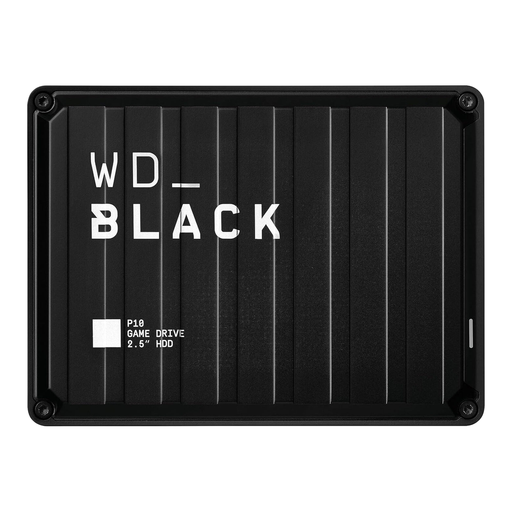
Why This Fits Their Persona: A portable gaming storage drive for players who need additional space for a PC or compatible console library.
Its USB 3.2 Gen 1 interface and stated read speed of up to 130MB/s make the performance position clearer than an unspecified “gaming” label.
2TB capacity, USB 3.2 Gen 1 connectivity, portable 0.16kg design and a three-year limited warranty stated in the product information.
We have compiled a complete, real-time list of products that fully satisfy these strict selection criteria and UK safety regulations.
Usually, a portable SSD can provide faster access and transfer performance because it uses flash memory. Actual speed depends on the drive, file type, cable and host port. An external hard drive may offer more capacity at a lower cost per terabyte.
There is no single guaranteed lifespan. Usage, heat, physical handling and workload all matter. Keep firmware updated where applicable, avoid moving mechanical drives during transfers and maintain separate backups. Internal SSD endurance can also be expressed as a TBW rating, which indicates the manufacturer’s stated total written data limit.
A 1TB SSD can suit office work, study and a moderate application library. A 2TB SSD gives more room for large games, creative software and video projects. Check the computer’s M.2 or SATA compatibility before ordering, and remember that the operating system reduces usable capacity.