Who this choice affects

Evening players sharing a bedroom

If someone else uses or sleeps in the room, you need a screen you can position away from reflections and an audio arrangement that does not rely on room speakers. Check brightness controls and headphone connectivity on the exact model.

Strategy players who want more interface space

If you regularly read maps, menus and tooltips, a 27-inch QHD monitor is a route to consider when your desk accommodates it and your gaming device supports its resolution.

Players who also enjoy faster-paced games

If the same screen will serve turn-based strategy and fast-moving titles, a higher refresh rate and adaptive-sync support may influence your choice. Check what your device can output through the connection you intend to use.

What to prioritise

Compact Full HD

Choose when: A smaller screen fits your desk better and Full HD matches your gaming setup.

Trade-off: Full HD provides less room for interface content than QHD at the same display scaling.

27-inch QHD

Choose when: You have space for the screen and your device supports 2560 × 1440 output.

Trade-off: Measure the stand as well as the screen, and check how you will arrange private audio.

Concern What to check Who this matters to
Evening viewing Check brightness controls and screen positioning to avoid glare; compare any listed flicker-reduction features on the exact model. I read small menus for long sessions as the room lighting changes, so I need a screen I can adjust without bright reflections. Around 31% of consumers put evening viewing first.
Shared space and audio Measure the stand footprint and confirm a headphone output if you need private listening. My desk and bedroom are shared, and I need game sound to stay personal. Roughly 25% of consumers make space and audio their primary concern.
Maps and menus Compare screen size and resolution together; check whether your device supports QHD before choosing a 2560 × 1440 model. When maps, tooltips and side panels compete for room, I want more interface space without losing a readable setup. For around 25% of consumers, that is the main priority.
Other game genres Check the refresh rate supported through your intended input and whether the monitor lists adaptive sync. I also play fast-moving games, so motion-related features matter beyond my strategy sessions. About 19% of consumers put this mixed-genre need first.

Buying pitfalls

  • Choosing refresh rate before the rest of the setup

    A high-refresh specification can draw attention away from the resolution, screen positioning and audio arrangements you will use during turn-based play.

    Decide whether fast-paced games are a substantial second use, then compare monitors on the features that matter at your desk.

  • Treating built-in speakers as private audio

    Speakers put sound into the room, even when they are convenient for occasional listening.

    If you need to avoid disturbing someone else, plan to use headphones and confirm that the exact monitor has a suitable output.

  • Measuring the screen but not its stand

    A screen that looks suitable by diagonal size may still leave too little usable desk space, while poor placement can cause reflections.

    Compare the manufacturer’s dimensions including the stand, and check where the screen will sit in relation to room lighting.

    A stand that does not fit your usable desk area may call for rearranging the desk or considering a compatible monitor arm.

  • Comparing energy classes alone

    An energy class does not show the full model-specific consumption figure you may want for comparison.

    For UK listings, compare the exact monitors’ SDR on-mode consumption in kWh per 1,000 hours. GOV.UK’s Create an energy label service uses that measure for electronic displays.

Relevant brands to consider

BenQ

BenQ UK lists both compact Full HD monitors, such as the 23.8-inch GW2490E, and QHD gaming models, such as the EX2710Q.

  • The GW2490E is listed at 100Hz; the EX2710Q is listed at 165Hz with a headphone jack and speakers.
  • Size, resolution, stand adjustment and audio connections differ by model. Check the exact variant rather than assuming a feature applies across the range.

Dell

Dell UK’s S2725DS illustrates a 27-inch QHD monitor with a 100Hz refresh rate, integrated speakers and adjustable positioning.

  • The S2725DS specifications list height adjustment, tilt, swivel and pivot.
  • Check current availability and the specifications of any alternative model rather than treating the S2725DS as interchangeable with another Dell monitor.

ASUS

ASUS UK’s TUF Gaming VG27AQL3A illustrates the higher-refresh QHD route for someone who also plays fast-paced games.

  • The VG27AQL3A specifications list a 27-inch QHD Fast IPS panel, 180Hz refresh rate and adaptive-sync technologies.
  • Those motion-focused specifications do not, by themselves, establish a benefit for turn-based play or answer the shared-room audio question.

Joybuy monitor choices

These monitors offer different screen sizes and display specifications for a shared-bedroom strategy setup. Compare their stand dimensions, device compatibility and private-audio options against your own room before choosing.

ASUS ProArt PA278CFRV monitor

ASUS ProArt PA278CFRV IPS QHD 100Hz

Consider this QHD option if your gaming device supports the resolution and the screen fits your desk.

The product name specifies an IPS QHD display and 100Hz refresh rate. Confirm the exact stand dimensions and whether its audio connection meets your needs for private listening.

View on Joybuy

AOC Q32V4 31.5-inch monitor

AOC Q32V4 31.5-inch 2K IPS monitor

Consider the larger screen only if you can give its stand enough room on your desk.

The product name lists a 31.5-inch IPS display, Adaptive Sync and built-in speakers. Check the exact pixel resolution, stand footprint and headphone connection before deciding whether it fits your strategy and shared-room setup.

View on Joybuy

ASUS ProArt PA278CV monitor

ASUS ProArt PA278CV IPS WQHD

This WQHD model is worth considering if you want room for strategy-game interfaces and have space for a 27-inch setup.

Check the exact stand dimensions, supported refresh rate and your gaming device’s WQHD output before purchase.

View on Joybuy

BenQ GW2791 monitor

BenQ GW2791 27-inch IPS Full HD 100Hz

Consider this model if you use Full HD but have room for a 27-inch screen; choose QHD instead if additional interface space is your priority.

The product name specifies IPS, Full HD and 100Hz. Confirm the stand footprint and headphone connectivity if desk fit and private audio matter.

View on Joybuy
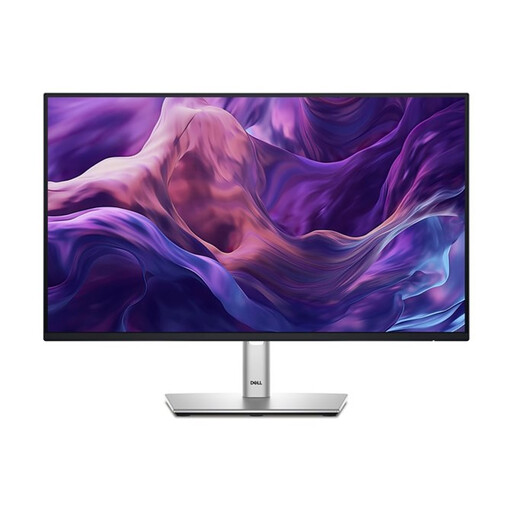
Dell P2425H 24-inch monitor

Dell P2425H 24-inch Full HD IPS 100Hz

This is a compact Full HD route to consider when a 27-inch screen would take too much desk space.

The product name lists USB-C, DisplayPort, HDMI and VGA connections. Check which input your gaming device can use, the stand footprint and whether you have a suitable arrangement for private audio.

View on Joybuy

Frequently asked questions

Do turn-based strategy games need a 165Hz or 180Hz monitor?

No high refresh rate is essential to the choice described here. Start with desk fit, resolution and your device’s outputs; consider 165Hz or 180Hz if the monitor will also serve fast-paced games. ASUS UK describes the VG27AQL3A’s high-refresh features in the context of faster-moving genres.

How should I position a monitor for a long strategy session?

Arrange the screen to avoid bright reflections and adjust its height so your eyes are approximately level with the top. The Health and Safety Executive gives this positioning advice in its display-screen equipment guidance; check that the monitor stand and your desk let you make those adjustments.

Are built-in speakers enough for a shared bedroom?

Built-in speakers are not a private-audio solution. If someone else may be disturbed, check for a headphone output on the exact monitor and plan to use headphones; BenQ UK lists both speakers and a headphone jack for the EX2710Q, but connections differ between models.

Which energy figure should I compare on a UK monitor listing?

Compare the exact models’ SDR on-mode energy consumption in kWh per 1,000 hours, rather than relying on energy class alone. GOV.UK’s Create an energy label service identifies this measure for electronic displays; keep the measurement basis the same when comparing monitors.