What matters when choosing?
Start with the OBS actions you need during a recording, then decide how much desk space and hands-on audio control you can give them.
| Concern |
What to check |
Who this matters to |
| OBS recording controls |
Check your OBS and controller software versions, then confirm the exact Record, Scene, Source Visibility or Replay Buffer actions you intend to use. Elgato documents these actions for its Stream Deck integration. |
I want recording and scene changes ready without searching through shortcuts mid-capture. Around 42% of consumers put direct OBS control first. |
| Desk footprint |
Measure the space beside your keyboard and mouse, allowing for the cable and any stand. Compare that space with the dimensions of the specific model. |
My controls need to stay reachable without crowding the area I use to play. Preserving desk space comes first for around 33% of consumers. |
| Physical audio adjustment |
Decide which levels you adjust during capture and whether the controller’s dials can be assigned to those controls; check its size as well as its buttons. |
When microphone or game audio needs repeated adjustment, I would rather turn a dial than rely on press-only controls. Around 25% of consumers prioritise hands-on adjustment. |
Joybuy controllers for this setup
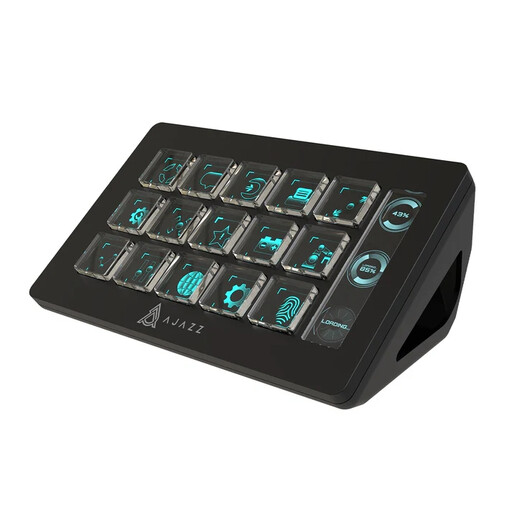
This 15-button controller is a shortcut-focused option for a small-desk recording setup. Before relying on it for OBS, confirm the exact actions and software versions you need.
 No image available
AJAZZ AKP153 Studio Controller, 15 macro buttons (Black)
Consider this controller if you want several assignable shortcuts for recording and scene changes. Its product title lists OBS among compatible applications, but check that the software exposes your required Record, Scene, Source Visibility or Replay Buffer actions. Measure the available desk space and allow room for the cable.
View on Joybuy
Frequently asked questions
Can a Stream Deck control OBS recording, not just live streaming?
Yes. Elgato documents Record, Record Pause, Scene, Audio Mixer, Source Visibility and Replay Buffer actions for its Stream Deck OBS integration. Its stated minimums are Stream Deck software 5.3 and OBS Studio 27.0.
What should I check before connecting a Stream Deck to my computer?
Check the requirements for the current Stream Deck software as well as your available connection. Elgato specifies Windows 11 64-bit with an Intel or AMD processor, notes that Windows on ARM may not work as expected, and specifies macOS Ventura 13.0 or later.
Do I need dials to record game comparisons?
Choose dials if you expect to adjust audio or other variable controls repeatedly during a take. If your main actions are starting a recording and switching scenes, shortcut keys may meet those needs without taking up the space of a larger dial-equipped controller.
What should I check before buying a Loupedeck Live S second hand?
Confirm its software version, the controls you intend to use and the seller’s warranty terms. Loupedeck ended product-line sales in March 2025, and support for legacy software 5.8 and its marketplace ended in March 2026.


