What matters when choosing?
For a large-group art-documentary screening, settle the service and display requirements before deciding between a wired box and a wireless stick. Then check how everyone will hear and control the programme in the viewing room.
| Concern |
What to check |
Who this matters to |
| Picture and display fit |
Check the TV or projector’s resolution, HDMI connection and supported HDR formats against the streamer and the documentary. |
I want the group to see the detail in artwork on our large display, so compatibility matters more to me than a 4K label alone; around 31% of consumers put picture and display fit first. |
| Playback connection |
Check for built-in Ethernet or an adapter requirement; for wireless viewing, assess coverage at the screen and router compatibility. |
If a connection interruption would disrupt everyone’s screening, I need a dependable setup at the actual viewing position. Around 31% of consumers make playback connection their primary concern. |
| Films and access features |
Find the service in the device’s UK app store, then check the individual title and its subtitles or audio description. |
I need the particular documentary and its access features to be available, not just a broad app catalogue; for around 23% of consumers, this is the leading concern. |
| Shared-room setup |
Check remote controls, required cables and how sound will reach the group; confirm what is supplied with the device. |
I want others to follow and operate the screening without relying on my phone or discovering a missing cable on the day. Around 15% of consumers prioritise straightforward shared-room setup. |
Joybuy streaming sticks
These Roku sticks are compact wireless choices for group viewing when the intended documentary service is available on the device. Check the UK app, display compatibility and Wi‑Fi coverage at the screen; do not assume either listing provides direct BFI Player access.
 No image available
Roku Streaming Stick 4K Dolby Vision
Consider this stick for a compact group-viewing setup if the documentary service you need is available on Roku.
The Roku Streaming Stick 4K supports Dolby Vision; viewing in that format requires compatible content and a compatible display. Check Wi‑Fi coverage at the screen and confirm BFI Player availability in the UK channel store if it is central to your plans.
Joybuy
 No image available
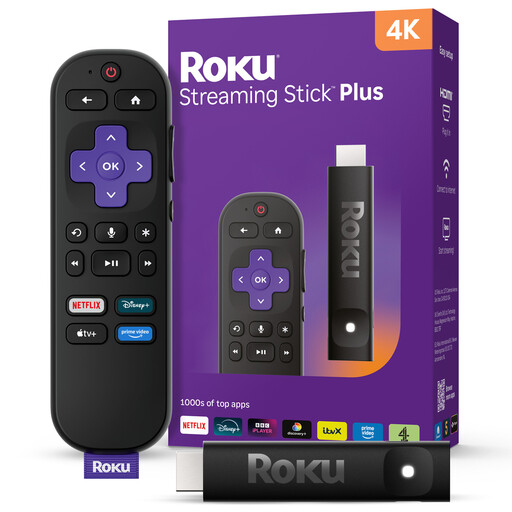
Roku Streaming Stick 4KPlus
Consider this 4KPlus stick when a compact streaming device fits the room and the required documentary service is available on Roku.
Check the HDR formats against your display rather than assuming they match those of another Roku variant. Confirm Wi‑Fi coverage at the screen and current UK app availability before a group screening.
Joybuy
Common questions
Do I need a 4K display for a 4K streamer?
Yes, a compatible 4K TV or projector is needed to show a documentary in 4K resolution. The title and streaming service must also provide 4K video; check HDR formats separately if they matter to your setup.
Which streaming devices have a BFI Player TV app?
The British Film Institute lists Amazon Fire TV, Apple TV and Google TV Streamer among its dedicated TV-app platforms, alongside other supported devices. Its list does not name Roku, so check current app availability on the exact device before planning a screening around BFI Player.
Is Ethernet worth choosing for a group screening?
Built-in Ethernet is worth considering when a cable can reach the screen and you want a wired connection for the session. Google TV Streamer (4K) has Gigabit Ethernet, as does the 128GB Apple TV 4K Wi‑Fi + Ethernet model; a Fire TV Stick requires a separate compatible adapter for wired networking.
Will every art documentary have subtitles or audio description?
Do not assume so: access features depend on the service and individual programme. Check the selected title’s listing and playback controls for the features viewers need before arranging the screening.
Does streaming a live documentary in the UK require a TV Licence?
TV Licensing states that watching a TV programme live through a streaming service requires a TV Licence. If the group plans to watch live rather than a selected on-demand title, check the requirements for the premises before the screening.


