What to check before buying
Decide whether the screen needs replacing before choosing a streaming platform. Treat connection improvements as a separate response to a connection problem, not as a way to add apps.
Connected TV
Choose it when: The display itself needs replacing as well as its streaming platform.
Trade-off: Future app support remains tied to the TV’s particular model and software.
Streaming player or HDMI stick
Choose it when: The existing screen is satisfactory and has a usable HDMI connection.
Trade-off: It adds a separate device, remote and power arrangement without changing the screen.
Set-top box
Choose it when: The household also wants the wider television platform or service associated with the box.
Trade-off: App and feature support still depends on the particular box and platform.
| Concern |
What to check |
Who this matters to |
| Required services |
Check each essential app against the exact model, platform version and any firmware requirement. ITV Help notes that ITVX support can vary within device families. |
If broadcaster catch-up is essential, I need the chosen device to run those services, not merely carry a smart-TV label. About 33% of consumers would put required-service compatibility first. |
| Access and shared use |
Check subtitles, audio description, screen-reader access and profiles separately on the apps you use. Channel 4 and ITV Help list these features by platform. |
When people sharing a TV need different access features or profiles, app availability alone does not settle the choice. For about 25% of consumers, those shared-use needs come first. |
| Keeping the current TV |
Assess the screen itself, its usable HDMI inputs and where an additional device would get power. |
If my current picture is satisfactory, I would rather address ageing apps than replace the display. Keeping the working TV is the primary concern for around 25% of consumers. |
| Connection stability |
Test the connection where the TV or player is used; check device compatibility before choosing Ethernet or an adapter. ITV Help recommends at least 10 Mbps for stable ITVX streaming. |
When viewing repeatedly buffers, I need to establish whether the connection at the screen is the cause. Roughly 17% of consumers would make connection reliability their first concern. |
Joybuy products for these setups
These selections cover connected TVs for replacing the display and an HDMI streaming stick for keeping a working TV. Check the required apps and access features on the exact device before choosing either route.
 Image unavailable
TeeView TV70UUW 70-inch QLED 4K HDR smart TV
Consider this model if the household needs to replace a large display as well as its streaming platform. Its title identifies a 70-inch QLED 4K HDR TV, but gives conflicting platform descriptions: confirm how Web OS and the stated Freeview Play feature apply to this exact model, then check the essential apps.
View on Joybuy
 Image unavailable
TCL 65V6C 65-inch Direct LED 4K HDR Google TV
This is a connected-TV option when a 65-inch replacement display fits the room. The title specifies Direct LED, 4K HDR and Google TV; check the household’s broadcaster apps and access features on the 65V6C itself rather than assuming support from the platform name.
View on Joybuy
 Image unavailable
Roku Streaming Stick 4K
This stick offers a route for keeping a satisfactory TV rather than replacing its screen. Check the TV’s HDMI input and the stick’s power arrangement. ITV Help lists Roku for ITVX but specifies firmware v15.1 for ongoing app updates; check the device’s software and each access feature your household needs.
View on Joybuy
 Image unavailable
Coocaa 40CTQH38ZUK 40-inch QLED Full HD Freely smart TV
For a smaller space where the screen also needs replacing, this model’s title specifies a 40-inch QLED Full HD TV with Freely and TiVo. Full HD is not 4K; check whether its particular apps, profiles and access features meet the shared household’s needs.
View on Joybuy
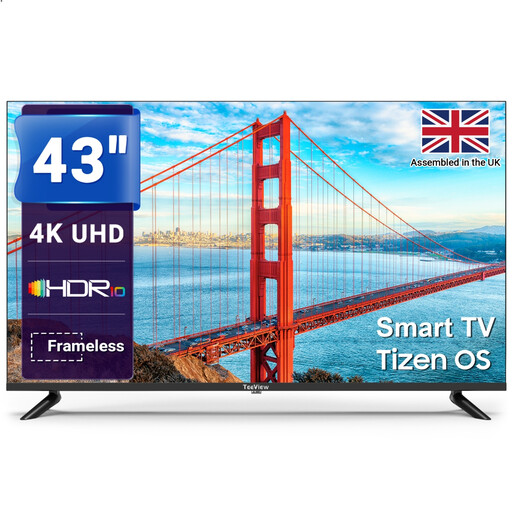 Image unavailable
TeeView TV43QUT-UK 43-inch 4K UHD Tizen smart TV
This 43-inch 4K UHD Tizen TV is another display-replacement route where its size suits the viewing space. Confirm the required UK broadcaster apps, software version and household access features for TV43QUT-UK before relying on its built-in platform.
View on Joybuy
Questions about shared-TV streaming
Should I replace my TV or add a streaming player?
Add a player if the existing screen is satisfactory and has a usable connection, but its built-in streaming platform no longer meets your needs. Replace the TV if the display itself also needs changing. In either case, check the exact model against your essential services before buying.
How do I check UK broadcaster apps before buying?
Check every essential service against its provider’s current supported-device information for the exact model and software version. ITV Help, for example, lists ITVX by platform but notes model and firmware conditions, including unsupported devices within some platform families.
Does subtitle support mean audio description will work too?
No. Channel 4 lists subtitles for Amazon Fire but says its audio description is not currently available on Amazon Fire TV; it lists audio description on tvOS, Roku and NOW TV devices. Check the particular programme and access feature on the platform you intend to use.
When is a network change worth considering?
Investigate the network when the TV or player buffers and a test at its location points to an unstable or weak connection. ITV Help recommends at least 10 Mbps for stable ITVX streaming and says Ethernet can improve stability where a compatible wired connection is possible. A network change will not add an unsupported app.
Does using a streaming stick change whether I need a TV Licence?
No. In the UK, TV Licensing says the requirement depends on viewing activity rather than the device: watching live TV or using BBC iPlayer requires a TV Licence. Watching only on-demand programmes on services such as Netflix or ITVX does not, provided you do not watch live TV or use BBC iPlayer.


