Home-cinema picture-and-sound upgrader
You have a 4K HDR display or projector and want to check which video and audio formats your setup can use. The streaming service and programme also affect what reaches the screen.


If you can run Ethernet to your home-cinema setup, a box with built-in Ethernet offers a wired connection; if a compact installation matters more, consider an HDMI stick. Before choosing either, check that the competition’s streaming service works on the device and that your display, connections and the programme stream support the picture format you want.
You have a 4K HDR display or projector and want to check which video and audio formats your setup can use. The streaming service and programme also affect what reaches the screen.
You would rather use a wired connection for a scheduled competition, provided an Ethernet cable can reach the display area. Apple and Google offer streaming-box models with built-in Ethernet; a compatible Fire TV stick needs an adaptor for that route.
You want to add streaming to an existing HDMI display without placing a larger box nearby. Check the display’s picture capabilities and how the stick will be powered.
Check the competition’s service and your display before comparing picture features. Then decide whether a wired connection or a compact installation is more useful in your room.
| Concern | What to check | Who this matters to |
|---|---|---|
| Picture and format compatibility | Confirm the programme’s available quality and whether the display, streamer and any equipment between them support the desired resolution and HDR format. | If stage lighting and movement matter on my large screen, I want the programme and my equipment to support the picture format I choose. Around 42% of consumers put picture and format compatibility first. |
| Connection reliability | Check whether Ethernet can reach the display; for Wi-Fi 6E, check router compatibility and whether the selected device supports it. | For a scheduled competition, I want a connection that suits my home network rather than relying on a wireless feature I cannot use. Roughly 33% of consumers prioritise connection reliability. |
| Compact installation | Check for a free HDMI port and a suitable power source; confirm any cable requirements for the exact model. | I want to add streaming without finding room for a larger box, but power and connections still need planning. About 25% of consumers put a compact setup first. |
A streamer cannot make an unsupported display show 4K HDR. Apple says 4K HDR streaming on Apple TV 4K requires a 4K HDR TV, while Roku says its Streaming Stick 4K cannot show those formats on a display that lacks them.
Check the display or projector and the competition’s actual stream before choosing a device for its premium video formats.
Apple sells the Apple TV 4K HDMI cable separately, and Google says Google TV Streamer (4K) requires a separately sold certified HDMI 2.1 cable. Roku recommends wall power for Streaming Stick 4K because many TV USB ports cannot supply enough power.
Check the exact device’s cable requirements, available HDMI ports and a suitable power point near the display.
Amazon’s stated Wi-Fi 6E option requires a compatible router. A wired connection needs an Ethernet port on the chosen model or a compatible adaptor, as well as a cable route.
Assess your router and the distance to the home-cinema setup before deciding between built-in Ethernet, an adaptor and Wi-Fi.
GOV.UK says a TV Licence is required to watch or record programmes as they are broadcast on any channel or service, and to watch on-demand BBC programmes on iPlayer.
Check how the competition is being shown before watching; the requirement does not depend on the streamer brand.
Apple TV 4K is a box option if you want HDMI 2.1 and, in the Wi-Fi + Ethernet variant, a built-in wired connection.
Google TV Streamer (4K) combines Google TV and casting with built-in Gigabit Ethernet.
Fire TV offers a stick format for viewers who want Amazon’s streaming interface.
Roku Streaming Stick 4K model 3820 is an HDMI-stick option for an existing display.
These Roku streaming sticks are options to consider if a compact device suits your home-cinema setup. Check the competition’s app and the exact model’s installation requirements before ordering.
 No image available
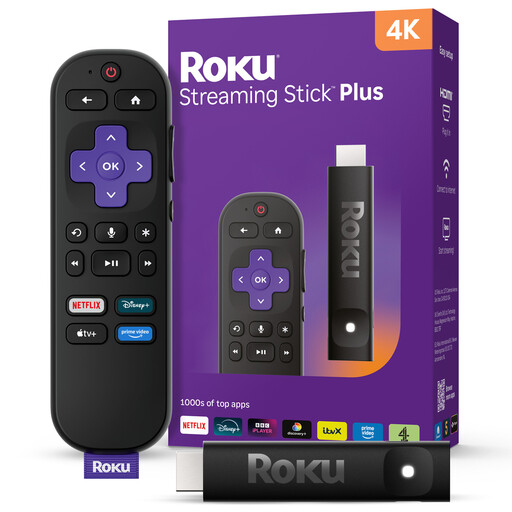
A streaming-stick option if you want a compact device for the home-cinema display.
The product title identifies this as a 4K model. Check the competition’s app, your display’s capabilities and the power arrangement for this exact SKU.
 No image available
A compact streaming-stick option for viewers who prefer that format to a separate box.
The product title identifies the 4KPlus variant. Check the competition’s app and this variant’s display, network and power requirements for your setup.
No. Apple says 4K HDR streaming on Apple TV 4K requires a 4K HDR TV; you also need the competition’s service and programme to offer the picture format you want.
For Apple TV 4K, Apple says the HDMI cable is sold separately. Google says Google TV Streamer (4K) requires a certified HDMI 2.1 cable, also sold separately. Check the box contents and requirements of any other model.
Yes, Roku says Streaming Stick 4K model 3820 works with an HDMI TV, including an HD or Full HD set. A TV without 4K or HDR support will not display those picture formats.
Yes, if you watch or record a programme as it is broadcast on any channel or service. GOV.UK also says a licence is required for on-demand BBC programmes on iPlayer; the rule depends on how you watch, not on the device you choose.