Who is this for?

Viewers who favour simple setup

If the kitchen-diner TV is used for short viewing sessions, a clear on-screen setup process and manageable HDMI and power connections may matter more to you than advanced networking. Roku’s setup guidance identifies HDMI, power, internet access and an account as requirements for its streaming sticks.

Viewers dealing with unreliable Wi-Fi

If playback drops out at the kitchen-diner TV, check the connection where the device will sit. Ofcom notes that household internet use and time of day can affect connection speed; a wired option is worth considering if a cable can reach the TV area.

Apple or Google connected-home users

If account, casting or smart-home integration is important to you, a separate box may suit your setup. Check the exact model’s account and cable requirements as well as its networking options.

What matters when choosing?

For short-film viewing on a kitchen-diner TV, start with the TV connection and power supply, then assess the connection at that location and the services you actually use.

Concern What to check Who this matters to
Uncluttered installation Check for an available HDMI input and a nearby mains socket. For Roku Streaming Stick 4K, follow Roku’s guidance on its supplied power cable and wall adapter. I want to start a short film without rearranging the TV area or dealing with awkward cables; around 42% of consumers put straightforward installation first.
Connection reliability Check the connection at the TV at different times. If you can run a network cable, compare devices with Ethernet, such as Google TV Streamer (4K). If playback stalls in the kitchen-diner, I care more about a dependable connection than a discreet device; roughly 33% of consumers prioritise connection reliability.
Platform and service access Confirm that your usual apps are available on the exact platform, and check its account requirements and whether the services need separate subscriptions. I want my usual services and accounts to fit the way I watch short films; about 25% of consumers make platform and service access their primary concern.

Mistakes to avoid

  • Expecting a 4K streamer to upgrade any TV’s picture

    A 4K-capable device cannot display 4K or HDR on a TV that does not support the relevant format. Roku says its Streaming Stick 4K works with an HDMI TV but will not show 4K or HDR quality on a TV without those capabilities.

    Check the TV model, available HDMI input and supported picture formats before choosing a device for its 4K or HDR features.

  • Assuming the TV’s USB port can power the stick

    Roku warns that many TV USB ports do not supply enough power for Streaming Stick 4K and recommends its included wall adapter.

    Check the power guidance for the exact model and plan where its mains connection will go.

    A nearby socket or a different installation position may be needed.

  • Assuming every streaming service comes with the device

    A streaming platform does not itself grant access to every catalogue. Amazon notes that subscriptions may apply to services available through Fire TV.

    List the services you intend to watch and check their access requirements separately from the device’s app availability.

  • Assuming on-demand viewing never needs a TV Licence

    In the UK, TV Licensing says a TV Licence is needed for BBC iPlayer viewing, including on-demand programmes, and for watching live TV through streaming services.

    If you plan to use BBC iPlayer or watch live programmes, check that your household is covered by a TV Licence.

Streaming-device brands to consider

Roku

Roku’s streaming-stick range is relevant if you want a compact device connected to the TV rather than a separate box.

  • Roku lists stick models with different HD, 4K and HDR capabilities; its Streaming Stick 4K supports Dolby Vision.
  • Setup requires HDMI, power, internet access and a Roku account. For Streaming Stick 4K, Roku recommends its wall adapter rather than relying on TV USB power.

Amazon Fire TV

Fire TV Stick 4K Select is an option if the Fire TV interface and its listed streaming apps match what you watch.

  • Amazon lists services including BBC iPlayer, Netflix, Prime Video, YouTube, ITVX, Channel 4 and NOW for this model; subscriptions may apply.
  • Fire TV Stick 4K Select prevents installing apps from unknown sources. Check the Fire TV Amazon Appstore if you rely on a less common app.

Google

Google TV Streamer (4K) is a box-style option if you can accommodate a separate device and want Ethernet alongside Google casting or smart-home functions.

  • Google specifies Gigabit Ethernet, Wi-Fi and an HDMI 2.1 connection for Google TV Streamer (4K).
  • The device requires a certified HDMI 2.1 cable, which Google sells separately; check your cable and placement before choosing it.

Apple

Apple TV 4K is relevant if you already use Apple services; the Wi-Fi + Ethernet version also offers a wired network connection.

  • Apple specifies Wi-Fi 6 for both Apple TV 4K versions and Gigabit Ethernet for the Wi-Fi + Ethernet version.
  • An Apple Account is required for purchases, rentals and Home Sharing. HDMI is sold separately, and 4K or HDR viewing requires a compatible TV.

Joybuy streaming devices

These Roku streaming sticks are options for a kitchen-diner TV when you favour a compact device. Check the installation requirements for the exact variant you choose.

Roku Streaming Stick 4K

Roku Streaming Stick 4K

Consider this direct-to-TV stick if simple HDMI installation suits your kitchen-diner. Roku specifies 4K and Dolby Vision capability for Streaming Stick 4K, but the TV must support the formats you want to watch.

Roku recommends mains power for this model. Check the power accessories supplied with this listing and where you can plug it in.

View on Joybuy
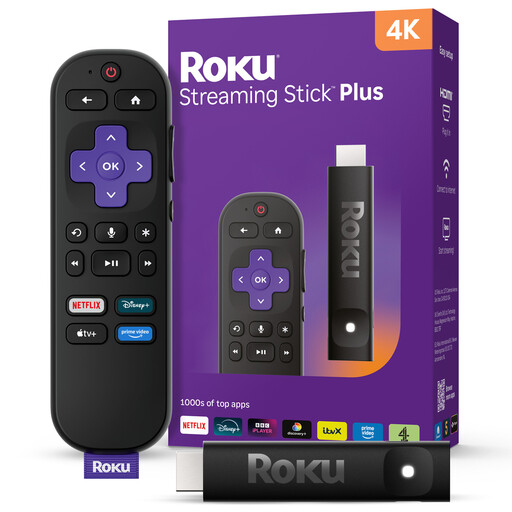
Roku Streaming Stick 4KPlus

Roku Streaming Stick 4KPlus

If you want a Roku stick for short viewing sessions, compare this 4KPlus variant with your TV and installation space.

Confirm its TV connection, power arrangement and supported picture formats for this exact variant before choosing it.

View on Joybuy

Frequently asked questions

Do I need a TV Licence to watch short films on a streaming device?

In the UK, you do not need a TV Licence solely to watch on-demand programmes on services other than BBC iPlayer, but you do need one for BBC iPlayer viewing and for live TV. TV Licensing applies those requirements regardless of whether you watch through a streaming device.

What should I check on the kitchen-diner TV before buying?

Check for an available HDMI input, a suitable power connection and internet access at the TV. If 4K or HDR matters to you, check that the TV and its connection support the formats offered by the device; a 4K streamer alone cannot add those picture capabilities to the screen.

Can I power a streaming stick from the TV’s USB port?

Follow the instructions for the exact stick rather than assuming its TV USB connection will provide enough power. Roku recommends the included wall adapter for Streaming Stick 4K because many TV USB ports cannot power it adequately.

What if films buffer on the kitchen-diner TV?

Check the connection at the TV at different times and consider other household internet use and router placement. Ofcom identifies simultaneous use and time of day as factors affecting speed; if running a cable is practical, Google TV Streamer (4K) is one device with Gigabit Ethernet.

Does a streaming device include access to every listed service?

No: an available app does not necessarily include access to its full catalogue. Amazon notes that subscriptions may apply to Fire TV services, so check the access requirements for the short-film services you intend to use.