Joybuy product choices
These choices cover Roku streaming sticks for adding access through a TV’s HDMI input, alongside TP-Link mesh Wi-Fi systems for households investigating a home-network coverage issue. A mesh system is a connection option, not a substitute for checking whether the broadband service itself is the bottleneck.
 No image available
Roku Streaming Stick 4KPlus
Consider it when the existing TV suits you but you want a separate streaming interface.
Its product description specifies 4K streaming and a voice remote with TV power and volume controls.
Joybuy
 No image available
Roku Streaming Stick 4K with Dolby Vision
Consider this HDMI stick when the TV has a suitable input and you want a separate streaming player.
The product description lists 4K Ultra HD, Dolby Vision, HDR10+ and HDR output, plus a voice remote. Check that the TV supports the picture formats you want.
Joybuy
 No image available
TP-Link Deco BE22 BE3600 Whole Home Mesh Wi-Fi 7 System (3-Pack)
Consider a mesh Wi-Fi system when you are investigating coverage around the TV rather than missing streaming apps.
The product description specifies Wi-Fi 7 and two 1.0 Gbps Ethernet ports per unit. Check whether your issue is Wi-Fi coverage or the broadband connection.
Joybuy
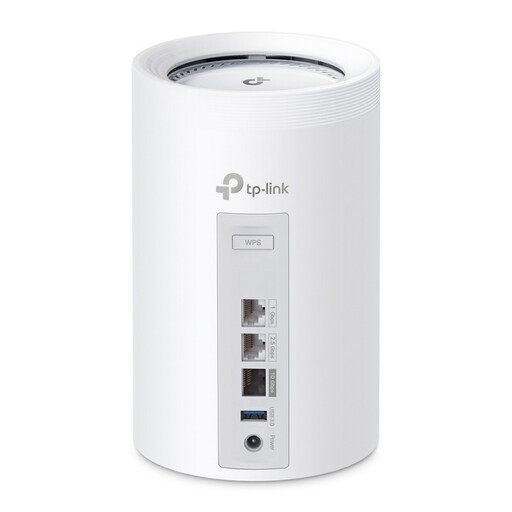 No image available
TP-Link Deco BE65 BE9300 Tri-Band Wi-Fi 7 Whole Home Mesh System (3-Pack)
Consider this mesh system when checking whether home Wi-Fi coverage is affecting streaming near the shared TV.
The product description specifies Wi-Fi 7, tri-band operation and speeds up to 9.3 Gbps. These details do not establish that it will resolve a broadband-service limitation.
Joybuy
Frequently asked questions
Does a streaming stick mean I need a TV Licence?
The device alone does not determine whether you need a TV Licence. GOV.UK says a licence is needed to watch or record live TV on any channel or service, or to use BBC iPlayer, including its on-demand programmes; check the rules for the viewing you plan.
How can I check whether a broadcaster app will work?
Compare the exact TV or player model and software version with the broadcaster’s current device guidance. ITVX lists platform and firmware conditions, while Channel 4 and Channel 5 identify devices that are no longer supported. Check required live, regional or profile features separately from basic app access.
What should I try before buying a new player to fix buffering?
Test the connection at the TV during the times your household normally uses it. Ofcom advises checking router position and whether the broadband service is the bottleneck. Netflix recommends a stable 15 Mbps for its own 4K streaming; that figure is not a universal minimum for other services.
Can I record Freely channels streamed through a Freely-capable recorder?
Not on the Humax AuraEZ, according to Humax: recording requires an aerial and streamed Freely channels cannot be recorded. Check the recording functions of any other box separately.
What equipment should I check before setting up a streaming box?
Check the included power equipment, remote and HDMI cable against your setup. Google specifies that its Streamer needs a separately sold certified HDMI 2.1 cable, and Apple lists its HDMI cable as sold separately. Review the chosen seller’s current warranty and returns terms rather than assuming one brand-wide policy.


