Flatmates watching live quiz shows
If everyone wants to watch at the scheduled time, check the broadcaster app's live-viewing support, not just whether the app installs. TV Licensing's rules also matter for live TV and BBC iPlayer.


Choose a streaming device only after checking that the exact model supports the broadcaster app and live or catch-up viewing your flat needs. ITVX lists Amazon Fire TV, Roku streaming players and Apple TV for live viewing, but an available HDMI input, a workable network connection and shared account arrangements also matter. TV Licensing says watching live TV on any service, or watching or downloading BBC iPlayer programmes, requires a TV Licence.
If everyone wants to watch at the scheduled time, check the broadcaster app's live-viewing support, not just whether the app installs. TV Licensing's rules also matter for live TV and BBC iPlayer.
Where the television is far from the router or the shared connection struggles, compare the connection available at the TV. Roku describes a long-range Wi-Fi receiver for its Streaming Stick 4K; Google and Apple also offer specified streaming-box models with Ethernet.
A compact setup and a remote that handles TV power and volume can make one shared television easier to use. Check subtitle controls in the intended app and device settings if anyone relies on them.
Start with the quiz show's broadcaster and whether you will watch live or on catch-up. Then consider the connection at the television and how several residents will use the controls and accounts.
| Concern | What to check | Who this matters to |
|---|---|---|
| Broadcaster and viewing mode | Check the exact device's app support and whether the intended programme is available live, on catch-up or both. ITVX notes that online programme rights can differ. | If our flat plans to watch a quiz show as it airs, I need the right app and its live feature to work on our device. Around 36% of consumers would make broadcaster access their primary concern. |
| Network connection | Check Wi-Fi at the TV; if you can run a cable, compare models with a built-in Ethernet port. | When the television is distant from the router, I want a connection I can rely on for a scheduled programme. For around 29% of consumers, network reliability would come first. |
| Shared setup and controls | Confirm an available HDMI input, the power arrangement and account sign-in; check whether the remote controls TV power and volume. | If several of us use one television, I want to start watching without juggling remotes or relying on one flatmate's phone. Simple shared control would be the main concern for around 21% of consumers. |
| Accessibility and accounts | Check subtitles or audio description for the particular app and viewing mode, and agree who manages the shared device account. | When someone needs subtitles or audio description, I want to know the feature works for the programme we will watch; shared sign-ins need thought too. Around 14% of consumers would prioritise these arrangements. |
TV Licensing says watching live TV on any service requires a TV Licence, as does watching or downloading BBC iPlayer programmes, including on-demand programmes.
Before planning live viewing or BBC iPlayer use, check whether the address and your tenancy arrangement are covered by a valid licence.
ITVX distinguishes supported devices from live-TV availability and notes that rights can keep individual programmes off its online service. Device software requirements can matter too.
Check the exact model, its required software version and the programme's availability before depending on it for a scheduled quiz show.
A streaming stick still depends on the connection available near the television. Roku describes long-range Wi-Fi for Streaming Stick 4K, while Google TV Streamer and the Apple TV 4K Wi-Fi + Ethernet model offer wired ports.
Check the connection at the TV first. If it remains unreliable and a cable can reach the set, consider a model with built-in Ethernet.
An occupied HDMI input, an unsuitable power arrangement or an account nobody is ready to use can delay a shared viewing session.
Check the TV inputs and power access, then agree whose account and remote settings the flat will use.
Apple says an HDMI cable for Apple TV 4K is sold separately; check what the chosen device requires before ordering.
A compact HDMI-stick option when a flat wants the named UK broadcaster apps in the Fire TV Stick 4K Select product listing.
A stick option for a shared television where a compact installation and TV controls on the remote matter.
A streaming-box option for a flat using Apple services or able to run a network cable to the TV.
A Google TV box option where built-in Ethernet and Google TV features are priorities.
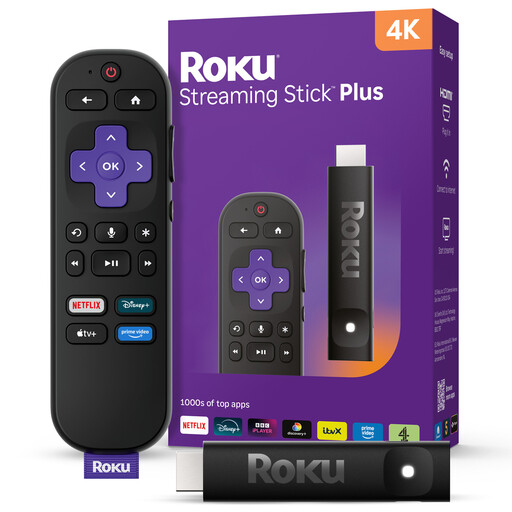
These Roku streaming sticks are options for a compact shared-TV setup. Before choosing either for a scheduled quiz show, confirm the required broadcaster app and live-viewing feature on the exact model.
 No image available
Consider this stick where a compact device for the shared TV matters. Confirm the exact model's broadcaster apps and live-viewing requirements before relying on it for a scheduled programme.
 No image available
Consider this stick if shared-TV remote controls or private listening matter to your flat. Confirm those functions on the exact package, along with the required broadcaster apps and live-viewing mode.
Yes, if you watch the show live on any channel or streaming service, or watch or download a BBC programme on BBC iPlayer. TV Licensing says using another device does not remove those requirements; watching only on-demand programmes on other services does not, by itself, require a licence.
One licence can cover a household, but the flat's tenancy arrangement matters. TV Licensing says a shared property with a joint tenancy needs one licence for the address; if residents have separate room contracts, check the coverage needed for your arrangement.
Amazon specifies an available HDMI port, power, an internet connection with Wi-Fi details and an Amazon account. Check the television's available inputs and the stick's power arrangement before ordering.
No: ITVX identifies particular platforms for live viewing, and online rights can also affect individual programmes. Check the exact device's support and the intended show rather than relying on app installation alone.
Check subtitles for the particular programme and device; ITVX says Roku subtitle controls are in the device settings. ITVX says audio description is available for applicable on-demand content on certain platforms, including Amazon Fire and Apple TV, but not currently on live or FAST channels.