What matters when choosing?
For a shared TV, decide how people will sign in and start a film before weighing up picture formats. Each route also has a setup condition worth checking.
Roku Streaming Stick 4K
Choose when: Visitors need their own app sessions; Roku Support says Guest Mode is available in the UK.
Bear in mind: The host needs a Roku PIN to enable Guest Mode, and Roku recommends wall power if the TV’s USB port cannot supply enough.
Google TV Streamer (4K)
Choose when: Phone-to-TV casting matters, or an Ethernet connection is practical at the TV.
Bear in mind: Casting depends on the network and compatible apps; Google specifies a certified HDMI 2.1 cable sold separately.
Apple TV 4K
Choose when: The people sharing short films mainly use iPhone, iPad or Mac and want AirPlay.
Bear in mind: Apple specifies an HDMI cable sold separately; Gigabit Ethernet belongs to the 3rd-generation Wi‑Fi + Ethernet model.
| Concern |
What to check |
Who this matters to |
| Separate accounts |
Check whether the exact device supports guest access in the UK and how guest sign-out works. Roku Guest Mode requires a Roku PIN. |
If different people use the communal TV, I want my subscriptions and recommendations kept out of someone else’s session. Roughly 37% of consumers put account separation first. |
| Phone-to-TV sharing |
Check the phones and apps you intend to use, the supported casting method and whether the devices can share the required network. |
When I find a short film on my phone, I want to start it on the TV without relying on another person’s signed-in app. For around 36% of consumers, easy phone sharing is the main concern. |
| Connection and picture |
Check the TV’s HDMI input and 4K/HDR support, power near the TV, Wi‑Fi reach and whether an Ethernet cable route is practical. |
If playback at the communal TV is unreliable, I care about a workable connection before paying attention to higher-resolution formats. Connection and picture compatibility come first for roughly 27% of consumers. |
Joybuy product choices
These Roku streaming-stick choices are relevant if you want to use a communal TV for short films. Check each exact variant’s guest features and installation requirements before relying on them for a shared-flat setup.
 No image available
Roku Streaming Stick 4K Doly Vision
A Roku streaming-stick choice for a shared TV. If separate logins matter, check Guest Mode support on this exact variant and the Roku PIN setup before buying.
The product name identifies a 4K variant; viewing in 4K still requires a compatible TV and content.
View on Joybuy
 No image available
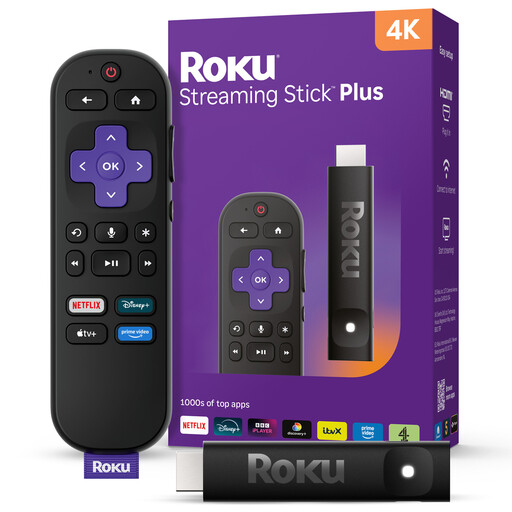
Roku Streaming Stick 4KPlus
Another Roku streaming-stick choice for the communal TV. Confirm Guest Mode support on this exact variant if flatmates need separate app sessions.
Check its TV connection and power requirements before installation. The 4K named in the product title is useful only with compatible viewing equipment and content.
View on Joybuy
Common questions
Do we need a TV Licence for on-demand short films in a UK shared flat?
Ordinary on-demand viewing on services other than BBC iPlayer does not by itself require a TV Licence, according to TV Licensing. GOV.UK says a licence is required if anyone watches or records live TV on any channel or service, or uses BBC iPlayer, so check the flat’s planned viewing rather than the device.
Will a Roku Streaming Stick 4K work with an older HD TV?
Yes, if the TV has an HDMI input, according to Roku Support. An HD television will not display 4K or HDR merely because the connected streaming stick supports those formats.
Can flatmates use their own streaming accounts without leaving them signed in?
Roku Guest Mode lets guests sign in with their own app accounts and can sign them out on a chosen date, according to Roku Support. It is available in the UK and requires a Roku PIN to enable; confirm support on the exact device you intend to buy.
What needs to work for phone casting?
Check the intended app, sending device and network before choosing a casting route. Google TV Help says the phone or tablet and TV device must use the same wireless network; for AirPlay, Apple says the Apple TV and sending device may also need to be on the same network.
Should we get an HDMI cable before setting up a streamer?
Check the requirements of the exact model. Google specifies a certified HDMI 2.1 cable sold separately for Google TV Streamer (4K), and Apple specifies an HDMI cable sold separately for Apple TV 4K; a Roku streaming stick has different connection and power considerations.


