Check your TV and the wildlife series before choosing a streamer: 4K HDR playback depends on compatible content, service access, display and HDMI connections. Google TV Streamer (4K) offers built-in Ethernet, while Fire TV Stick 4K Max takes a compact, Wi-Fi-focused approach; Apple TV 4K suits an Apple-centred setup, and a Roku stick may suit viewers who want a compact upgrade. No streaming device can turn an HD or SDR television into a 4K HDR display.
Who this is for
Dark-room picture-quality viewers
If you want to watch a wildlife series in 4K HDR, check the programme’s available format against your TV and HDMI setup. A device’s format support alone cannot provide HDR when the programme or display does not support it.
Viewers prioritising a steady stream
If other people use the home network while you watch, test the connection at the TV. A box with Ethernet is worth considering when running a cable is practical.
Viewers making a simple TV upgrade
If you want streaming without adding a box beside the television, a stick may suit your setup. Check the TV’s picture formats, HDMI connection and power arrangements before choosing one.
What to check before buying
For a wildlife series in a dark room, establish what the programme and TV can display, then decide how the device will connect to your network and fit around the television.
| Concern |
Buying checks |
Who this matters to |
| Available picture formats |
Check the series’ format label and your TV’s 4K, HDR and HDMI support; confirm that your service access permits the intended quality. |
I want the dark scenes and fine detail shown in the format available for this series, rather than pay for a format my TV cannot display. Around 50% of consumers put picture compatibility first. |
| Connection stability |
Test the connection at the TV and decide whether a wired Ethernet port, a separate adaptor or Wi-Fi fits your setup. |
When the household network is busy, I would rather keep playback steady than add another picture format. Roughly 30% of consumers prioritise connection reliability. |
| Simple setup |
Check the spare HDMI input, the stick’s power requirements and availability of the apps you intend to use. |
I want to add streaming without equipment or features I will not use. Around 20% of consumers make a straightforward setup their primary concern. |
Buying pitfalls
-
Choosing an HDR format before checking the TV
A streamer with Dolby Vision or HDR10+ support cannot provide that format if the series, television or HDMI path does not support it.
Check the exact TV model and the series’ label in your streaming app before choosing a device for a particular HDR format.
-
Expecting 4K from the device alone
Service access and connection quality also affect playback. Netflix recommends a stable connection of at least 15 Mbps for its UHD 4K streams; that figure is specific to Netflix.
Check your intended service’s quality requirements and test the connection where the TV will be used.
-
Assuming a Roku Streaming Stick Plus can use any TV USB port
Roku says some television USB ports cannot supply enough power for this model.
Check the TV’s USB power and whether you can use a nearby mains socket if needed.
Roku advises using a suitable 5V 1A USB adaptor when the TV port cannot power the stick.
-
Treating Dolby Atmos as a device-only feature
For Netflix Atmos playback, the plan, programme and audio system must also be compatible; availability can vary by title, season and language.
Check the programmes you watch and your audio setup before making Atmos support a deciding factor.
Brands to consider for this setup
Apple
Apple TV 4K is a box to consider if Apple services and device integration matter alongside supported picture and audio formats.
- Apple lists 4K Dolby Vision, HDR10+ and Dolby Atmos; its Wi-Fi + Ethernet model includes Gigabit Ethernet.
- Apple specifies a compatible 4K HDR TV for 4K HDR streaming and a separately sold HDMI cable. Check which Apple TV 4K variant you are choosing.
Google
Google TV Streamer (4K) offers a built-in wired-network option for a Google TV setup.
- Google lists Gigabit Ethernet, 32 GB storage, Dolby Vision, HDR10, HDR10+, HLG and Dolby Atmos support.
- Google specifies a certified HDMI 2.1 cable sold separately. The TV, app and programme must also support the format you want to watch.
Amazon Fire TV
Fire TV Stick 4K Max is a compact option for viewers planning a wireless Fire TV setup.
- Amazon UK lists Wi-Fi 6E support and compatibility with earlier Wi-Fi routers.
- A wired connection calls for a separate compatible Ethernet adaptor; Wi-Fi 6E capability alone does not establish the quality of a particular stream.
Roku
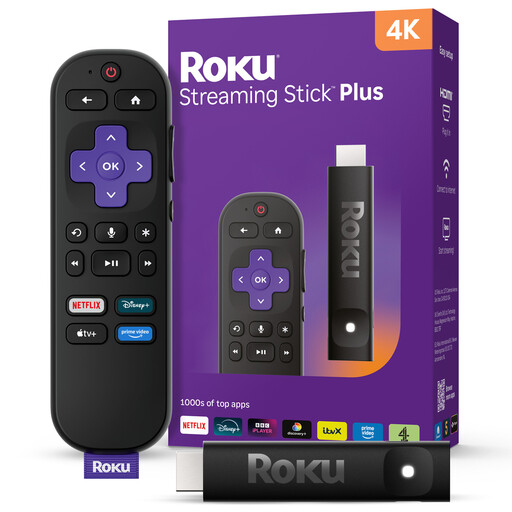
Roku Streaming Stick Plus is a compact route for viewers whose TV and programmes suit its listed HDR formats.
- Roku lists HDR10, HDR10+ and HLG support for Streaming Stick Plus.
- Roku’s setup guidance calls for an HDCP 2.2-compatible connection for 4K HDR, and some TV USB ports require a wall adaptor. Check the exact Roku model rather than applying these specifications to every Roku stick.
Roku streaming sticks on Joybuy
These Roku sticks are compact options for adding streaming to a TV. Choose between the listed variants only after checking the exact picture formats, connections and services your wildlife series requires.
 No image available
Roku Streaming Stick 4K Doly Vision
A compact streaming-stick option if you want 4K viewing and your TV, service and programme can provide it.
The product name states 4K. Check the exact model’s HDR formats, HDMI requirements and supplied accessories before buying for a particular setup.
View on Joybuy
 No image available
Roku Streaming Stick 4KPlus
Consider this stick if a compact 4K streaming device fits your TV setup.
The product name states 4KPlus. Confirm its exact HDR formats, TV connection and power requirements before choosing it specifically for dark-room HDR viewing.
View on Joybuy
Common questions
Will a new streamer make every wildlife programme look better in a dark room?
No: the programme must be available in the intended format, and your service access, TV and HDMI path must support it. Netflix advises checking the format label on a title; slow or unstable connections can also affect the quality delivered.
What internet speed should I check for 4K streaming?
Netflix recommends a stable connection of at least 15 Mbps for its UHD 4K streams. This is Netflix-specific guidance, not a guarantee for every app, so test the connection at the TV and check the service you intend to use.
Do I need Dolby Atmos for a wildlife series?
Only make Atmos a requirement if the programme and your audio setup can use it. For Netflix, Atmos also requires an eligible plan, compatible playback device and audio system, and a suitable streaming-quality setting; availability varies by title, season and language.
Can I return a streaming device bought online in the UK if it does not suit my setup?
For an ordinary UK distance sale, GOV.UK says you can tell the seller you want to cancel within 14 days of receiving the device, then have another 14 days to return it. Check the applicable return process and distinguish a change-of-mind return for the hardware from any digital subscription; remedies for faulty or misdescribed goods are a separate matter.


