Who this suits

Households keeping a working older HDMI television

You want streaming and UK broadcaster apps on the main screen without replacing a television that still has a usable display and HDMI input. The key choice is between a compact Wi-Fi stick and a fuller streaming box with wired-network capability.

Free-to-air TV and catch-up viewers

You want live Freeview channels and catch-up services in one TV-oriented interface, rather than only subscription or standalone streaming apps. A Freeview Play box is particularly relevant where a suitable aerial connection is available.

Households with weak Wi-Fi at the television

You need a more stable connection than a Wi-Fi-only setup can provide at the TV location. Streaming boxes with Ethernet, such as Google TV Streamer (4K) or Apple TV 4K Wi-Fi + Ethernet, are relevant when a wired network can reach the television.

Buying priorities

Streaming stick

Choose it when: the TV has HDMI and your household mainly wants app-based streaming over dependable Wi-Fi.

Consider: it does not add a terrestrial-TV tuner, aerial input or recording function.

Streaming box with Ethernet

Choose it when: Wi-Fi by the television is weak or inconsistent and a wired network can reach the room.

Consider: you need an Ethernet run, and some models require an HDMI cable purchased separately.

Freeview Play box

Choose it when: live Freeview channels, catch-up and a unified guide matter alongside on-demand apps.

Consider: live terrestrial viewing depends on an aerial, while catch-up services need internet access.

Priority What to check Your needs
Broadcaster apps Check the exact platform, model and software requirements for ITVX, Channel 4, BBC iPlayer and your subscription apps. Support can differ by device generation and software version. I want the UK broadcaster and streaming apps my household actually uses, rather than assuming every smart platform has the same catalogue.
TV and network connection Confirm a free HDMI input, nearby power and internet access. If Wi-Fi is poor at the TV, check whether Ethernet is available and practical to run. I need a device that can connect properly where my television is installed, without relying on a signal that does not reach the room reliably.
4K and HDR For 4K streaming, check the television panel, the selected HDMI input and cable path, service plan and internet connection. Netflix states that Ultra HD on Google TV Streamer needs a compatible 4K TV, an eligible plan and a steady connection of at least 15 Mbps. I want to pay for 4K hardware only if the television and streaming setup can use it; an HD-only screen will not display native 4K.
Live TV and recording Separate app streaming from live terrestrial TV, catch-up, pausing and recordings. Check aerial availability for Freeview live channels and whether the chosen box includes recorder functions. I want to keep live Freeview in an easy guide, or I need recordings rather than just on-demand apps.

Common buying mistakes

  • Assuming every platform has the same UK broadcaster apps

    ITVX support can vary by platform, software version and sometimes model, while Channel 4 also has platform-specific availability. A device may stream video generally but still lack a service your household needs.

    List your essential services, then check each service’s official supported-device information for the exact model and software conditions before ordering.

  • Expecting a 4K device to upgrade an HD television

    A 4K streamer alone does not change the resolution of the television panel. Apple requires a 4K HDR television for 4K HDR streaming, and Netflix’s 4K requirements also cover the television, HDMI path, plan and connection.

    If the screen is HD-only, choose for app access and usability. If 4K matters, check the panel, HDMI input, cable path, service plan and broadband connection.

  • Choosing a Freeview box without checking recording and aerial needs

    The standard Manhattan T4 can pause live TV, but rewind, replay and recordings require the separate T4-R recorder model. Live terrestrial reception also depends on the household aerial setup.

    Decide separately whether you need live channels, catch-up, pausing or permanent recordings, then confirm the suitable box and aerial connection.

  • Forgetting cables, power and account activation

    A compatible device cannot be set up without a usable HDMI input, power, the necessary cable and network or account details. Google TV Streamer requires a certified HDMI 2.1 cable sold separately, and Apple TV 4K also requires an HDMI cable sold separately.

    Inspect the television’s ports, confirm a nearby mains socket, measure any Ethernet route and have Wi-Fi and account details ready before purchase.

Relevant brand routes

Amazon Fire TV

A streaming-stick ecosystem for adding app access to a television with an available HDMI input. ITVX and Channel 4 list Amazon Fire among supported TV platforms.

  • Compact add-on route for a working HDMI television.
  • Requires HDMI, mains power, Wi-Fi or internet access and an Amazon account; it is not a Freeview recorder or replacement television.

Google

Google TV Streamer (4K) is a streaming-box route for households that want Google TV, HDMI 2.1, built-in Gigabit Ethernet and support up to 4K HDR at 60 fps.

  • Built-in Gigabit Ethernet can suit a television location with unreliable Wi-Fi.
  • A certified HDMI 2.1 cable is required and sold separately; check app availability for the exact device.

Apple

Apple TV 4K is a streaming-box option for households using Apple services or choosing between Wi-Fi-only and Wi-Fi + Ethernet networking.

  • The Wi-Fi + Ethernet model includes Gigabit Ethernet.
  • An HDMI cable is sold separately, and ITVX support applies to Apple TV with tvOS 18 or later.

Manhattan

A UK-focused Freeview Play set-top-box route for viewers who want free-to-air live television, catch-up and selected on-demand apps in an integrated guide.

  • Freeview lists the Manhattan T4 with BBC iPlayer, ITVX and Channel 4.
  • Internet is required for catch-up and on-demand functions; check aerial arrangements and choose the T4-R if recording is required.

Joybuy product options

Joybuy options for adding app streaming to an existing television or replacing a television that no longer meets the household’s display and connection needs.

Roku Streaming Stick 4K Doly Vision

Roku Streaming Stick 4K Doly Vision

A compact add-on option for a working television with a free HDMI input and dependable Wi-Fi. The supplied product name states 4K Ultra HD, Dolby Vision, HDR10+/HDR and a voice remote; check ITVX and Channel 4 for this exact UK model and software before buying.

Joybuy

Roku Streaming Stick 4KPlus

Roku Streaming Stick 4KPlus

A streaming-stick route for retaining the existing screen where a compact Wi-Fi device is preferred. The supplied description states 4K streaming, long-range wireless reception, Voice Remote Pro, private listening and a rechargeable remote; verify required UK apps, HDMI, power and account setup.

Joybuy
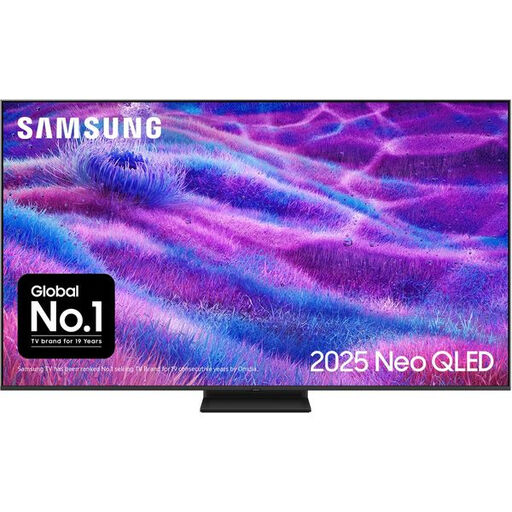
Samsung QE65QN80FAU 65-inch 4K Ultra HD Smart TV

Samsung QE65QN80FAU 65-inch 4K Smart TV

A replacement-TV option for a household able to accommodate a 65-inch screen. The supplied listing states 4K, Wi-Fi, Ethernet LAN, four HDMI ports and DVB-T2; check the exact Tizen software and UK broadcaster-app support before purchase.

Joybuy
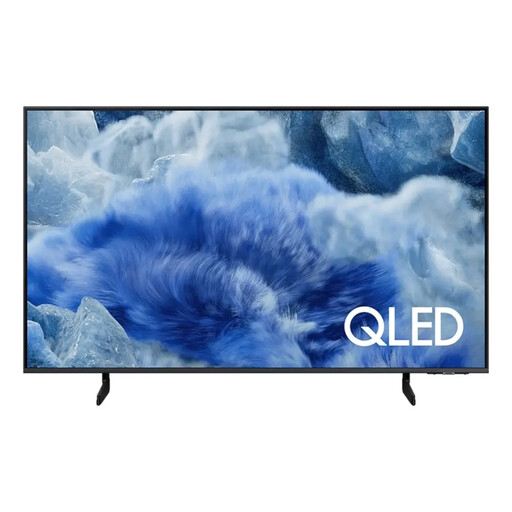
Samsung Q8F QE55Q8FAAU 55-inch 4K Ultra HD Smart TV

Samsung Q8F QE55Q8FAAU 55-inch 4K Smart TV

A 55-inch replacement route with built-in Smart TV and Internet TV functions. The supplied listing states 4K, Wi-Fi, Ethernet LAN, three HDMI ports, HbbTV and DVB-T2; confirm required UK apps and aerial arrangements where terrestrial reception matters.

Joybuy
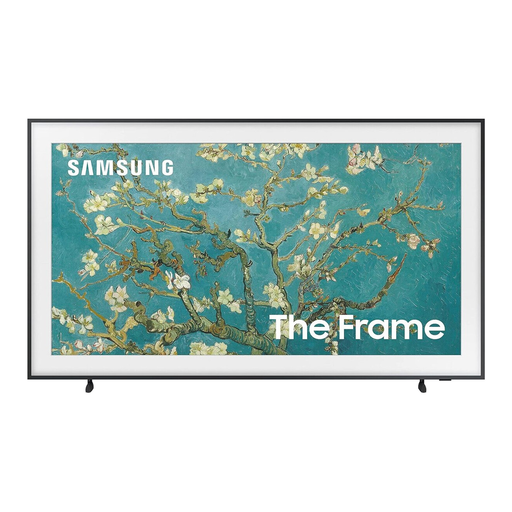
Samsung QE65LS03FAU 65-inch 4K Ultra HD Smart TV

Samsung QE65LS03FAU 65-inch 4K Smart TV

A connected 65-inch television for households replacing an older display. The supplied listing states 4K, Wi-Fi, Ethernet LAN, four HDMI ports, HbbTV 2.0.4 and DVB-C, DVB-S2 and DVB-T2 tuners; check app support and the required broadcast connection separately.

Joybuy

Frequently asked questions

Can I add streaming apps to an older television instead of replacing it?

Yes, if the television has a usable HDMI input and the selected device supports the apps you need. Amazon Fire TV Stick 4K Select requires HDMI, internet or Wi-Fi and an Amazon account, while Apple TV 4K and Google TV Streamer also connect by HDMI; check broadcaster-app support for the exact platform before buying.

Will a streaming stick or box give me ITVX and Channel 4?

Do not assume that every device supports every app. ITVX lists Amazon Fire, Apple TV with tvOS 18 or later, Google TV, Freeview Play and Roku among supported platforms, while Channel 4 lists Amazon Fire, Google TV and Chromecast, Freeview Play and Roku; check the precise model and software version.

What do I need for a Freeview Play box?

Connect the box to the internet for on-demand and catch-up services, and use an aerial for live channels through the Freeview TV Guide. Freeview lists the Manhattan T4 with BBC iPlayer, ITVX and Channel 4, but recordings and replay require the separate T4-R recorder model.

Do I need Ethernet for streaming?

Not necessarily: stable Wi-Fi can be sufficient. Ethernet is worth considering when a cable can reach the TV and Wi-Fi there is unreliable; Google TV Streamer includes Gigabit Ethernet, while Apple TV 4K offers Ethernet on its Wi-Fi + Ethernet model.

Do I need a TV Licence for streaming in the UK?

You need a TV Licence to watch or record programmes as they are broadcast and to watch on-demand BBC programmes on iPlayer. GOV.UK states that a licence is not needed solely for on-demand services such as Netflix, Disney Plus, Channel 4 or Amazon Prime Video, provided you are not watching live TV or using BBC iPlayer.