What to check before choosing
Start with the viewing function you care about, then check whether your existing TV and connection can support it.
Streaming stick or box
Choose when: you watch apps regularly on a TV with a usable HDMI input and want a separate remote-controlled interface.
Trade-off: app support, power and network needs vary by model, and a 4K player does not upgrade an HD screen.
Freely-enabled box
Choose when: an integrated internet-delivered UK live-TV and catch-up guide is a priority.
Trade-off: it needs a compatible device and broadband; Freely recommends at least 10 Mbps for its service.
Laptop by HDMI
Choose when: you already have a suitable computer and mainly want occasional screen-sharing or personal-media viewing.
Trade-off: viewing depends on the computer and cable, and protected video may require an HDCP-compatible display and connection.
Wireless casting
Choose when: your TV or an attached receiver supports the casting standard used by your device and apps.
Trade-off: Wi-Fi alone does not establish casting compatibility; the receiver, sending device, network and app must work together.
Replace the TV
Choose when: the screen’s size, resolution, picture or sound no longer meets your needs, or you want an integrated TV platform.
Trade-off: this replaces the display as well as its platform; check the exact model’s app support before deciding.
These concerns apply to consumers choosing how to bring online viewing to an older main TV. Each row describes a different primary need and the share of consumers who put it first.
| Concern |
What to check when buying |
Who this matters to |
| Essential apps and viewing features |
List the services and specific functions you need; check support for the exact device and software version. |
If a particular app or live feature is essential to your everyday viewing, check it before choosing a platform. Around 31% of consumers put app and viewing-function support first. |
| Connections, power and network |
Check the TV’s inputs, available power and Wi-Fi reception; match the device’s connection and power requirements. |
If the TV is in a spot with limited sockets or unreliable Wi-Fi, I’d check how the device connects and gets power before choosing. Roughly 25% of consumers prioritise making the connection work at the TV. |
| An integrated UK live-TV guide |
Confirm Freely support on the exact device, broadband suitability and whether wanted features require a subscription. |
If you prefer one guide for internet-delivered live TV and catch-up, check that the device offers the guide and features you want. About 19% of consumers put an integrated live-TV guide first. |
| Occasional computer or personal-media use |
For a cable, check the computer’s video output and any adapter; for casting, check the receiver standard and intended app. |
If you mainly want to display a laptop screen or personal files now and then, a direct or compatible wireless connection may suit that use. Around 13% of consumers prioritise occasional computer or personal-media viewing. |
| Whether the screen needs replacing |
Decide whether the existing screen and sound meet your needs; check the replacement TV’s display and app details. |
If the display itself is the problem, an add-on will not change its size or resolution. Roughly 12% of consumers put upgrading the screen first. |
Joybuy products for these routes
These Joybuy choices cover adding a streaming device, replacing the TV for built-in streaming, and connecting a compatible laptop to a screen.
 Image unavailable
Roku Streaming Stick 4K
A dedicated streaming stick may suit regular app viewing on an existing TV with an HDMI input.
Requires a TV with an HDMI port.
View on Joybuy
 Image unavailable
TCL 43V6C 4K HDR Google TV
This is a replacement-TV route for viewers who want an integrated streaming platform as part of changing the screen.
The product name specifies a 43-inch 4K HDR Google TV. It replaces the existing television rather than adding a device to it.
View on Joybuy
 Image unavailable
Coocaa 40CTQH38ZUK Full HD Freely TV
Consider this replacement-TV route if you want Freely integrated into the television rather than added to your existing screen.
The product name specifies a 40-inch Full HD television with Freely and TiVo.
View on Joybuy
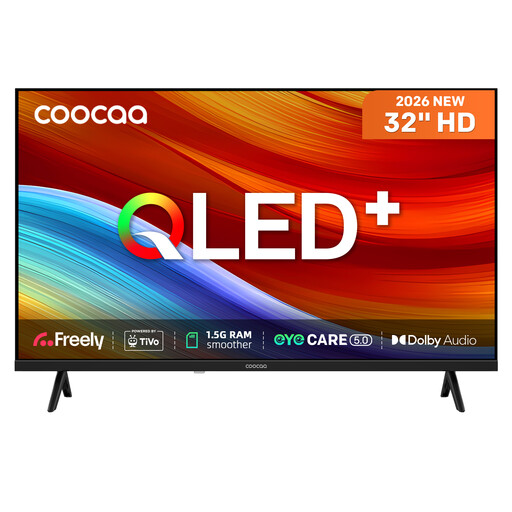 Image unavailable
Coocaa 32CTQH38ZUK HD Freely TV
This replacement TV may suit viewers who want Freely and streaming apps built into a new screen.
The product name specifies a 32-inch HD television with Freely and TiVo. It replaces the existing television rather than adding a streamer.
View on Joybuy
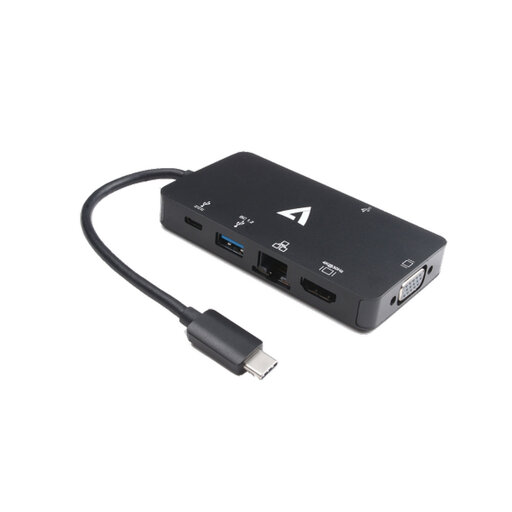 Image unavailable
V7 USB-C Adapter with 4K HDMI and VGA
A wired adapter may suit occasional laptop-to-TV viewing if your computer supports video output over USB-C.
The product name lists 4K HDMI, VGA, Gigabit Ethernet, 100W Power Delivery and dual USB 3.0 ports. Its display output requires USB-C Alt Mode, and it is specified for single-display use.
View on Joybuy
Frequently asked questions
Will any streaming stick work on a TV without HDMI?
Do not assume so: the streaming sticks and Freely plug-in devices described here specify an HDMI connection. Check your TV’s actual inputs before choosing, and do not assume its USB socket accepts video.
Do I need a separate casting device if my older TV has Wi-Fi?
Possibly; check whether the TV or an attached receiver supports the casting standard used by your sending device. Google’s app-casting guidance also requires compatible devices on the same Wi-Fi network and a Cast-enabled app, while AirPlay needs a compatible destination.
What should I check if a laptop picture appears but protected video will not play?
Check the computer port, adapter and display for HDCP compatibility. Apple says protected HDCP content on an external display requires an HDCP-compatible display, so a visible desktop image alone does not establish that protected video will work.
Does a Freely box need an aerial or a paid Freely subscription?
Freely describes compatible streaming devices as using an internet connection without an aerial and recommends at least 10 Mbps. Netgem says Freely access on PLEIO does not require a PLEIO subscription, although optional PLEIO features are separate. Live-TV viewing remains subject to TV Licensing requirements.
Do I need a UK TV Licence to stream on an older TV or laptop?
TV Licensing says you need a licence to watch or record live TV on any channel or streaming service, or to watch or download BBC iPlayer, regardless of device. It says a licence is not needed solely for on-demand programmes on other services such as Netflix, ITVX or YouTube.


