Who this setup suits

Households with an older but working HDMI TV

If the screen is still satisfactory, a player can bring a newer app platform to a usable HDMI input. Confirm the required apps on the exact platform and software version; ITV and Channel 4 both publish device-support information for their services.

Shared homes with unreliable living-room Wi-Fi

Where buffering or congestion affects the main screen, check router placement and simultaneous household use before replacing the TV. Ofcom advises considering local network conditions, while an Ethernet-capable player or mesh network can be useful where cabling or better coverage is practical.

Main-TV viewers who use UK catch-up and subscriptions

If broadcaster catch-up matters alongside subscription apps, app support and account arrangements deserve as much attention as hardware specifications. Ofcom reported that 46% of people in the UK watched broadcaster video-on-demand at least weekly in 2025.

What to check before buying

Add a streaming player

Choose it when: the existing TV has a working HDMI input and the main problem is outdated or missing apps rather than the screen itself.

Keep in mind: a player cannot repair a failing panel, change screen size or guarantee app support indefinitely.

Replace the television

Choose it when: you also need a different screen size, updated display capability, audio connections or a replacement for faulty hardware.

Keep in mind: built-in app support can also change, so check the exact TV model and required services before ordering.

Improve the home network

Choose it when: playback problems occur in weak-signal rooms or when several people are streaming, downloading or gaming.

Keep in mind: mesh Wi-Fi can improve in-home coverage but cannot make the underlying broadband service faster.

Priority What to check Your needs
UK catch-up app access Confirm ITVX and Channel 4 support for the exact model. Check the operating system, firmware version and UK app-store listing. Keep automatic updates enabled where available. I want broadcaster catch-up on the main screen without assuming every smart-TV or streaming-device generation remains supported.
Shared-home connectivity Check whether Ethernet is available at the TV location. Match Wi-Fi features to the existing router, and consider mesh coverage for weak-signal rooms. Ofcom notes that mesh improves coverage, not the underlying broadband speed. Playback needs to remain steady when other people are streaming, downloading or gaming at home.
TV and audio compatibility Confirm a usable HDMI input for an external player. Match 4K and HDR expectations to the existing display. Check audio-format support across the service, player and connected equipment. I want to know whether a player can make proper use of the TV and audio equipment I already have.
Household viewing arrangements Review each service's simultaneous-stream allowance, profiles and household-location rules. Confirm the sign-in process on the selected platform before setup. Different people in the home may need to watch separately, without relying on a subscription arrangement that does not fit their household.

Common buying pitfalls

  • Replacing a working TV solely because its built-in apps are old

    An external HDMI player can refresh the app platform while retaining a satisfactory display, but it cannot solve a failed panel, unsuitable screen size or missing display and audio capability.

    List the current TV's actual issues first: HDMI availability, picture, size, sound connection and required apps. Add a player when the platform is the problem; replace the television when the hardware also no longer fits the household.

  • Treating a platform name as proof that every model remains supported

    ITVX sets software and firmware conditions for some platforms, and Channel 4 has withdrawn support from named older device groups. A logo on a box is not model-level confirmation.

    Before ordering, verify the exact model, software version and UK app-store availability for the broadcaster services your household uses.

  • Buying Wi-Fi 6E or mesh equipment without identifying the bottleneck

    A wireless feature helps only when the router, placement and home connection can make use of it. Amazon states that Wi-Fi 6E benefits on its Fire TV Stick 4K Max require a compatible Wi-Fi 6E router.

    Test the connection at the TV location, check simultaneous household use and review router placement. Then decide whether Ethernet, mesh Wi-Fi or a broadband-service check addresses the actual problem.

  • Assuming a shared streaming login works across all household arrangements

    Service policies differ. Netflix defines a household around the main viewing location and restricts account sharing outside that household.

    Check each service's current UK plan, simultaneous-screen allowance, profile controls and household-location rules before setting up devices for people at another address.

Relevant streaming-platform brands

Roku

A compact streaming-player route for households keeping an HDMI TV and wanting a Roku interface. ITV and Channel 4 both provide support information for Roku platforms.

  • Roku specifies 4K, Dolby Vision, HDR10+, HDMI connection and long-range Wi-Fi for the Streaming Stick 4K.
  • ITVX requires Roku and NOW sticks or boxes to meet its stated firmware requirement for continuing app updates, so check the exact model and software version.

Amazon Fire TV

A streaming-stick route for households that prefer the Fire TV interface. ITVX and Channel 4 list Amazon Fire among their supported platforms.

  • Amazon lists 4K, Dolby Vision, HDR10+, Dolby Atmos and Wi-Fi 6E for its Fire TV Stick 4K Max.
  • Amazon states that Wi-Fi 6E benefits require a compatible Wi-Fi 6E router, while Dolby Atmos also depends on the service and connected equipment.

Apple

An external-player route for households that prefer tvOS or need an Apple TV 4K configuration with Ethernet. ITVX lists Apple TV with tvOS 18 or later, and Channel 4 lists Apple TV as a supported platform.

  • Apple specifies Gigabit Ethernet on its Apple TV 4K Wi-Fi + Ethernet model.
  • The Wi-Fi model does not include Ethernet, and Apple states that an HDMI cable is sold separately.

Google

A Google TV route for households that want built-in Ethernet on Google TV Streamer. Channel 4 explicitly lists its app for Google TV Streamer devices.

  • Google specifies Ethernet, HDMI 2.1, Wi-Fi 802.11ac and up to 4K HDR at 60 FPS for Google TV Streamer.
  • ITVX lists Google TV support but does not specifically name Google TV Streamer, so confirm the UK ITVX listing for the exact device before purchase.

Joybuy product options

Joybuy options for improving a shared-home streaming setup, including mesh networking, an external streaming stick and replacement televisions with connected-TV features.

TP-Link Deco BE22 three-pack BE3600 mesh Wi-Fi 7 system

TP-Link Deco BE22 3-Pack BE3600 Mesh Wi-Fi 7 System

Consider this route when weak in-home Wi-Fi is affecting streaming on an otherwise suitable TV.

The listing states a three-unit, dual-band Wi-Fi 7 mesh system with wired and wireless backhaul, roaming support and two 1 Gbps Ethernet ports per unit.

Check broadband speed, building layout, satellite placement and compatibility with the existing modem or gateway.

Joybuy

NETGEAR Orbi 370 RBE373 three-pack dual-band BE3600 Wi-Fi 7 mesh system

NETGEAR Orbi 370 RBE373 3-Pack BE3600 Wi-Fi 7 Mesh System

This is a network-focused option for multi-room homes where the main TV can benefit from stronger local coverage or a wired connection.

The listing specifies one router, two satellites, a unified mesh network, Wi-Fi 7 and 2.5 Gbps LAN ports on all units.

Coverage depends on traffic, building construction and installation; mesh Wi-Fi cannot exceed the underlying broadband service.

Joybuy

Roku Streaming Stick 4K

Roku Streaming Stick 4K

For a working TV with HDMI but outdated apps, this stick provides an external Roku streaming route.

The listing states 4K Ultra HD, Dolby Vision, HDR10+, long-range Wi-Fi, HDMI connection and an included voice remote.

Verify the UK app-store listing and Roku software version for required apps; 4K and HDR depend on compatible TV hardware and content.

Joybuy

TCL 75Q7C 75-inch QD-Mini LED 4K HDR Google TV

TCL 75Q7C 75-inch QD-Mini LED 4K HDR Google TV

This replacement-TV option suits households that need a larger screen as well as built-in streaming and wired-network capability.

The listing states a 75-inch 4K Google TV with Ethernet, Wi-Fi and multiple HDMI 2.1 ports.

Check room dimensions, viewing distance, wall-mount needs, Ethernet routing and the UK app-store availability of required services.

Joybuy
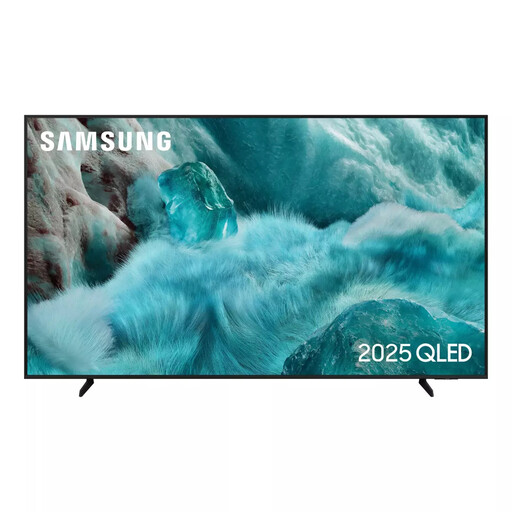
Samsung Q7F QE55Q7FAAU 55-inch 4K Ultra HD Smart TV

Samsung Q7F QE55Q7FAAU 55-inch 4K Smart TV

This is a replacement-TV route when the household wants an integrated smart-TV interface alongside a new 55-inch screen.

The listing specifies 4K resolution, Tizen smart-TV operation, Ethernet LAN, Wi-Fi 5, three HDMI ports, eARC and DVB-T2 tuning.

Confirm the required UK apps for this exact model and check screen-size suitability, viewing distance and whether Ethernet can be routed to the TV.

Joybuy

Frequently asked questions

Do I need a TV Licence if I add a streaming stick instead of replacing my TV?

Yes, if you watch live TV on any channel, TV service or streaming service, or use BBC iPlayer, you need to be covered by a TV Licence. TV Licensing states that on-demand programmes on services other than BBC iPlayer generally do not require a licence when you do not watch live TV.

When is an external streaming device enough instead of a new smart TV?

An external player is a practical option when the current TV has a usable HDMI input and still meets your needs for screen size, picture and audio. If you also need a different display, 4K or HDR capability, a sound connection or a larger screen, assess a replacement TV rather than treating the player as a full upgrade.

Can I assume ITVX and Channel 4 will work on any current streaming device?

No. ITV lists platform-specific conditions, including tvOS 18 or later for Apple TV and minimum firmware for Roku and NOW devices. Channel 4 lists many supported platforms but has withdrawn support from some older Freeview, YouView Huawei and Humax 4000T devices, so confirm the exact model, operating system and UK app-store listing before purchase.

Should I buy a new player if streaming buffers in the living room?

Not automatically. Ofcom advises checking whether other household members are using Wi-Fi for data-heavy tasks such as HD streaming or large downloads, as well as checking network equipment and service outages. Better router placement, mesh Wi-Fi or Ethernet may address local coverage, but mesh cannot exceed the speed of the broadband service.

Can people at different addresses use the same Netflix account on their TV devices?

Netflix says an account may not be shared outside the account holder's household, defined as devices connected to the internet at the main viewing location. Check the current UK plan terms, simultaneous-stream allowance and available account options before relying on an arrangement across addresses.