Households keeping their current TV
The screen still suits the room, but the household wants a different streaming interface or a more manageable remote. An available HDMI input makes a separate player worth considering.


Keep a satisfactory TV if it has a free HDMI input: a separate streaming player can add a new interface without replacing the screen. Consider a smart TV when the screen, its connections or its built-in controls are the limitation. Check Wi-Fi coverage and audio connections separately, because a new player will not fix either problem on its own.
The screen still suits the room, but the household wants a different streaming interface or a more manageable remote. An available HDMI input makes a separate player worth considering.
Streaming is troublesome mainly at the TV position. Checking Wi-Fi coverage or a practical wired connection may be more useful than replacing a satisfactory screen.
Spoken navigation, captions, audio description, remote operation or dialogue clarity affects which TV, player or audio accessory will work for everyone sharing the room.
Decide whether the screen itself needs replacing before choosing a streaming platform. Then check the connection at the TV position and the controls and sound the household will use.
Choose when: The picture still suits the room and the TV has a free HDMI input, but its streaming interface does not meet the household’s needs.
Trade-off: A separate player needs power and brings another platform and remote; its 4K or HDR capability cannot change the TV panel.
Choose when: The existing screen, usable inputs or built-in accessibility controls are the limitation.
Trade-off: The household will use that TV’s particular platform, remote and connections, so check the exact model rather than assuming all smart TVs offer the same features.
| Concern | What to check | Who this matters to |
|---|---|---|
| Keep a satisfactory screen | Look for a free HDMI input and check the TV’s resolution and HDR capability before choosing a player. | If the screen still looks right in our room, I would rather change the streaming interface than replace the display. Around 31% of consumers put keeping their current screen first. |
| Reliable connection at the TV | Check whether connection trouble also affects another device near the TV, then whether a compatible Ethernet connection is practical. | When streams falter mainly where we watch, I need to sort out the connection before changing the screen. For around 25% of consumers, in-room connection reliability comes first. |
| Accessible, shared controls | Confirm the exact device’s spoken navigation and remote controls; check that the chosen app and programme offer any needed captions or audio description. | Everyone using our shared TV needs to navigate it and access the programmes they watch. Around 19% of consumers prioritise accessibility and shared control. |
| Sound or display upgrade | Check the TV’s audio outputs and the whole equipment chain for the desired audio format; assess the screen itself if picture capability is the issue. | If dialogue is difficult to follow or the display no longer suits the room, I need to identify which part of the setup to change. Sound or display capability is the first concern for around 25% of consumers. |
A player can connect through HDMI without making a TV display 4K or HDR it cannot support. Roku’s TV guidance makes this distinction for its 4K players.
Check the TV model’s display capabilities first; replace the screen only if those capabilities are what the household needs to change.
Poor coverage at the viewing position can persist with a different TV or player. Ofcom says a wired connection is usually faster and more reliable than Wi-Fi, although it will not resolve every streaming fault.
Compare the connection on another device near the TV, then check whether the chosen player has Ethernet or supports a suitable adapter and cable route.
Features such as Dolby Atmos depend on compatible content and equipment. An HDMI ARC or eARC arrangement also depends on the particular TV and audio setup.
Trace where sound will leave the TV or player and confirm the required connections across the complete setup.
A compatible picture connection does not establish that the remote, spoken navigation or programme-level access features will suit everyone in the room.
Confirm the exact accessibility features and check the manufacturer’s stated security-update support period when choosing a UK-supplied connected TV or streaming device.
Google TV Streamer and Chromecast with Google TV are player routes for an existing HDMI TV.
Roku offers HDMI streaming players for households keeping an existing TV.
Fire TV sticks offer an HDMI-player route with Alexa remote-control options.
Apple TV 4K is an HDMI-player option for households considering Apple accounts, accessibility controls or a supported HomePod audio setup.
Samsung is relevant when replacing the TV and considering its integrated smart-TV controls.
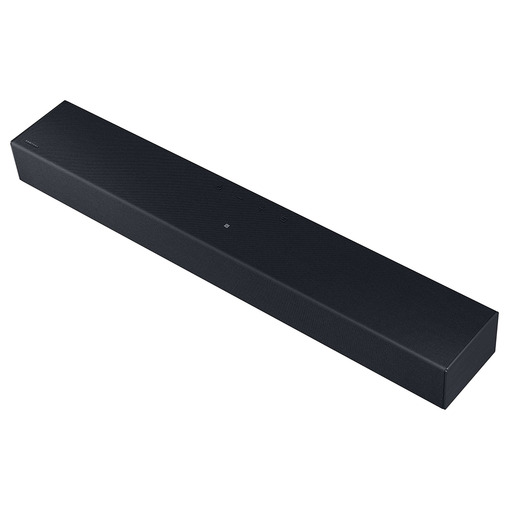
If TV sound is the part of a shared viewing setup you want to address, this audio accessory is one option to assess alongside the TV’s connections. It is not a replacement for a streaming player or screen.
 No image available
Consider this soundbar if TV audio is the household’s priority. Check that the TV can use its optical or Bluetooth audio connection; the listed specifications say HDMI ARC is not supported.
No. A player may work through the TV’s HDMI input, but 4K and HDR display require a TV that supports those respective formats. Check the screen’s capabilities before choosing picture features on a player.
Check the connection at the TV position before replacing the device. If another nearby device has the same problem, assess Wi-Fi coverage and whether a compatible wired connection is practical; a persistent problem on a wired link calls for a separate check of the service or broadband connection.
Check the exact model’s spoken navigation, remote operation, captions and audio-description controls against the household’s needs. Google, Amazon and Apple document different platform features, but the chosen app and programme must also provide any programme-level access service required.
For a consumer connectable device supplied in the UK, check the manufacturer’s stated period for security updates. GOV.UK’s consumer connectable product-security guidance addresses the applicable requirements, and the National Cyber Security Centre identifies smart TVs and streaming devices among the relevant device types; a passive HDMI cable is not automatically in the same category.
According to TV Licensing, you need a TV Licence to watch live TV on any channel or streaming service, or to use BBC iPlayer, on any device. Watching only on-demand programmes on other services does not by itself require one if you do not watch live TV.