What matters when choosing?
Check the TV and the services you need before deciding whether the problem calls for a player, a provider box, a network change or a new display.
| Concern |
What to check |
Who this matters to |
| Keep the existing TV |
Confirm a working, available HDMI input and check what picture formats the TV can display. |
If the picture is still satisfactory, I want online video without replacing the screen. About 31% of consumers put keeping a usable HDMI TV first. |
| Apps and accessibility |
Check required apps for the exact model and software version, then check the controls needed within each app. |
When a catch-up app or accessibility control is essential, I need to know it will work on my chosen setup. For about 31% of consumers, that fit is the primary concern. |
| Connection at the TV |
Check Wi-Fi at the TV location and whether the intended equipment supports Ethernet. |
A weak connection where I watch TV matters more to me than changing the display. Connection reliability comes first for about 23% of consumers. |
| Provider service and rooms |
Check the provider's room, account and equipment conditions; for Sky Stream, check Sky's broadband recommendation. |
If I want one provider's TV service across rooms, I need its box arrangement to fit the household. About 15% of consumers make that service setup their main priority. |
Joybuy products for these routes
These selections cover add-on Roku streaming players for a TV you intend to keep, plus a Wi-Fi extender for a connection problem at the TV location. The extender does not add streaming apps.
 Image unavailable
Roku Streaming Stick 4K Dolby Vision
Consider this streaming stick if you want to keep a TV with a working HDMI input. Its 4K designation does not change what an older screen can display; confirm the apps you need and the setup requirements for this model.
View on Joybuy
 Image unavailable
Roku Streaming Stick 4KPlus
Consider this add-on Roku player if keeping the existing display is the priority and private listening or finding the remote matters to you. Confirm the connection your TV needs, the supplied remote features and support for your required apps before ordering.
View on Joybuy
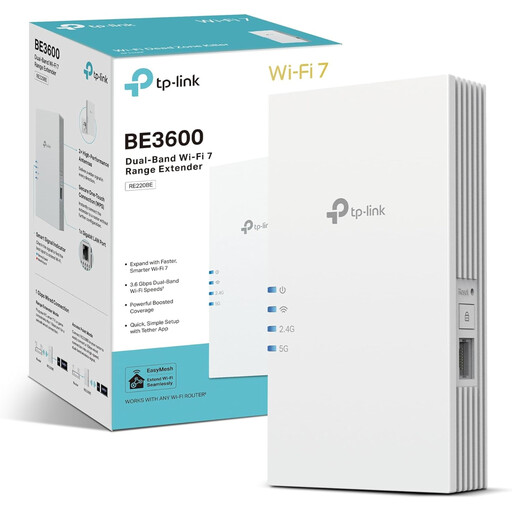 Image unavailable
TP-Link RE220BE BE3600 Wi-Fi 7 range extender
Consider this extender when the connection at the TV location is the obstacle rather than access to apps. Check that it can be placed within range of your router and works with your intended network setup; it will not add an HDMI input to the TV.
View on Joybuy
Common questions
Can I stream on an older TV without replacing it?
Yes, if the TV has a working input for the chosen player and you can provide the connection and power it needs. Roku, Google TV and Fire TV describe HDMI-based setups; check the requirements of the exact device before buying.
Will a 4K streaming stick make my older TV show 4K?
No. Roku UK Support says a compatible 4K player can work with an HDMI TV that is not 4K-capable, but the screen itself still determines the resolution and HDR formats it can display.
How can I check whether ITVX will work?
Check ITVX Help's current supported-device information for the exact platform, model and software version. Its listed routes include Amazon Fire, Google TV, Roku and Sky Stream, with conditions and exceptions that matter when choosing older hardware.
Which accessibility features should I check?
Check both the device menus and the programmes or apps you intend to use. Google TV Help describes TalkBack, captions and switch access, and Amazon describes VoiceView for Fire TV; support for a particular app's subtitles or audio description should be checked separately.
When does a provider box make more sense than a streaming stick?
Choose a provider box when you specifically want that provider's TV service or room arrangement, rather than simply an independent way to open apps. For Sky Stream, check the account and registered-address conditions, equipment arrangements and broadband recommendation alongside the TV's HDMI input.


