Households keeping an existing TV
If the screen still works for shared viewing but its built-in apps are inconvenient or no longer meet your needs, an HDMI add-on may be worth considering before a TV replacement.


If the existing screen still meets the household’s needs, an HDMI streaming stick, player or box can add a separate app interface without replacing the display. Choose a smart TV when the screen or its integrated TV features also need replacing; consider a box when its particular connection or platform features matter. In every case, check the exact device against your essential apps, display connections, home network and accessibility needs before buying.
If the screen still works for shared viewing but its built-in apps are inconvenient or no longer meet your needs, an HDMI add-on may be worth considering before a TV replacement.
If BBC iPlayer, ITVX, Channel 4 or Channel 5 services are part of your viewing, check the services you actually use on the exact device. Live viewing and BBC iPlayer also call for a UK TV Licence check.
If 4K or HDR, a reliable network connection, audio description or straightforward shared use matters, assess the display and the individual apps as well as the streaming device.
Start with the services everyone needs, then decide whether the existing screen should stay. Check picture, network and shared-use requirements against the setup you plan to use.
| Concern | What to check | Who this matters to |
|---|---|---|
| App compatibility | Check each essential service against its current supported-device information for the exact model and software version. ITVX and Channel 4 both set device-specific conditions. | If our shared screen needs particular broadcaster and subscription apps, their availability comes before extra device features. About 36% of consumers put exact app compatibility first. |
| Keep or replace the screen | Check for a usable HDMI input and decide whether the screen size, sound and TV features still meet the household’s needs. | When the current picture and sound are adequate, I would rather consider an add-on than replace the TV just for apps; about 29% of consumers make that screen decision their primary concern. |
| Network and picture | Test connectivity at the screen and check the display and cable requirements for the intended 4K or HDR format. Roku says those formats need a compatible TV. | If playback is unreliable or picture format matters to us, the connection and display must work with the chosen device. About 21% of consumers prioritise that combination. |
| Shared use and access | Check the required app’s profile and audio-description features, plus whether planned live viewing or BBC iPlayer use requires a TV Licence. | Where several people share the screen, I need the right viewer setup and accessible playback, and I need to know which viewing rules apply. About 14% of consumers put these shared-use requirements first. |
ITVX and Channel 4 list supported platforms but also specify conditions affecting particular devices or software versions. A familiar platform label alone cannot establish that an essential service will work on the model you choose.
Write down the household’s essential apps and check each provider’s current device information before ordering.
Roku says a compatible 4K or HDR TV is needed to see those formats. Apple also specifies compatible display and cable conditions for Apple TV 4K HDR.
Check the display’s supported formats, its available HDMI input and any cable requirements for the device you intend to connect.
An unstable connection can affect streaming even when the device and display support the desired format. Netflix recommends a stable connection for playback.
Test connectivity where the screen is used; if Wi-Fi is unreliable, check whether the particular device offers a suitable wired connection.
TV Licensing says a licence is required for watching or recording live TV on any service and for using BBC iPlayer. Separately, ITVX profile availability and Channel 4 audio-description support vary by platform.
Check your planned viewing against TV Licensing guidance, and confirm the required profiles and accessibility features on the exact service and device.
Roku offers HDMI streaming players and a platform also found in some televisions.
Amazon Fire TV is an option in streaming sticks and televisions with Fire TV built in.
Apple TV is a box-based route for an HDMI display, with network connection options that depend on the model.
These products cover an HDMI streaming stick for an existing screen and smart TVs for households replacing the screen. A box-based setup remains a separate option to assess if its connections or platform features are important to you.
 No image available
Consider this stick if you want to add a separate streaming interface to an existing HDMI screen. It is a 4K model, but the picture format you can watch depends on the connected display; confirm support for your essential apps on the exact device.
 No image available
Consider this television if you need a replacement screen as well as built-in smart-TV functions. Its title specifies Full HD, HDR10, Freely and TiVo; Full HD is not 4K. Check Freely and each essential broadcaster app for this exact model.
 No image available
This is a TV-replacement option if you want a 43-inch screen with a built-in Google TV interface. The title specifies 4K and HDR; check the exact model’s support for your UK broadcaster apps and the network connection available where it will be used.
 No image available
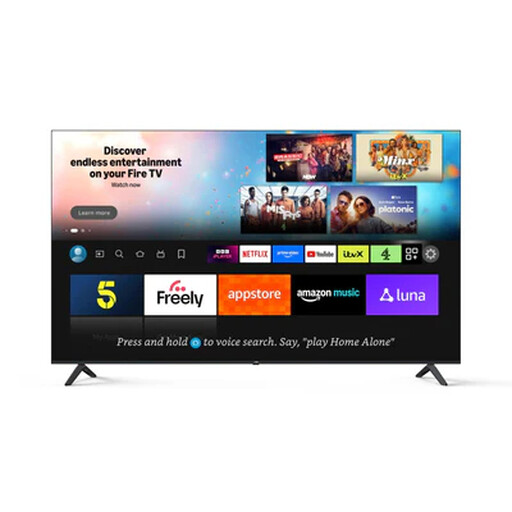
Consider this model when replacing the shared screen with a 50-inch smart TV. Its title specifies a 4K QLED display and Wi-Fi; confirm its platform and the apps your household needs before choosing it.
 No image available
This is another 50-inch TV-replacement option for shared viewing. Its title specifies 4K, HDR10, 60 Hz and Wi-Fi; check its platform and current support for the services you intend to watch.
In the UK, TV Licensing says you need one to watch or record live TV on any service or to use BBC iPlayer, regardless of whether you use a TV, stick or box. Using other services solely for on-demand programmes does not, by itself, fall into those stated cases.
No: ITVX and Channel 4 publish supported platforms with conditions for particular devices or software. Check both services’ current information against the exact model you intend to buy, especially if either app is essential to the household.
Check for a usable HDMI input, network access at the screen and a display and cable compatible with your intended picture format. Apple requires an HDMI display and cable for Apple TV setup, while Roku says 4K and HDR viewing require a compatible TV.
Check the individual app on the exact platform rather than assuming those features follow the device brand. ITVX lists profiles on selected platforms, and Channel 4 identifies audio-description support on its website, mobile apps, Roku and tvOS.