What should you check first?
Start with the existing screen and its connections, then consider the network at the viewing position, setup requirements and the controls everyone in the household needs.
| Concern |
What to check |
Who this matters to |
| TV and picture-format fit |
Check for a free HDMI input and confirm the TV’s resolution, HDR support and any HDCP requirement of the chosen player. |
If my current TV still works for the room, I want to know whether an add-on player will connect and which picture formats the screen can actually show. About 36% of consumers put existing-TV compatibility first. |
| Connection at the main screen |
Check Wi-Fi at the TV and whether the exact player configuration and home setup can use Ethernet. |
When several people use the shared screen, I need a dependable connection at that location. For about 29% of consumers, network reliability is the primary concern. |
| Services and setup |
Confirm must-have UK apps and sharing methods for the exact model, plus its required setup device and account. |
I want the services and phone-based sharing my household uses to work without discovering an account or setup-device requirement later. Interface and setup fit come first for about 21% of consumers. |
| Remote and accessibility |
Check remote operation, screen-reader setup where needed, and access-service controls in the selected services. |
If someone in the household relies on spoken navigation or particular viewing controls, being able to operate the setup matters as much as playing video. About 14% of consumers place control and accessibility first. |
Joybuy TVs and streaming sticks
These TVs are options when replacing the screen is part of the plan; the Roku sticks are options for keeping an HDMI-equipped television and adding a separate streaming interface. Check each model against your room, network and required services.
 No image available
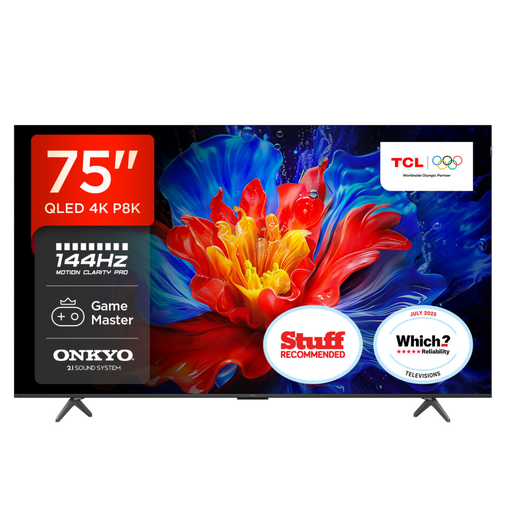
TCL 75P8K-UK QLED 4K HDR PRO Google TV
Consider this built-in streaming route if replacing the shared screen suits your household. Its listed 75-inch size needs a room-fit and viewing-distance check; confirm the apps and accessibility controls you require for this model.
View on Joybuy
 No image available
TCL 55P8K-UK QLED 4K HDR PRO smart TV
This 55-inch screen is a replacement-TV option rather than an add-on for a working display. Check its fit in the room and confirm the services and accessibility controls your household needs on the exact model.
View on Joybuy
 No image available
Roku Streaming Stick 4KPlus
Consider this stick if you want to keep an HDMI-equipped TV and add a streaming interface. Its 4K designation does not change the TV’s resolution; check the screen, Wi-Fi at the viewing position and required UK services.
View on Joybuy
 No image available
TCL 98Q6C-UK QD-Mini LED 4K HDR Google TV
This is a screen-replacement option for a household considering a 98-inch television with built-in Google TV. Measure the room and installation access, then check the exact model’s required apps and accessibility controls.
View on Joybuy
 No image available
Roku Streaming Stick 4K Doly Vision
This separate stick is an option for adding streaming to an existing HDMI-equipped TV. Check the TV’s supported picture formats, the Wi-Fi connection where it will be used and availability of your required UK services.
View on Joybuy
Questions about home streaming setups
Can I add streaming to an older TV instead of replacing it?
An external player can be an option if the television has a usable HDMI input; Roku says its streaming players work with HDMI-equipped TVs. Check the chosen device’s requirements, and remember that a 4K or HDR player cannot make an incompatible TV display those formats.
What does Google TV Streamer need for setup and 4K viewing?
Google lists an HDMI connection, a separately sold HDMI cable, network access, a Google account and a compatible mobile device for Google TV Streamer setup. For 4K content, Google specifies HDCP 2.2 and at least 20 Mbps internet speed; the TV and content must also support the intended format.
Will Wi-Fi 6 on a streaming stick improve my connection?
The stick needs a compatible router to use Wi-Fi 6, and the connection at the TV still matters. Amazon says Fire TV Stick 4K Max can work with earlier Wi-Fi routers but requires a Wi-Fi 6-compatible router to use that standard.
Can I count on subtitles or audio description for every title?
Check the particular service, title and device controls before relying on an access feature. Ofcom identifies subtitling, audio description and signing as access services, but that does not establish availability on every title or through every device.
Can an Xbox Series X or Series S pass another TV source through HDMI?
No. Microsoft says Xbox Series X|S consoles do not have an HDMI-in port. If you already use a console for streaming, check its current support for your required services rather than treating it as a pass-through for other sources.


