What matters when choosing?
Decide whether the side-seat picture needs attention before comparing streaming devices. Then check the programmes, connections and installation requirements that affect your own setup.
| Concern |
What to check |
Who this matters to |
| Side-seat picture |
Watch a familiar programme from the actual seat; if the image changes off-centre, assess TV positioning or independently tested viewing angles. |
If colours and shadow detail change when I move to the side, I need to address the display before buying a streamer. Around 38% of consumers would put side-seat picture fidelity first. |
| UK apps and programmes |
Check each required service on the device’s UK app or support page, especially the service carrying the programme you want. |
If my architecture programmes are spread across catch-up and subscription services, I need the device to offer the apps I use. For around 23% of consumers, service access would be the primary concern. |
| 4K and connection reliability |
Confirm the TV and HDMI path support the intended format, then check the service, plan and network; consider Ethernet if a cable can reach the TV. |
If I watch long programmes in 4K where available, interruptions or an incompatible TV connection matter more to me than the device’s shape. Around 23% of consumers would prioritise 4K and connection reliability. |
| Installation and control |
Check HDMI clearance, power requirements and whether a box needs a separate cable and space near the TV. |
If I want a tidy setup that is straightforward to use, I need to know where the device, cable and power connection will go. Simple installation would come first for around 16% of consumers. |
Brands to consider
These product lines offer different ways to add streaming to a TV. Check the exact model and version rather than assuming every device from a brand has the same ports or features.
Roku
Roku Streaming Stick 4K is an HDMI-stick option for app-led viewing with a voice remote.
- Roku’s UK comparison lists Netflix, BBC iPlayer and ITVX among popular apps; its Streaming Stick 4K material identifies Dolby Vision, HDR10+ and long-range Wi-Fi.
- 4K and HDR viewing depend on compatible TV equipment and content. Check the particular services you need and the stick’s power arrangement.
Google
Google TV Streamer (4K) is a box-style option for households wanting wired networking, casting or Google smart-home connectivity.
- Google’s specifications list Gigabit Ethernet and 32 GB of storage.
- Google specifies a separately sold certified HDMI 2.1 cable. Check your required UK apps individually.
Apple
Apple TV 4K is a set-top option for households that prefer Apple services.
- Apple offers a Wi-Fi + Ethernet 128 GB version with Gigabit Ethernet.
- The Wi-Fi 64 GB version does not have Ethernet. Apple says an HDMI cable is sold separately, and 4K/HDR viewing needs compatible equipment and content.
Amazon Fire TV
Fire TV Stick 4K Max is a stick option for viewers who prefer Alexa controls and have a compatible home network.
- Amazon’s UK listing specifies Wi-Fi 6E support and compatibility with earlier Wi-Fi routers.
- A compatible Wi-Fi 6E router is needed to use that capability; it cannot correct a TV’s off-centre image shift.
Joybuy streaming devices
These Roku sticks are options if you want a compact device for streaming on an HDMI-equipped TV. Check the picture from your side seat first, then confirm the apps and installation requirements for the exact version you choose.
 No image available
Roku Streaming Stick 4K with Dolby Vision
Consider this HDMI stick if compact installation and access to BBC iPlayer are priorities; check any other UK apps you need before buying.
The product information identifies Dolby Vision, HDR10+, long-range Wi-Fi and a voice remote. 4K/HDR viewing still depends on compatible TV equipment and content, and the stick cannot correct the TV’s side-seat picture.
View on Joybuy
 No image available
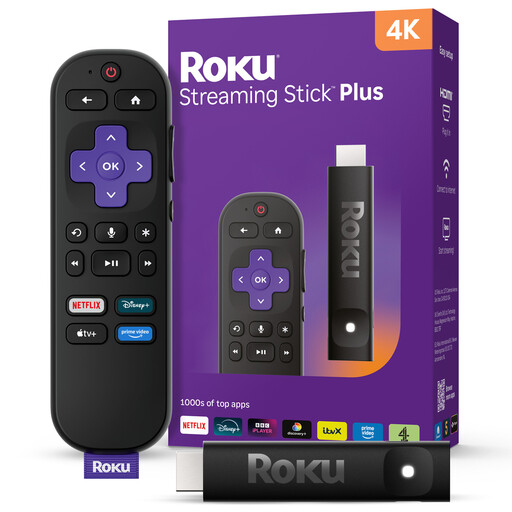
Roku Streaming Stick 4KPlus
Consider this stick if you want a compact streaming device with voice-remote controls; confirm that the exact version offers your required UK apps.
Its product description identifies 4K streaming, long-range Wi-Fi and a Voice Remote Pro with a lost-remote finder. Check its HDMI and power requirements for your TV, as well as the equipment and content needed for 4K. It will not change the TV’s off-centre picture.
View on Joybuy
Common questions
Will a 4K streamer improve the picture from my side seat?
Not if colour or contrast changes because you are viewing the TV off-centre. Check the picture from your usual seat first; a streamer can supply compatible content but cannot widen the TV panel’s viewing angle.
What needs to be compatible for 4K streaming?
The device, TV, HDMI connection, content, service plan and network must meet the requirements of the 4K service you intend to use. For Roku Streaming Stick 4K, Roku specifies a compatible 4K TV, an HDMI HDCP 2.2 port and a High Speed HDMI cable; check the chosen service’s requirements separately.
Can I power a Roku Streaming Stick 4K from my TV’s USB port?
Follow Roku’s power instructions rather than assuming the TV’s USB port supplies enough power. Roku recommends wall power for Streaming Stick 4K because some TV USB ports are insufficient, and says its long-range Wi-Fi receiver is built into the supplied USB power cable.
Do I need a TV Licence to watch live TV through a streamer in the UK?
Yes, you need to be covered by a TV Licence to watch a TV programme live online in the UK, according to TV Licensing. Check your household’s coverage before watching live streams; the streaming device used does not change that requirement.


