What should you check?
Decide whether the screen itself needs changing before comparing streaming platforms. A sound accessory addresses a different problem from a TV or streaming device: it does not add video apps.
Keep the TV and add a streaming device
Choose when: The screen is satisfactory, has a free HDMI input and the room has a suitable internet connection.
Trade-off: The device changes the streaming interface, not the TV's picture, speakers or available ports.
Replace the TV
Choose when: Screen size, picture capability, ports or built-in operation are also reasons to change the display.
Trade-off: The household takes on the new TV's built-in platform and its app and update support.
Use a service-specific set-top box
Choose when: The household wants that provider's particular live-TV, catch-up or operator service.
Trade-off: Equipment, broadband requirements and any subscription terms depend on the service.
| Concern |
Buying checks |
Who this matters to |
| Keeping a usable TV |
Check for a free HDMI input, suitable device power and a usable internet connection in that room. A 4K device cannot make an HD screen display 4K. |
If my current screen still suits the room, I would rather add streaming than replace the whole TV. Around 36% of consumers put retaining or extending a usable screen first. |
| Shared viewing and service fit |
Confirm UK app availability on the exact platform, room-by-room connectivity and each provider's account and simultaneous-viewing terms. |
With several people using our screens, I need the connection and accounts to work for the services we actually watch. For around 29% of consumers, reliable shared access is the primary concern. |
| Accessible operation |
Inspect the model's remote, spoken-navigation and caption controls; check the individual video apps as well as device settings. |
If someone in our household relies on captions or spoken controls, those features need to work in their usual apps. Easier, accessible operation comes first for around 21% of consumers. |
| Shared-room sound |
Identify the TV's labelled HDMI ARC or eARC port and confirm a prospective sound device supports the intended connection. |
Our picture and streaming access are fine, but dialogue is difficult to follow together. Improving sound is the first priority for around 14% of consumers. |
Joybuy products for these setups
These choices cover two different needs: adding streaming to an existing TV and addressing TV sound when the picture and video access already suit the household. Check each product against your TV and the services you use; a soundbar will not add streaming apps.
 No image available
Roku Streaming Stick 4K Dolby Vision
Consider this for adding a streaming interface to a TV you want to keep. The named variant is 4K with Dolby Vision; check that the TV and content support the formats you intend to watch, as well as the apps, connection and power needed in that room.
View on Joybuy
 No image available
Bose Smart Ultra Soundbar Arctic White
Consider this when the existing TV and streaming setup suit the household but its sound does not. This is an audio accessory, not a way to add video apps; check its connections against the intended TV before buying.
View on Joybuy
 No image available
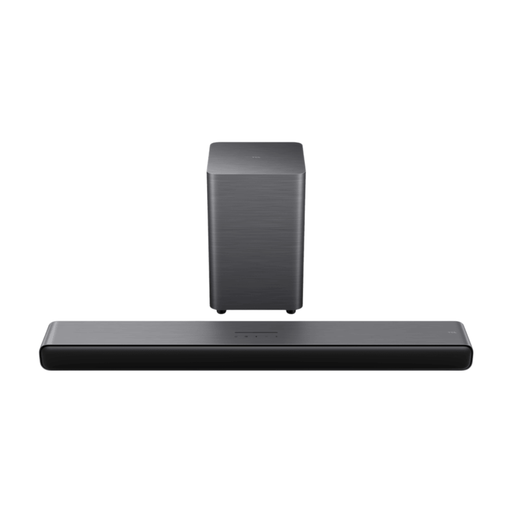
TCL S55H S Class 2.1-channel soundbar
Consider this 2.1-channel soundbar if TV audio is the issue rather than app access. Check the intended TV's audio connection and the space available for the setup; it will not replace a streaming device.
View on Joybuy
 No image available
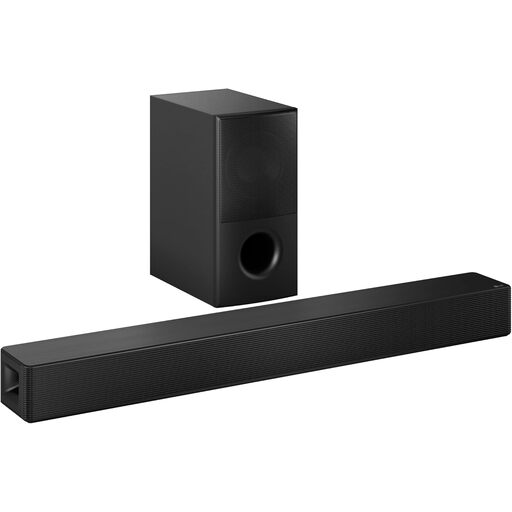
LG SH5A 320W 2.1-channel soundbar with wireless subwoofer
Consider this soundbar when a satisfactory TV needs an audio setup rather than another streaming platform. Its name identifies a 320W, 2.1-channel variant with a wireless subwoofer; check the TV's ARC compatibility and whether the connection cable you need is included.
View on Joybuy
 No image available
Samsung HW-C400/XU black 2.0-channel soundbar
Consider this 2.0-channel soundbar if the priority is TV sound rather than new streaming apps. ARC is listed as unavailable, so check that the TV can use a suitable alternative connection and confirm the power arrangement before buying.
View on Joybuy
Frequently asked questions
Can I stream on an older TV without replacing it?
Yes, if the TV has a working HDMI input and a suitable external device. Freely says many older HDMI-equipped TVs can use its dedicated streaming device, and recommends at least 10Mbps for live and on-demand viewing; check the device's power needs and the services you want before purchase.
Do I need a TV Licence to use a streaming device?
The device does not determine whether you need a TV Licence. TV Licensing says you need cover to watch or record live TV on any channel or service, or to use BBC iPlayer; watching other on-demand services alone does not trigger that requirement.
Will another streaming device let us share an account between homes?
No device changes a provider's account rules. Netflix says its account may not be shared outside the Netflix Household, so check each service's current household and simultaneous-viewing terms before setting up another address.
How can I check whether a streaming setup is accessible?
Check both the exact device and the apps your household uses. Google TV documents TalkBack, captions and switch access, while Apple documents VoiceOver and caption controls for Apple TV 4K; a device-level feature does not establish that every video app offers the same controls.
When does HDMI eARC matter for a soundbar?
Check eARC if you want to send audio from the TV to a compatible soundbar or receiver through an HDMI connection, particularly for higher-bandwidth formats. HDMI Licensing Administrator describes that audio-return function, but the TV, sound device and intended audio format must all be compatible.


