Who is choosing?
The useful starting point is whether the household needs a better way to watch on one screen, listen around that screen or play audio in several rooms.
Households keeping an older TV
If the screen still meets your needs but its apps or interface do not, consider a streaming device before replacing the television. Check for an available HDMI input, a suitable network connection and the UK services you use.
Families sharing a viewing room
Group viewing and quiet-time listening call for different audio arrangements. Check the TV’s outputs before choosing a soundbar or headphones, particularly if someone needs headphones while others keep listening through the room speakers.
Households listening across rooms
If music or radio needs to play in several rooms, check which speakers can join the same group, which music services work with them and what the household network and setup require.
What should you check?
Decide what needs to happen in each room, then check the existing TV, services and network against the exact device you are considering.
| Priority | What to check | Your needs |
|---|
| Online viewing |
For a plug-in streaming device, check the TV’s available HDMI input, the intended room’s network access and the required UK apps on the exact platform. |
Our main TV still works, but I want to use particular online video services without relying on its current interface. |
| Shared-room sound |
Check for a TV port labelled HDMI eARC/ARC and a compatible soundbar connection. Optical is an alternative only if both devices have the relevant ports; Sony UK Support identifies these connection paths in its TV-to-soundbar guidance. |
Everyone watching together should hear the TV through the room’s audio system. |
| Private listening |
Check the exact TV’s Bluetooth audio-output support, whether its speakers can remain on, and its volume and lip-sync behaviour. Do not assume Bluetooth alone confirms these features. |
Someone needs to listen without disturbing a sleeping household member, or while others use the room. |
| Accounts and viewing |
Check device sign-in and the current streaming plan’s simultaneous-viewing allowance. Netflix Help Center says its allowance depends on the membership plan; adding devices does not increase that allowance. |
Different people may want to watch on separate screens at the same time. |
| Accessibility |
Try the device’s navigation controls and check subtitles, audio description or signing on the services and programmes used. Ofcom’s 2024 qualitative accessibility research recorded participants’ difficulties finding and enabling access services consistently across video-on-demand services. |
I need controls I can find and use, as well as the access features required for the programmes we watch. |
| Multi-room audio |
Check speaker-group compatibility, music services, setup devices and Wi-Fi requirements. Apple Support says a HomePod stereo pair needs two speakers of the same model; Amazon describes Multi-Room Music for compatible Echo devices. |
Music should play in more than one room, rather than only through the television. |
Relevant platforms and brands
These references illustrate different setup requirements; they do not establish that a brand’s entire range works with a particular TV, service or speaker group.
Apple
HomePod is a route to consider for an Apple-device household planning room audio.
- Apple Support says two HomePods of the same model can form a stereo pair in the same room.
- HomePod setup uses an iPhone or iPad; check that the household has a suitable setup device.
Amazon Echo / Alexa
An option for voice-led music and speaker groups in several rooms.
- Amazon describes Multi-Room Music across compatible Echo devices.
- Check the intended devices, music service and Wi-Fi arrangement rather than assuming every speaker can join a group.
Google TV
A shared-screen platform to assess when choosing a streaming device or television.
- Google TV documents TalkBack controls that may matter when assessing navigation accessibility.
- Google TV Help notes that some features, services and apps are not supported everywhere; check the exact UK device and required apps.
Sony
Sony UK Support provides TV-to-soundbar connection guidance useful when checking a proposed setup.
- Its guidance identifies a TV port labelled HDMI eARC/ARC as a connection to check.
- Connection guidance does not establish compatibility for every Sony soundbar and television combination; check both exact models.
Joybuy product options
These options cover a streaming stick for an existing TV and soundbars for shared-room audio. Choose the route that addresses your household’s need, then check the exact TV connections and services.
 No image available
Bose Smart Ultra Soundbar, Arctic White
For shared-room TV audio, this model lists HDMI eARC and optical connections, alongside Wi-Fi and Bluetooth. If you intend to use Bose SimpleSync with headphones or other speakers, confirm the exact companion models; check the TV connection and required streaming services too.
View on Joybuy
 No image available
Roku Streaming Stick 4KPlus
A plug-in option when the existing TV needs access to online viewing. Its description lists 4K streaming and private listening through the remote; check the TV’s HDMI input, your required UK apps and whether headphones are included.
View on Joybuy
 No image available
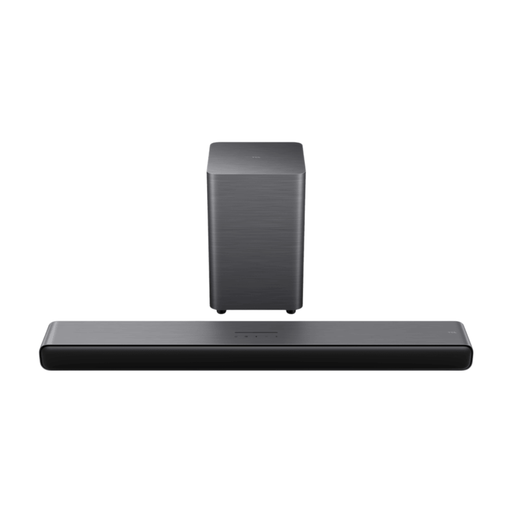
TCL S55H S Class 2.1-channel soundbar
For sound from a shared TV, the described 2.1-channel system includes HDMI eARC and a wireless subwoofer. Confirm the TV’s eARC connection; the described Tutti Choral integration is for TCL TVs, so do not assume it applies to another television.
View on Joybuy
 No image available
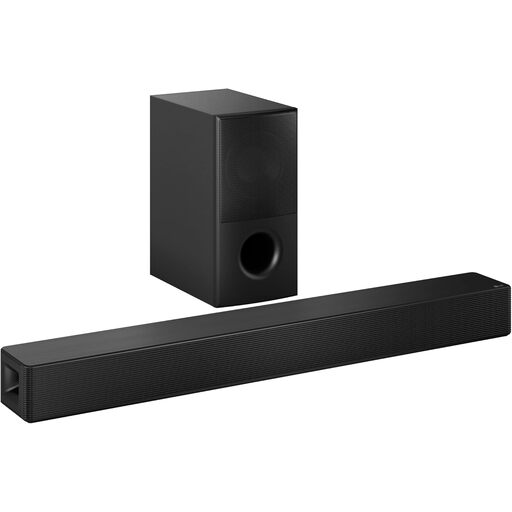
LG SH5A 320W 2.1-channel soundbar with wireless subwoofer
A shared-room soundbar with listed HDMI ARC and optical inputs, Bluetooth and a wireless subwoofer. Check that the television has a compatible ARC or optical output, and allow space for the subwoofer in the intended room.
View on Joybuy
 No image available
TCL Q75 Series 5.1.2 soundbar
For shared-room TV audio, this 5.1.2-channel model lists HDMI eARC 2.1, a wireless subwoofer, Bluetooth and AirPlay 2. Check the TV’s eARC connection and the intended setup; these wireless features alone do not confirm compatibility with a particular multi-room group or music service.
View on Joybuy
Questions before buying
Which TV ports matter when buying a soundbar?
Check for a TV port labelled HDMI eARC or ARC and a compatible connection on the soundbar. Sony UK Support also identifies optical as a connection to consider when both devices have optical ports; compare the exact TV and soundbar manuals before buying.
Can a streaming stick update any older TV?
Not every older TV will suit a plug-in streaming device: check for an available HDMI input and network access. Then confirm that the exact device offers the UK apps you need; Google TV Help, for example, notes that some services and features vary by location.
Will another streaming device let more people watch Netflix at once?
Adding a device does not change the simultaneous-stream allowance. Netflix Help Center says the number of screens that can watch at once depends on the membership plan, so check the current plan against how your household watches.
Does a TV or streaming device guarantee subtitles and audio description?
No: check the services and programmes your household uses, as well as the device controls for finding and enabling those features. Ofcom’s 2024 qualitative research recorded participants’ concerns about inconsistent access-service controls across video-on-demand services.
What do speakers need for multi-room audio?
They need to support the intended grouping feature and music service, with a suitable household network and setup arrangement. Amazon describes Multi-Room Music for compatible Echo devices; Apple Support says a HomePod stereo pair requires two speakers of the same model in the same room.


