What to check before buying
Trace the sound from the streaming source to the listener before choosing speakers or an adapter. Then check how volume will be controlled and whether the monitor supports the video mode you intend to use.
| Concern |
What to check |
Who this matters to |
| Getting sound |
Check whether the monitor plays HDMI audio or has a usable output. Otherwise, confirm direct audio pairing on the streamer or the connections on an HDMI extractor. |
When my monitor shows the stream but offers no usable route for sound, I need audio to reach another device. Around 36% of consumers would put getting sound first. |
| Private listening |
Check the exact streamer’s headphone method and how personal volume is adjusted; do not assume every model supports direct Bluetooth audio. |
If I watch while others need quiet, headphones and convenient personal volume matter more to me than room speakers. Roughly 29% of consumers would make private listening their main concern. |
| Shared room sound |
Match the speakers’ input to a confirmed output from the monitor or another audio source, and check which device controls volume. |
When more than one of us watches at the desk, I want sound we can share without relying on headphones. For around 21% of consumers, room sound would be the priority. |
| Picture and controls |
Match the monitor’s HDMI display mode to the streamer’s output. Check HDMI-CEC support on both devices if one-remote control matters. |
If basic sound is covered, I want the picture to display correctly and the controls to be manageable. About 14% of consumers would put that setup convenience first. |
Joybuy products for monitor streaming
These choices include a streaming stick and separate desk or tabletop speakers. For any speaker, establish whether sound will come from a compatible streamer, the monitor’s audio output or another suitable connection before buying.
 No image available
Roku Streaming Stick 4KPlus
Consider this streaming stick if your monitor has a compatible HDMI input and you need a streaming source. Check the exact Roku model’s private-listening method and whether its remote can control volume in your monitor setup; neither follows from the product name alone.
View on Joybuy
 No image available
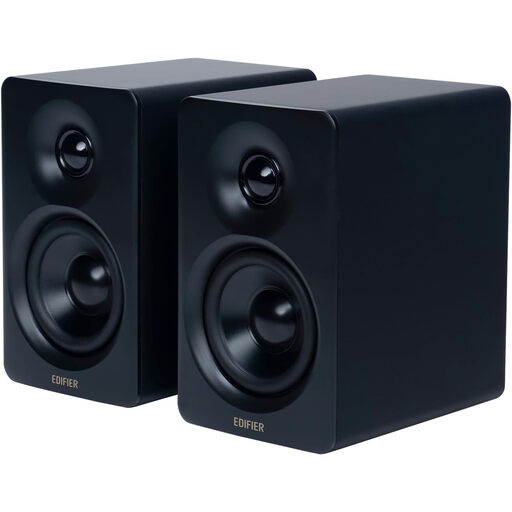
Edifier M60 desktop speakers, Bluetooth 5.3, 66W RMS
For desk-area sound, these speakers are an option if your streaming source can pair over Bluetooth or provide a compatible wired connection. The product name lists USB-C and AUX inputs as well as Bluetooth 5.3; confirm the complete connection path rather than assuming the monitor outputs audio.
View on Joybuy
 No image available
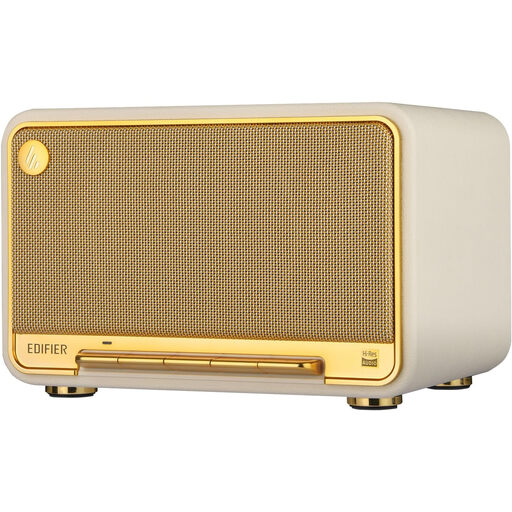
Edifier D32 tabletop speaker, Bluetooth 5.3, 60W RMS
This tabletop speaker is a room-audio option when the streaming source can use one of its stated connections. The product name lists Bluetooth 5.3, USB-C and AUX inputs, plus 11-hour playtime; check the intended audio connection, and treat playtime as a product claim rather than an assured runtime.
View on Joybuy
 No image available
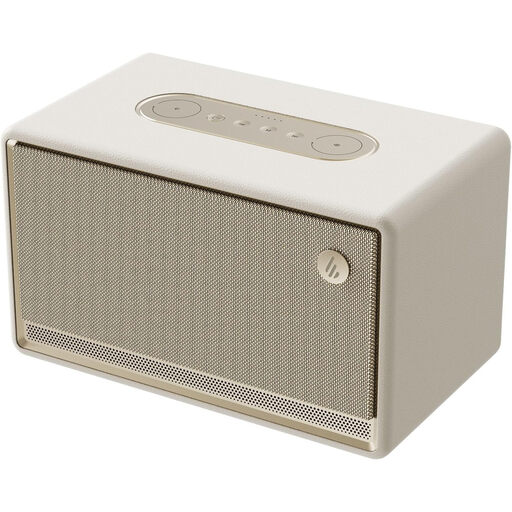
Edifier ES300 tabletop speaker, Bluetooth 5.3, Ivory
For tabletop listening, this speaker is worth considering if the streamer can pair over Bluetooth or another compatible audio route is available. Its product name lists Bluetooth 5.3 and 12-hour playtime; confirm the intended connection and do not treat the stated playtime as guaranteed in every use.
View on Joybuy
Frequently asked questions
What should I check on the monitor before buying speakers?
Check whether it has an output that can carry sound from the HDMI streaming source, not just an HDMI input. Look up the exact model’s built-in speakers, headphone or line output, optical output and ARC/eARC capability, then match the chosen speakers to a usable connection.
Can Bluetooth headphones connect directly to my monitor?
Only if that monitor supports Bluetooth audio output; otherwise, a compatible streaming device may provide the connection instead. Google says Chromecast with Google TV and Google TV Streamer can connect Bluetooth headphones or speakers, with one audio device connected at a time. Roku’s direct Bluetooth Headphone Mode depends on the exact player model.
When would I need an HDMI audio extractor?
An HDMI audio extractor can help when the streamer sends sound through HDMI but the monitor has no usable audio output and you need a separate connection for audio. StarTech.com describes an extractor that separates HDMI audio; check the particular extractor’s video pass-through and audio outputs against all three devices before choosing one.
Will a streaming remote control volume on a computer monitor?
It may, but only through a control route supported by the connected equipment. Google describes HDMI-CEC as a way for HDMI devices to share remote-control functions; check whether both the streamer and monitor support it and whether it is enabled. Alternatively, confirm how the connected headphones or speakers adjust their own volume.
Do I need a TV Licence to watch on a computer monitor in the UK?
Using a monitor rather than a television does not remove the licence requirement for live TV or BBC iPlayer. TV Licensing states that BBC iPlayer viewing, including on-demand programmes, requires a TV Licence; on-demand viewing on other services such as Netflix, ITVX or YouTube does not itself require one if you do not also watch live TV or use BBC iPlayer.


