Students in managed halls
Check which existing Wi-Fi or wired connections your residence allows before attaching equipment. Rules and available sockets vary between accommodation providers.


Start by identifying whether the fault affects one device, a Wi-Fi dead spot or the accommodation’s underlying service; a new device will not fix an unreliable incoming connection. If your accommodation permits a working wired port, a cable or compatible adapter can avoid a separate mobile-data plan for that computer. Otherwise, compare mobile options only after checking indoor reception where you study and the data allowance you need; use an extender only when existing Wi-Fi reaches its placement and the network owner permits it.
Check which existing Wi-Fi or wired connections your residence allows before attaching equipment. Rules and available sockets vary between accommodation providers.
If you need a connection for classes or coursework at more than one location, consider indoor mobile reception, data use and portability alongside advertised device speeds.
Work out whether the issue is specific to your device, the room’s Wi-Fi reach or the wider service before paying for a SIM or network equipment. An authorised Ethernet connection may be another option for a compatible computer.
Jisc’s 2024/25 UK higher-education student digital-experience survey reported that three in five respondents had experienced Wi-Fi connection issues on or off campus. That finding does not identify where or why the problem occurred, so start with your own connection and accommodation rules before choosing equipment.
For students considering personal connectivity for study away from campus, the priorities below separate diagnosis, permission, mobile reception, portability and ongoing service needs.
| Concern | What to check when buying | Who this matters to |
|---|---|---|
| Finding the fault | Check whether other permitted devices have the same issue and whether it changes by room; ask whether an authorised wired connection works. | If I cannot tell whether the problem is my device, a Wi-Fi dead spot or the service itself, I would diagnose it before buying. Around 25% of consumers put finding the fault first. |
| Permission to connect | Read your residence’s current rules and confirm whether repeaters or routers are allowed and whether a room Ethernet port is authorised. | If I live in managed accommodation, I need a setup the network operator allows, including any socket or device-registration requirements. Around 25% of consumers prioritise permission. |
| Mobile reception | Check indoor coverage for the intended operator at your study locations and confirm the device’s network and SIM compatibility. | If I plan to rely on mobile data, I need to know whether it works where I actually study, not just nearby or outdoors. Around 20% of consumers put local mobile coverage first. |
| Portable access | Consider how many devices need a connection, whether you will move between locations and the exact hotspot version’s battery and charging details. | If I study in different places and need several devices online, I would compare shared Wi-Fi with a modem intended for one compatible computer. Around 15% of consumers prioritise portable access for multiple devices. |
| Ongoing data and contract costs | Review expected data use, plan limits, any tethering conditions and contract length or cancellation terms. | If an authorised, working connection is already available, I would compare it with the cost and commitment of a separate mobile plan. Around 15% of consumers put ongoing costs first. |
Ofcom’s mobile coverage information distinguishes indoor and outdoor predictions; actual reception can vary with buildings and local conditions. Ofcom also identifies video calls and streaming as activities that use data, so check your own usage and the plan’s terms rather than relying on a universal allowance.
An extender relays an existing connection. It cannot repair an unreliable incoming service, and accommodation rules may prohibit connecting one.
Check whether the service works elsewhere and ask your accommodation provider about its network rules before buying.
Ofcom’s coverage predictions distinguish indoor and outdoor reception, while walls and local conditions can affect the signal you receive in a room.
Check the intended operator’s indoor coverage and, where possible, reception in the place where you plan to study.
A Wi-Fi-only tablet, a cellular tablet and a USB mobile-broadband device do different jobs. Similar model names do not establish that variants are identical.
Match the full model identifier, device ports and operating-system support to the connection you need.
A mobile device may need a separate SIM plan, and Ofcom notes that leaving a fixed-term service early may involve an exit charge.
Compare the equipment and data plan with any working access already available, and review the contract terms before signing.
Examples include a 4G mobile hotspot, a Wi-Fi range extender and a USB-to-Ethernet adapter, each serving a different connection route.
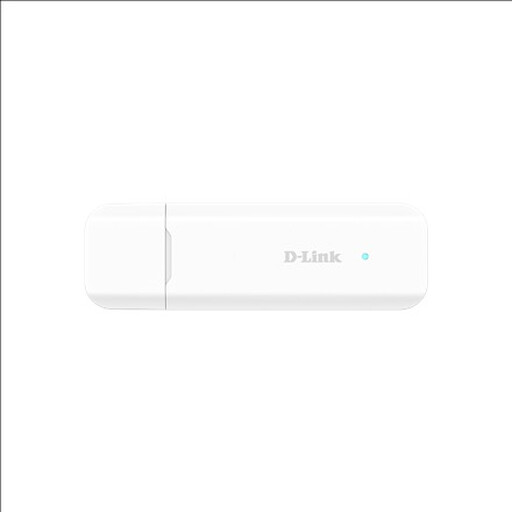
The DWM-222/R illustrates a USB 4G modem for a compatible computer when you want mobile data without a separate Wi-Fi hotspot.
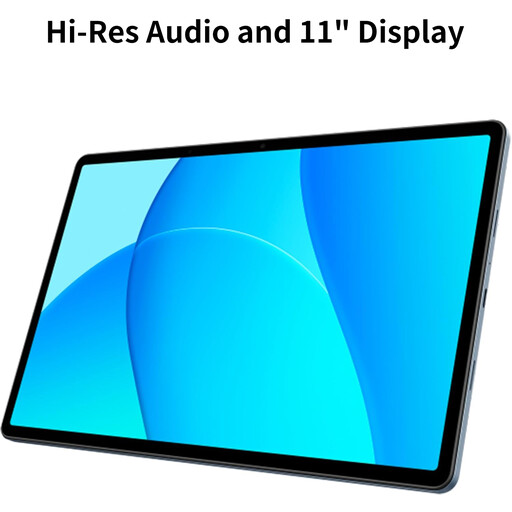
The Galaxy Tab A9+ 5G illustrates a cellular-tablet option for students who also need a tablet for study.
The Nighthawk M6 MR6150 is an example of a portable 5G hotspot for sharing a mobile connection.
These products cover Wi-Fi extension, mobile-data access and wired Ethernet for study, subject to accommodation permission, local coverage and device compatibility.
 No image available
Consider it when an existing Wi-Fi connection reaches part of the room but not your study area, and the network operator permits an extender.
The product name identifies a BE3600 Wi-Fi 7 range extender. It extends an existing router’s Wi-Fi rather than providing an independent connection.
 No image available
Consider it if you need mobile data from a USB-connected device and want to share the connection over Wi-Fi, subject to usable coverage.
The listed variant supports a Nano SIM and Wi-Fi sharing for up to eight devices. Confirm compatibility with your computer and mobile service.
 No image available
Consider a mobile hotspot if you need a separate connection to share across study devices and can get usable 4G coverage where you study.
The product name identifies a 4G LTE AX300 Wi-Fi 6 mobile hotspot. Mobile data requires a suitable SIM and coverage at your location.
 No image available
Consider it when your computer needs a wired connection through an authorised, working room socket.
The product name specifies USB 3.0 and an RJ45 LAN connection. Check that your computer has a compatible USB-A port; the adapter does not provide internet service by itself.
 No image available
Consider it if you also need a tablet for study and want the tablet itself to use mobile data, subject to LTE coverage where you study.
The listed model is an LTE tablet with 128GB storage and 6GB memory. Confirm the exact variant and mobile-service compatibility.
There is no single rule for every residence, so check your building’s requirements before connecting equipment. Edinburgh ResNET prohibits extending its network with hubs, switches or wireless access devices, while St Hugh’s College prohibits Wi-Fi extenders, routers and bridges on its network. Other accommodation may provide wired sockets with setup or registration requirements.
Check the laptop and its permitted network setup with your accommodation’s IT support before buying mobile equipment. If your room has an authorised, working Ethernet port, a cable and a compatible adapter may provide another connection path; check your computer’s ports and any registration requirements.
Not necessarily. Ofcom distinguishes indoor and outdoor coverage predictions, and walls and local conditions can affect actual reception. Check the intended operator and study location before relying on mobile data for classes.
Use your existing provider’s usage information and consider how often you make video calls or stream course material away from Wi-Fi. Ofcom identifies both as data-using activities, so compare your expected use with the selected plan’s limits rather than relying on a universal student allowance.
Keep the hotspot charged and monitor its data use, and contact your accommodation provider about faults on its managed network. Support arrangements differ by property; check the local process if a wired socket is not working.