Start by checking your accommodation’s rules and whether your room has an active Ethernet port: a permitted direct connection can suit a desk-based setup, while mobile broadband is the separate-network option when the supplied service is unsuitable. Residence rules differ: the University of Warwick and the University of Edinburgh prohibit network extension on the networks described in their policies, while Newcastle University describes a correctly wired home-router arrangement. Ofcom says mobile coverage predictions are a guide, so check reception in your study space and review data and contract terms before relying on mobile broadband.
Who this guidance is for
Students on managed halls networks
Before choosing a personal router or extender, check the rules for your residence’s network. The University of Warwick and the University of Edinburgh prohibit network extension on the networks described in their policies, while Newcastle University describes a correctly wired home-router arrangement.
Students who need independent access
If the supplied connection does not meet your study needs, assess mobile reception inside your room, the plan’s data terms and whether its contract suits the length of your stay. Ofcom cautions that in-home coverage results are a guide, not a guarantee for an individual room.
Students with a usable room port
If your room has an active, permitted Ethernet connection, you may be able to connect a study device directly, using an adapter if needed. Confirm the port and any device-registration requirements; its presence does not automatically allow a router or switch.
What to check before choosing
Jisc reported that 60% of surveyed students across 30 UK higher-education providers experienced Wi-Fi issues on or off campus in its survey reported on 8 September 2025; the finding does not identify the accommodation type or the connection in a particular room.
| Concern |
What to check when buying |
Who this matters to |
| Network permission |
Ask whether the proposed router, access point or extender is allowed, and check any device-registration process. |
I need to know what my residence allows before buying a router or extender. Around 28% of consumers put network permission first. |
| Independent mobile access |
Check reception inside your study room, device and SIM compatibility, and the plan’s data allowance and terms. |
I need a connection independent of halls Wi-Fi, but only if mobile reception works where I study. Around 22% of consumers prioritise independent mobile access. |
| Direct wired access |
Confirm the room port is active and permitted, then match the cable or adapter to your device. |
If my room has an active Ethernet port, I want to connect my study device directly. Around 22% of consumers put a usable wired connection first. |
| Room coverage |
Check that the existing connection works where the extender will sit, and confirm permission and network compatibility. |
My issue is weak Wi-Fi in part of the room, not a failed incoming service; I need any extender to be permitted and compatible. Around 11% of consumers prioritise a permitted coverage fix. |
| Contract commitment |
Compare the plan term with your expected stay, and check its data allowance and early-exit conditions. |
I need the connection’s terms to fit how long I will be living there. Around 17% of consumers focus first on the commitment over their stay. |
Buying pitfalls
-
Assuming a room Ethernet port permits a second network
A port may be available while the residence still restricts routers, switches or wireless access points. Rules vary by provider.
Check the policy for your specific accommodation and distinguish connecting your own device directly from adding network equipment.
-
Assuming advertised mobile coverage or speed will work at your desk
Ofcom says in-home coverage results are a guide, and a device’s stated capability does not establish service in your room.
Check coverage for the intended operator and, where possible, test reception inside the room before relying on mobile broadband as your main connection.
-
Looking only at a plan’s headline terms
The data allowance, length of the contract and early-exit conditions all affect whether a plan suits a term-time stay.
Read the current contract summary and compare its duration and data terms with how you expect to use the connection.
-
Buying an extender to fix an incoming-service failure
An extender relays an existing Wi-Fi connection; it cannot restore an unavailable service feeding that network.
Establish whether the service itself works before considering an extender, then check residence permission and compatibility.
Relevant brands for reference
TP-Link
Its M7350 V9 mobile hotspot and RE315 extender represent different approaches: a separate mobile connection and extending an existing Wi-Fi network.
- TP-Link specifies SIM-based sharing and a data-use display for the M7350 V9, and extender and access-point modes for the RE315.
- Those specifications do not establish room-level mobile reception or compatibility with a managed residence network. Check the exact hardware version and the accommodation’s rules.
GL.iNet
The Beryl AX GL-MT3000 is a travel-router reference for a residence or shared home that permits the intended setup.
- GL.iNet’s user guide describes Ethernet, repeater and tethering connection methods for this model.
- Those modes do not establish that a particular accommodation network will authenticate the router or allow its use.
Belkin
The referenced USB-C-to-Gigabit-Ethernet adapter is for a study device with USB-C when a direct, permitted RJ45 connection is available.
- Belkin specifies USB-C, RJ45 and 10/100/1000BASE-T support for the referenced adapter.
- An adapter does not provide an active room port or resolve an outage in the residence service.
StarTech.com
The US1GC30B is another USB-C-to-RJ45 adapter reference for direct wired access.
- StarTech.com specifies Gigabit-capable Ethernet for this model.
- The stated adapter capability does not guarantee residence internet performance; check the model’s listed operating systems against your device.
Three
Three describes both home-broadband and portable mobile-broadband options, which serve different connection setups.
- Three describes one-month and 24-month home-broadband contract options alongside separate portable mobile-broadband products.
- Provider descriptions do not establish indoor performance at a particular student address or that terms are the same across plans.
Joybuy product choices
These products relate to three conditional routes: extending working Wi-Fi, using a separate mobile connection, or connecting directly by Ethernet. Accommodation permission, network compatibility, indoor reception and an active room port determine whether a route is suitable.
 No image available
TP-Link RE220BE BE3600 Wi-Fi 7 Range Extender
For a local coverage gap where the existing Wi-Fi works and the accommodation permits an extender.
The product name identifies Wi-Fi 7 and BE3600. It extends an existing connection rather than providing independent internet.
View on Joybuy
 No image available
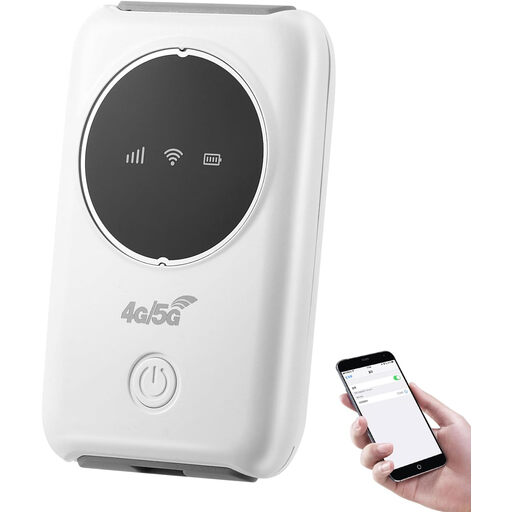
Portable 4G Wi-Fi Hotspot, White, SIM Slot, Supports 10 Devices
For study devices that need a connection separate from the accommodation network, subject to usable mobile reception.
The product name specifies a SIM slot and support for up to 10 devices; check SIM and service arrangements before relying on it.
View on Joybuy
 No image available
D-Link DWR-932W 4G LTE AX300 Wi-Fi 6 Mobile Hotspot
For mobile access independent of accommodation Wi-Fi, if the intended operator works inside your study space.
The product name identifies a 4G LTE hotspot; a Nano SIM and usable mobile coverage are required.
View on Joybuy
 No image available
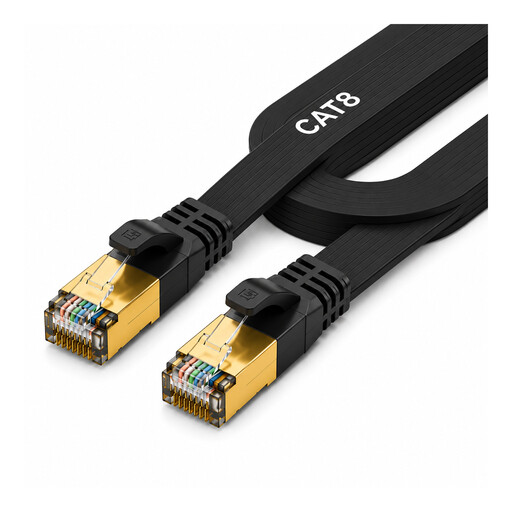
2 Metre Cat 8 Ethernet Cable
For a direct wired connection when your room has an active, permitted Ethernet port.
The product name specifies a 2-metre cable; the connection also depends on a compatible device and available port.
View on Joybuy
 No image available
V7 V7UC-U3CRJ45HDVG-BLK USB-C Adapter with HDMI, VGA and Gigabit Ethernet
For a compatible USB-C study device that needs a wired connection through an active, permitted room port.
The product name also specifies 4K HDMI, VGA, 100W Power Delivery and dual USB 3.0 ports. Check USB-C Alt Mode compatibility with your device.
View on Joybuy
Frequently asked questions
Can I connect my own router or repeater to halls internet?
Permission depends on the accommodation provider and the connection method. The University of Warwick and the University of Edinburgh prohibit network extension on the networks described in their policies, while Newcastle University describes a correctly wired home-router arrangement in its halls. Check the rule for your specific accommodation before choosing equipment.
Does a room Ethernet socket mean I can use an adapter or a router?
A usable socket may allow a direct connection, sometimes after device registration, but it does not automatically authorise a router. Confirm that the port is active, check any registration instructions and match the adapter to your device.
Will a Wi-Fi extender fix an accommodation-wide outage?
No. An extender relays an existing Wi-Fi connection, so establish whether the incoming service works first. A manufacturer’s statement that a model connects to a Wi-Fi router does not establish permission or authentication compatibility on a managed residence network.
How should I assess mobile reception before relying on it for study?
Use Ofcom’s operator coverage information as a starting point, then check whether the intended operator works inside your actual study space. Ofcom cautions that in-home results are a guide rather than a guarantee for an individual room.


