Flatmates making an album or photo wall
Larger prints give shared phone photos room in an album or frame. A desktop printer makes more sense if there is a stable place for it near a socket.


Choose the print format before the brand: postcard-size prints suit frames and shared albums, while smaller adhesive prints suit scrapbooks and limited desk space. If group photos are the main attraction, an instax WIDE printer offers a different display format, but it requires matching film. Check the space, power connection and replacement media each option needs before buying.
Larger prints give shared phone photos room in an album or frame. A desktop printer makes more sense if there is a stable place for it near a socket.
Small adhesive prints suit journals, pinboards and personal keepsakes when storage space matters more than postcard-size output.
For celebrations and group shots intended for display, the wider instax format may appeal if buying its dedicated film is acceptable.
Start with where the finished school photos will go: a frame or album, a scrapbook, or a display of group shots. Then check the printer’s space, connection and media requirements.
| Concern | What to check | Who this matters to |
|---|---|---|
| Larger keepsake prints | Check the supported print size and whether the printer needs a permanent spot near mains power. | I want school photos I can put in frames or share in an album, rather than only small stickers. Around 43% of consumers would put larger keepsake prints first. |
| Compact sticker prints | Check the printer’s footprint, charging method and exact adhesive-media format. | With little desk space, I would rather store the printer between uses and add small photos to a journal. Roughly 29% of consumers would make compact sticker printing their main priority. |
| Group-photo displays | Check the finished film format and whether compatible replacement film suits your plans. | Our group photos are meant to be seen together on a wall or given out after an event. Around 28% of consumers would prioritise this display-led format. |
A pocket printer may produce prints suited to journals but too small for the frame or shared wall display you had in mind.
Decide where the photo will go, then compare the finished print dimensions—not just the printer dimensions.
These printers use particular paper, cartridge or film systems; the printer alone does not tell you what it will take to keep printing through the term.
Identify the compatible media and check its current availability before choosing a model.
Phone-app, Wi-Fi, Bluetooth and computer workflows differ by model. HP Support UK, for example, lists the Sprocket Select as incompatible with macOS.
Check the exact printer’s app, operating-system support and connection method for each device your flatmates intend to use.
Overloading or daisy-chaining extension leads creates a fire risk, particularly where several devices share a socket.
Electrical Safety First advises using only one extension device per socket and not plugging one extension lead into another. Follow the printer’s power instructions and the extension lead’s marked rating.
The SELPHY CP1500 is a desktop option for postcard prints; the rechargeable SELPHY QX20 is aimed at smaller sticker and card-size prints.
The Link WIDE 2 is relevant when group photos are intended for an instant-film-style display.
The Hi·Print 2x3 is a compact option for phone photos intended for journals and other small adhesive displays.
The Sprocket Select is a portable ZINK photo printer for small prints from a mobile device.
These choices cover a postcard-size option for albums and frames, alongside smaller portable options for journals and personal displays. Choose by the finished print you want, then check the matching replacement media.
 No image available
Consider the 4 x 6 in format for school photos intended for an album or frame. The product name identifies Bluetooth printing; check that the compatible 4x6 cartridge is available for the number of prints you plan to make.
 No image available
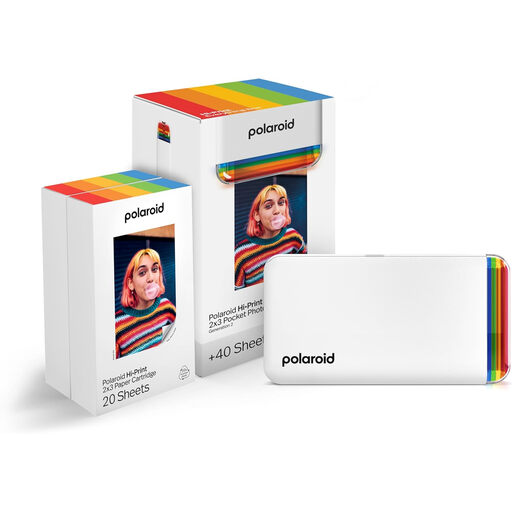
Choose the smaller peel-and-stick format for scrapbooks or personal displays rather than larger framed prints. The bundle name includes a 40-sheet paper cartridge; Polaroid specifies Hi·Print 2x3 cartridges for continued use.
 No image available
A portable choice to consider for small keepsakes and journal decorations, rather than postcard-size frames. Its product name describes zero-ink printing; check the compatible Xiaomi photo paper before committing to this format.
Choose postcard-size output if frames and albums are the priority; choose a pocket or compact sticker printer if small adhesive prints and storage space matter more. Canon’s SELPHY CP1500 supports postcard prints, while its QX20 uses smaller square and card-size label media.
The models discussed offer phone-printing routes, but they do not all connect in the same way. Canon describes app-based wireless printing for the SELPHY models, Fujifilm uses Bluetooth with the Link WIDE 2 app, and HP lists Bluetooth for the Sprocket Select. Check app and phone operating-system compatibility for the exact model.
You will need media compatible with the particular printer: Canon’s SELPHY models use their specified ink-and-paper or ink-and-label sets, Polaroid Hi·Print 2x3 uses matching cartridges, and instax Link WIDE uses instax WIDE film. Check the current availability of the exact replacement pack before choosing a format.
Use one only within its marked rating and the printer’s power instructions. Electrical Safety First advises against daisy-chaining extension leads and using more than one extension device from a single socket; also check any rules set by your accommodation provider.
Check a local council or retailer collection route for electrical equipment rather than putting the printer in general waste. GOV.UK identifies the UK Waste Electrical and Electronic Equipment Regulations 2013, as amended, as the framework supporting recovery, reuse and recycling of electrical products.