Start with your allocated hall’s network instructions and the ports on each device: an active, permitted wired socket may call for a cable or, for a computer without Ethernet, a compatible adapter. Consoles and smart TVs may instead need to be registered on a separate residence network, as University of Southampton guidance illustrates. Consider a switch only if your hall allows one, and a phone hotspot only if coverage, tethering terms and your data allowance suit your use; University of Edinburgh’s ResNET guidance, for example, prohibits switches.
Who may need connection accessories
Students connecting a study computer by wire
If your laptop or desktop needs Ethernet, check whether your room has an active wired socket and whether the computer needs an adapter. The University of Kent describes wired sockets in its campus bedrooms, while Imperial College London explains that wired devices may need registration.
Students bringing a console or smart TV
A console or smart TV may need a hall-approved registration process or a separate residence network rather than the setup used for a laptop. UCL and the University of Southampton provide institution-specific instructions for additional or leisure devices.
Students considering extra wired connections or a fallback
If you want to connect more than one wired device, check whether your hall permits a switch and how each device is authorised. If you are considering a phone hotspot, Ofcom’s guidance on mobile data can help you check how activities such as streaming and video calls use your allowance.
What to check before buying
Confirm the connection method your hall permits, then match any accessory to your device; do not use extra hardware to work around network rules.
| Concern |
What to check when buying |
Who this matters to |
| A usable wired connection for a study computer |
Check for an active room socket, any device-registration steps, whether a cable is supplied and whether the computer has Ethernet or needs a compatible adapter. The University of Kent and Imperial College London give examples of wired access and registration procedures. |
If my main study computer needs a wired connection, I want to know that the socket and its setup will work before buying anything. Around 33% of consumers in this buying scenario put that study connection first. |
| Getting a console or media device authorised |
Check whether your hall has a separate network or registration process for the device, and whether it limits communication between devices. UCL and the University of Southampton describe hall-specific routes for additional or leisure devices. |
If I am bringing a console or smart TV, I need to know how my hall authorises it rather than assuming the laptop network will work. About 33% of consumers prioritise connecting a leisure device. |
| Connecting more than one wired device |
Confirm that switches are permitted, how many devices may connect and whether each needs separate authorisation. University of Edinburgh guidance prohibits switches on its ResNET service. |
When I need more than one wired connection, I want extra ports only if my hall allows them and explains how to register each device. Roughly 17% of consumers put that need first. |
| A workable Wi-Fi interface or mobile fallback |
For a USB Wi-Fi adapter, check the computer, driver and hall authentication requirements with hall IT. For a hotspot, check mobile coverage, tethering terms and your data allowance; Ofcom notes that streaming and video calls use mobile data. |
If my computer’s wireless interface is the issue, or I need a separate mobile connection, I want to know which option my hall and mobile plan will support. Around 17% of consumers prioritise a Wi-Fi-interface solution or independent backup. |
Mistakes to avoid
-
Assuming a room socket means a switch is allowed
A socket does not necessarily permit you to extend the hall network. University of Edinburgh’s ResNET guidance expressly prohibits switches, hubs and wireless access devices.
Check the current rules for your allocated hall before buying extra-port equipment, and connect devices only in the way the hall authorises.
If a switch cannot be used, it may leave you with unnecessary hardware and extra cabling.
-
Buying a personal router to get a console online
A router may not solve a console’s registration or network-compatibility problem, and using one may breach hall rules.
Look up your hall’s instructions for consoles and smart devices, including any separate network or registration steps. Do not use a router or wireless access point where the hall prohibits it.
-
Treating an adapter’s rated speed as the hall’s internet speed
An adapter’s interface rating does not establish the speed delivered by the room socket or the hall’s internet service.
Choose an adapter for confirmed port and operating-system compatibility, and check the hall connection and setup separately.
-
Relying on a hotspot without checking your mobile plan
Streaming and video calls use mobile data, and a hotspot does not complete another device’s hall registration.
Check indoor coverage, tethering terms and your remaining allowance before relying on mobile data for study or leisure.
Depending on your plan, hotspot use may draw on a limited allowance or incur additional charges.
Relevant brands to consider
These brands list adapters and switches for particular connection setups; model compatibility and permission from your hall still determine whether they suit your use.
TP-Link
Its UE300C USB-C-to-Ethernet adapter is relevant to a compatible computer without an RJ45 port; its switches are an option only where a hall permits wired expansion.
- TP-Link rates the UE300C Ethernet interface at up to 1000 Mbps and lists supported operating systems. This is an adapter specification, not a hall-internet speed result.
- An adapter cannot provide a wired connection where the hall offers Wi-Fi only, and a switch does not establish permission to connect extra devices.
D-Link
The DGS-105 is a wired-switch option to assess when a hall allows additional wired connections.
- D-Link lists five Gigabit ports and plug-and-play operation for revision E1.
- Those product specifications do not establish whether your residence permits a switch or how connected devices must be authorised.
NETGEAR
The GS305v3 is another switch to consider only if you need additional wired ports and your hall permits them.
- NETGEAR lists five 10/100/1000 Mbps ports for the GS305v3.
- Port capability does not change a hall’s switch policy or device-registration requirements.
Joybuy product choices
These Joybuy listings cover computer Wi-Fi adapters, a USB-C Ethernet adapter and a wired switch. Check your hall’s rules, connection method and device compatibility before choosing an accessory.
 No image available
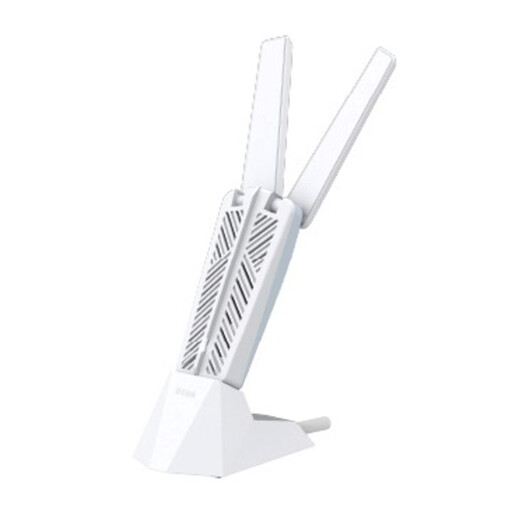
D-Link AE65U BE6500 Wi-Fi 7 USB Adapter
Consider it if your computer needs a USB Wi-Fi interface, but confirm with hall IT that the adapter and your computer can use the hall’s authentication and registration process.
View on Joybuy
 No image available
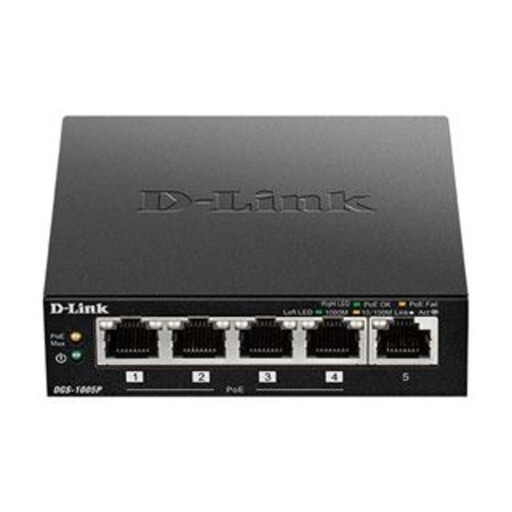
D-Link DGS-1005P 5-Port Desktop Gigabit PoE+ Switch
Consider this five-port switch only if your hall expressly permits a switch and you need additional wired connections. Each connected device may still need hall authorisation.
View on Joybuy
 No image available
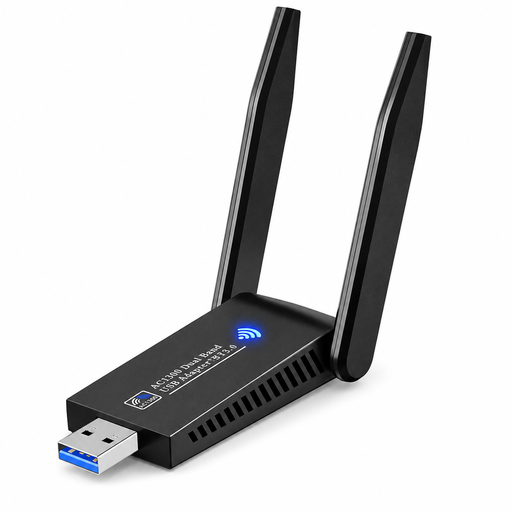
USB Wi-Fi Adapter, Dual Band, Bluetooth 5.0, 1300 Mbit/s
The listing specifies dual-band 2.4 GHz/5 GHz Wi-Fi and Windows 10/11 support. It states that the adapter is not compatible with MacBooks featuring M1, M2, M3 or M4 chips. The listed 1300 Mbit/s figure is not a guarantee of hall connection speed; check adapter and authentication compatibility with hall IT.
View on Joybuy
 No image available
V7 V7UC-U3CRJ45HDVG-BLK USB-C Adapter
For a computer with compatible USB-C Alt Mode and an active, hall-permitted wired socket, this adapter provides a wired Ethernet option. Its listed connections include Gigabit Ethernet, 4K HDMI, VGA, 100W Power Delivery and dual USB 3.0 ports; check your computer’s compatibility before buying.
View on Joybuy
Questions about hall connections
Should I buy an Ethernet cable before moving in?
Check your allocated hall’s socket and supplied accessories first. The University of Kent says its campus bedrooms have wired sockets and that students can collect a free cable; the University of Edinburgh identifies two Wi-Fi-only halls. These arrangements are institution-specific, so check your own hall’s instructions.
Why might my console fail to connect to eduroam when my laptop works?
Your hall may provide a separate registration route for leisure devices. The University of Southampton directs specified consoles and other devices to SOTON-IoT; follow your own hall’s instructions for eligible devices and registration rather than assuming its process is the same.
Will a USB Wi-Fi adapter automatically make my computer work on eduroam?
No; an adapter alone does not confirm that your computer supports the hall’s authentication or registration process. Ask hall IT to confirm compatibility for the exact adapter, driver and operating system before buying.
What should I do if a wired socket or registered device still will not connect?
Use your hall’s IT support route. Imperial College London advises residents to register a device through its wired connection and contact its ICT Service Desk if self-registration fails. The University of Edinburgh also notes that a device can have different wired and wireless MAC addresses.
Could using a phone hotspot lead to extra costs?
It depends on your mobile plan, so check its tethering terms and data allowance. Ofcom explains that streaming and video calls use mobile data measured against a monthly allowance; charges and limits depend on your contract.


