What matters when choosing?
Start with the connection needed for important study sessions, then consider simultaneous household use, bedroom coverage and how the router will connect to the existing broadband service.
| Concern |
What to check |
Who this matters to |
| Reliable study sessions |
Check for a Gigabit LAN port and whether a cable can safely and practically reach the study computer. Test the broadband service separately from Wi-Fi. |
For a timed assessment or major upload, I want the local Wi-Fi link to be less of a risk; around 36% of consumers would put dependable study access first. |
| Several devices at once |
Look at the router’s Wi-Fi standard and stated multi-device features, alongside the number of wired ports the household needs. |
When housemates study while others stream or download, I need our devices to share the connection acceptably; shared-device capacity would come first for around 29% of consumers. |
| Bedroom coverage |
Identify the broadband entry point and rooms with weak signal; check compatible mesh expansion if one well-placed router does not reach them. |
My study space may be separated from the router by distance or walls, so a usable signal there matters most; around 21% of consumers would prioritise room coverage. |
| Broadband compatibility |
Confirm the provider, existing hub or optical network terminal, and the connection method required by the intended router. |
I do not want a new router to interrupt the house connection or remove a hub feature we use; straightforward, compatible setup would be the primary concern for around 14% of consumers. |
Joybuy products for shared-house Wi-Fi
These routers and mesh kits offer different starting points for shared Wi-Fi, wired study connections or rooms that may need broader coverage. Match the connection type and equipment to the house before choosing.
 No image available
TP-Link Deco BE22 (3-Pack) BE3600 Mesh Wi-Fi 7 System
Consider this three-unit mesh kit when study rooms are spread across the house. Check where its units can be placed and how it will connect to the existing broadband equipment; Wi-Fi 7 does not determine the speed of the incoming service.
View on Joybuy
 No image available
TP-Link Archer NX500 5G AX3000 Dual-Band Gigabit Router
This router is worth considering if the house is comparing a 5G connection with its existing broadband arrangement and wants a wired option for a nearby study device. Confirm carrier, SIM and local coverage for mobile use, or the provider’s connection requirements for wired broadband.
View on Joybuy
 No image available
NETGEAR Orbi 370 RBE373 Wi-Fi 7 Mesh System, 3-Pack, Dual-Band BE3600, 2.5 Gbps Ethernet
A three-pack mesh arrangement may suit a house with separated study rooms, provided the units can be placed effectively. Its stated 2.5 Gbps Ethernet specification does not establish the house’s broadband speed; confirm the existing modem or gateway connection and the relevant port arrangement.
View on Joybuy
 No image available
TP-Link Archer NX200 Dual-Band Gigabit Router
Consider this model if a dual-band router with a wired connection fits the house’s plan. Before relying on multiple cabled study devices, confirm the number and allocation of Ethernet ports; check provider compatibility and any intended mobile-service requirements separately.
View on Joybuy
 No image available
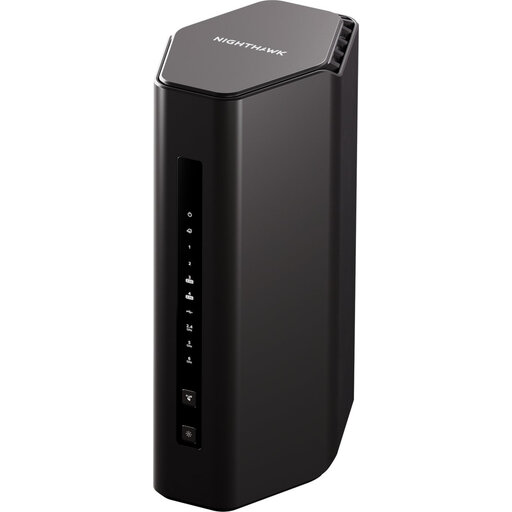
5PT Nighthawk Wi-Fi 7 BE9300 Router (RS300)
A single Wi-Fi 7 router may be relevant when study devices can use the router’s location without needing units in other rooms. Check the required broadband connection, the ports needed for cabled devices and whether one router reaches the intended study spaces.
View on Joybuy
Common questions
Will a new router fix a slow or disconnecting study portal?
Not necessarily: a new router cannot fix an outage, a limited broadband line or a problem with the study device or portal. Check whether other devices have the same problem and, where practical, compare the study computer’s Wi-Fi connection with Ethernet before replacing equipment.
Can we connect our own router to the existing broadband hub?
It may be possible, but the connection method depends on the provider and hub model. Virgin Media describes modem mode for connecting separate Wi-Fi equipment; check the instructions for the house’s exact equipment and retain the supplied hub in case it is needed for support.
Where should a student-house router go?
Place it in a sensible, permitted position away from nearby electrical interference, rather than assuming a higher speed rating will overcome a poor location. Check the signal in the bedrooms and study spaces that matter before deciding whether additional units are needed.
Could a separate router affect provider features or support?
Yes, depending on the provider and configuration: changing a hub’s operating mode can affect its normal functions. Follow the provider’s instructions and keep its equipment available; BT Business, for example, advises retaining the supplied hub for fault investigation.


