Students uploading alongside housemates
If portfolio uploads coincide with housemates’ calls, streaming or other network use, check the local Wi-Fi connection as well as the broadband service before choosing new equipment.


If uploads struggle while several housemates use Wi-Fi, but the connection works well near the existing router, consider a centrally placed Wi-Fi 6 router with suitable ports and multi-device features. If the portfolio workspace has weak signal through walls or across floors, mesh may be more useful. Neither setup can raise the broadband service’s upload limit, so test the existing connection before buying.
If portfolio uploads coincide with housemates’ calls, streaming or other network use, check the local Wi-Fi connection as well as the broadband service before choosing new equipment.
If the upload workspace is separated from the router by distance, walls or floors, router placement and coverage may matter more than a higher advertised wireless rate.
Whoever can access the existing equipment and account details needs to check connection requirements, permission to change the setup and who will administer the shared network.
Consider it: The house is served well from a central router position, but several devices share the local Wi-Fi.
Bear in mind: One router still depends on placement and may not reach a distant bedroom reliably.
Consider it: The intended workspace has weak signal through walls or across floors despite sensible router placement.
Bear in mind: Nodes need suitable positions and power sockets; TP-Link says its Deco mesh equipment also needs an external internet source.
Consider it: Uploads are slow even over Ethernet or close to the router, or you cannot change the house’s network setup.
Bear in mind: Checking the service or improving placement will not, by itself, fix every distant-room coverage problem.
| Concern | What to check | Who this matters to |
|---|---|---|
| Uploads on a shared network | Compare an Ethernet or near-router upload test with Wi-Fi performance. If Wi-Fi is the issue, check for multi-device features and suitable WAN and LAN ports. | When housemates are online during a portfolio upload, I need the local connection to remain usable without assuming a router can increase the broadband upload limit. Around 46% of consumers put shared-use upload reliability first. |
| Signal at the workspace | Test the room where uploads happen and identify possible router or mesh-node positions; check whether wired backhaul is feasible. | If I work beyond thick walls or on another floor, I need usable signal at my desk rather than a higher advertised router rate. Roughly 36% of consumers make workspace coverage their primary concern. |
| Connection and shared control | Confirm the broadband handoff, provider requirements and account-holder permission; decide who will manage updates and administrator access. | Before changing a network everyone uses, I need to know that the equipment can connect and that someone can administer it securely. About 18% of consumers prioritise compatibility and shared-network control. |
A wireless link rate is not the upload speed available from the property’s broadband service. Ofcom notes that Wi-Fi cannot outperform that service.
Try an upload near the existing router or over Ethernet. Check the account’s service details and use Ofcom’s postcode checker as an availability indication, not a promise of the speed at the property.
Walls, floors and placement can weaken the signal between a centrally located router and the room used for uploads.
Check signal in the workspace and identify where mesh nodes could be powered and placed if moving the existing router does not help.
Extending coverage later may also require additional nodes or Ethernet-backhaul equipment.
A separately purchased router needs to work with the house’s broadband connection and provider settings. A mesh system still needs an internet source, and the purchaser may not control the account.
Ask the account holder or provider about the handoff and setup requirements, and confirm permission before replacing or supplementing shared equipment.
An unfamiliar connection or inaccessible account settings can delay setup when an upload deadline is near.
Router settings affect every device on the shared network. The Northern Ireland Cyber Security Centre advises changing default administrator credentials and enabling automatic router updates where available.
Agree who will manage the router, change default administrator credentials, keep the firewall enabled and review connected devices.
TP-Link’s Archer AX55 is a single-router example, while Deco X50 represents a multi-node mesh setup.
The RT-AX58U is an AX3000 Wi-Fi 6 router to consider when different operating modes may be useful with existing equipment.
NETGEAR’s Nighthawk range includes Wi-Fi 6E and Wi-Fi 7 router options for households considering those wireless standards.
These options include multi-node mesh systems for rooms with weak signal and single routers for a suitable central position. The Archer NX500 and NX200 also call for a closer look at how the house obtains its internet connection. Check the existing upload performance, broadband handoff and account-holder permission before choosing.
 No image available
Consider this three-unit mesh setup if the upload workspace has weak signal away from the existing router; check where each unit can be placed and powered.
Confirm that the house’s internet connection can feed the mesh system before changing the shared setup.
 No image available
Consider this single-router option if the house can use a suitable central position and you can confirm the intended internet connection.
The 5G connection route needs compatible service; check the house’s broadband handoff or mobile-service arrangements with the account holder before buying.
 No image available
The three-unit setup is worth considering when coverage is weak in more than one work area; plan positions and power sockets for the router and satellites.
The product name specifies dual-band Wi-Fi 7 and 2.5Gbps Ethernet. Check that the existing modem or gateway and house network arrangements suit the setup.
 No image available
This single-router option calls for a central position and a connection that suits the house’s internet arrangements.
Check the broadband handoff or mobile-service requirements, account-holder permission and signal in the upload room before choosing it.
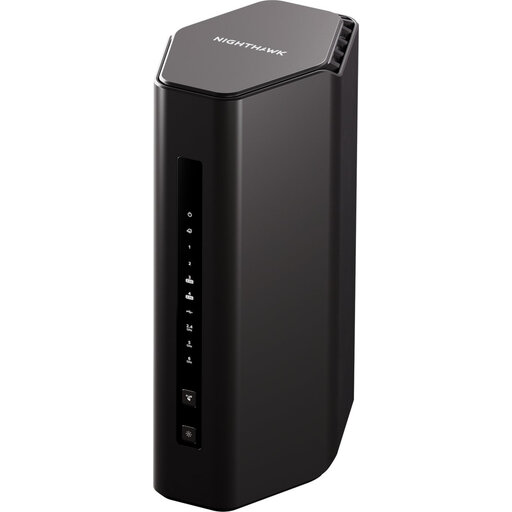 No image available
Consider a single-router setup only if a suitable position can provide usable signal at the portfolio workspace.
Check the house’s broadband handoff and provider requirements; a Wi-Fi 7 rating does not establish the property’s upload speed.
A new router may improve the local Wi-Fi connection if that is the bottleneck, but it cannot increase the broadband service’s upload capability. Ofcom advises that Wi-Fi cannot outperform the underlying broadband connection, so compare performance near the router or over Ethernet before buying.
A single router is a reasonable starting point if it can provide usable signal where you upload; mesh is worth considering when distant rooms remain weak through walls or floors. Mesh still relies on an internet source, so test the workspace and check the existing connection before choosing either setup.
Replace it only after confirming the broadband handoff, provider setup requirements and permission from the account holder or network administrator. Ofcom notes that a separately purchased router can be trickier to configure and that provider help may be limited if problems arise.
Agree who has administrator access before changing the shared network. The Northern Ireland Cyber Security Centre advises changing default router credentials and enabling automatic updates where available; keep the firewall enabled and review connected devices as part of ongoing administration.