Students working mainly in a browser
If you lay out a contact form in Figma alongside research and documents, your browser workflow is a starting point for choosing a laptop. Figma describes its software as predominantly browser-based.


For contact-form layout, check the course software before choosing a laptop: Figma is predominantly browser-based, but other coursework may require a particular desktop operating system. A compact laptop suits a room desk that also has to accommodate study materials and is easier to take to classes; a larger built-in screen gives more space for the form canvas and preview if the laptop mostly stays in the room. Choose a macOS or browser-first route only after confirming that the course accepts the applications and workflow you will use.
If you lay out a contact form in Figma alongside research and documents, your browser workflow is a starting point for choosing a laptop. Figma describes its software as predominantly browser-based.
If your course also uses desktop design, image-editing or development tools, confirm its application and operating-system requirements. Figma provides desktop apps for macOS and Windows, while Adobe publishes separate requirements for Photoshop.
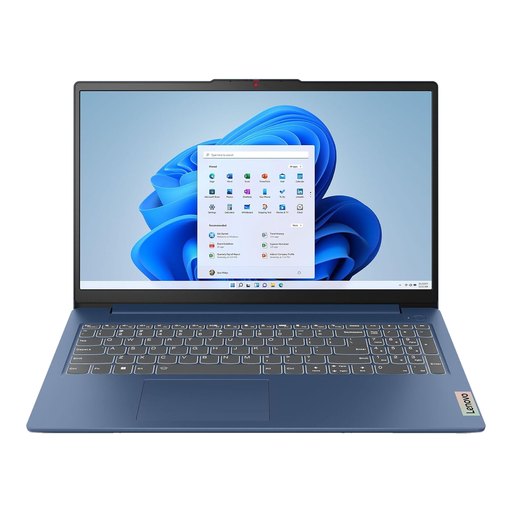
If the laptop usually stays in your room, built-in screen space may matter more than carrying convenience. The cited Lenovo, Acer and HP configurations illustrate 14-inch, 15.6-inch and 16-inch choices; check which size fits your desk and routine.
Start with the applications your course requires, then decide how much screen space you need at the desk and how often you will carry the laptop.
| Concern | What to check | Who this matters to |
|---|---|---|
| Software compatibility | Ask the course which applications, plug-ins and operating systems it requires, and whether browser-only work is accepted. | If a required desktop tool will not run, I cannot complete that part of the course on this laptop. Around 31% of consumers put software compatibility first. |
| Layout workspace | Compare screen size, resolution and panel details; check monitor connections if you plan to add a display. | When I work mainly at my room desk, I want enough visible space to review the form, its preview and my notes. Workspace is the primary concern for around 31% of consumers. |
| Daily carrying | Check the laptop and charger weight, available ports and the conditions behind any battery-life claim. | I need to take the same laptop between my room and classes, so carrying it matters more to me than having the largest built-in screen. Around 23% of consumers put portability first. |
| Configuration and ownership | Confirm the exact model, memory, storage, included charger and seller support terms. | I want the configuration I selected and a clear route for help if something goes wrong. For around 15% of consumers, those ownership checks come first. |
Figma says its software is predominantly browser-based, but its desktop app has macOS and Windows requirements. Other course applications may also affect the operating-system choice.
Get the course software list, including plug-ins and local-file requirements, before deciding whether ChromeOS, Windows or macOS will work for you.
Displays and connections can differ between configurations. Lenovo lists a 14-inch 1920 × 1200 IPS panel with 45% NTSC coverage for the cited IdeaPad Slim 5, while ASUS describes a 100% sRGB panel in its cited Vivobook S14 range.
Check the exact model and panel specification if your course has colour requirements; also check the ports needed for your monitor and peripherals.
Up to 10 hours is listed for the cited Acer Aspire 15 and up to 13 hours for the cited HP OmniBook 5. Neither figure establishes runtime for your own mix of browser tabs, calls and other work.
Check the stated test conditions and relevant independent tests where available, and consider where you can charge during longer days away from your room.
Lenovo’s cited IdeaPad Slim 5 Gen 10 is a 14-inch Windows-route example, rather than a specification shared by every Lenovo laptop.
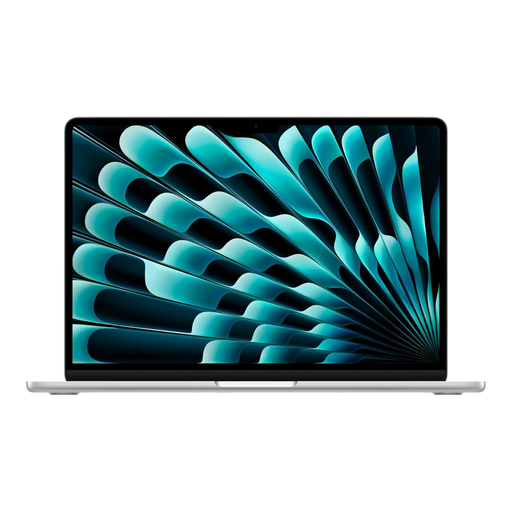
The cited 13-inch MacBook Air configuration is a compact macOS option if your course accepts macOS.
The cited Aspire 15 A15-61M-R9Y3 illustrates a 15.6-inch Windows laptop for a room-centred desk setup.
The cited 16-inch OmniBook 5 illustrates a larger Windows screen for a laptop that mainly stays on the desk.
The cited Vivobook S14 range is a compact-screen reference for students comparing display specifications.
These choices span compact and larger-screen laptops for the contact-form layout scenario. Check your course applications before settling on an operating system or processor platform, and compare the screen size with how you will use and carry the laptop.
 No image available
Consider this compact Windows option if you need to use the laptop at your room desk and carry it elsewhere. The named configuration has Windows 11 Home, 16GB RAM and a 1TB SSD; confirm that your course applications and any peripherals you need work with it.
 No image available
This 14-inch option fits a routine that moves between a student room and other study spaces. The named configuration has a Snapdragon X processor, 16GB RAM and a 512GB SSD; check course-specific desktop applications and plug-ins for ARM compatibility before choosing it.
 No image available
Consider the 16-inch touchscreen if the laptop will mainly stay on your room desk and built-in layout space matters to you. The named configuration has an Intel Core Ultra 5 226V, 16GB RAM, a 512GB SSD and Windows 11 Home; check its weight and connections if you will carry it or attach a monitor.
 No image available
This 15.6-inch Windows configuration is worth considering when the laptop will spend more time on a room desk than in a bag. Its name identifies an Intel Core i7 processor, 16GB RAM and a 512GB SSD; confirm the external-display connection if a monitor is part of your setup.
 No image available
Consider this compact macOS route only if your course accepts macOS and its required applications. The named M5 configuration has a 10-core CPU, 8-core GPU, 16GB memory and a 512GB SSD; check how your monitor and other peripherals will connect.
A Chromebook can suit a browser-based contact-form workflow if your course accepts it. Figma says its software is predominantly browser-based, but its desktop app is for macOS and Windows; check any other required applications, plug-ins and local-file tasks before choosing ChromeOS.
No: a smaller laptop may suit you better if you regularly carry it between your room and classes. A 15- or 16-inch screen gives more built-in space when the laptop mainly stays at the desk, but compare the exact resolution and panel as well as its physical size.
Compare the exact laptop’s video-output connections with the monitor’s input and the cable you intend to use. The cited Acer Aspire 15 and HP OmniBook 5 list HDMI connections, while Apple lists Thunderbolt 4 USB-C ports for the cited MacBook Air configuration; an adapter or dock may be needed for a particular pairing.
Confirm the full model identifier and configuration, then check the supplied charger, connections and seller support information against your needs. Similar-looking laptops can have different panels or ports, so use the exact variant rather than the range name to make those checks.