What to prioritise when choosing
Check your department’s named applications and supported operating systems first, then match the laptop’s capabilities and everyday carrying needs to the work you will actually do.
| Concern |
What to check when buying |
Who this matters to |
| Course software compatibility |
Named applications, supported operating system and processor requirements. |
I need the applications my department names to run, so I would check their supported operating system and processor before choosing a model. About 28% of consumers put course-software compatibility first. |
| Performance for specialist projects |
Course requirements for memory, storage and graphics, and whether the work must run locally. |
If my projects have to run locally, I want the course’s actual requirements rather than a high specification chosen by default. About 22% of consumers prioritise specialist-project performance. |
| Weight, screen space and connections |
Compare carrying weight, display size and required ports; the University of York suggests under 1.5 kg for students carrying a laptop around campus. |
I carry my laptop between lectures and study spaces, so I need a workable balance of weight, screen room and connections. About 17% of consumers put everyday carrying first. |
| Reliable access and an existing device |
Check your current laptop against department guidance and consider whether it remains reliable for your course. |
I want dependable access without replacing a laptop that already meets my course needs. The University of Warwick says a reliable laptop under three years old is likely to meet its general guidance, subject to department requirements; about 17% of consumers make reliable access their primary concern. |
| Battery life away from a socket |
Compare runtime claims using the same activity and consider when you can recharge during a study day. |
If I study for long stretches away from sockets, I need a realistic idea of runtime for my workload; Apple’s MacBook Neo specifications distinguish video streaming from wireless web use. About 16% of consumers put unplugged study first. |
Relevant brands to compare
These examples illustrate particular product lines and configurations, not whole-brand recommendations; confirm that the exact model supports your course.
Apple
MacBook Neo is an everyday macOS example to consider when your course supports the required applications.
- Apple lists MacBook Neo configurations with an A18 Pro chip, 8GB unified memory and either a 256GB or 512GB SSD.
- Loughborough University identifies engineering software that does not work on Apple devices, so do not assume a Mac suits every course.
HP
HP’s UK OmniBook range includes Windows laptops and a convertible X Flip option.
- HP lists an OmniBook X Flip 14 configuration with a touchscreen, 16GB RAM and 512GB SSD.
- Configurations vary, and those specifications alone do not establish compatibility with your department’s software.
Lenovo
Lenovo’s Chromebook Plus Gen 10 is a ChromeOS option for courses that permit that platform.
- Lenovo lists a specific 14-inch MediaTek configuration with ChromeOS, 12GB memory and 128GB storage.
- Check that your required applications and institutional support work with ChromeOS; the listed specifications apply to this configuration only.
Acer
The Acer Chromebook Plus 514 is another ChromeOS example for compatible basic-study workflows.
- Acer lists the CB514-5H-574N configuration with an Intel Core 5 120U, 8GB memory and 512GB SSD.
- These details do not remove ChromeOS software restrictions or apply to every Chromebook Plus 514 variant.
HONOR
MagicBook 16 2026 is a larger-screen Windows example to compare when desk workspace matters.
- HONOR lists a 16-inch screen and a weight of 1.64 kg for this product line.
- Its battery statement is a manufacturer claim, not an independent test of coursework runtime; check the exact configuration against your course requirements.
Joybuy laptop choices for coursework
These Joybuy listings are Windows laptops for coursework, from everyday study configurations to larger models for specialist tasks. Confirm that your course software supports the exact configuration before buying.
 No image available
ASUS Vivobook 14 X1407QA-LY003W Copilot+ PC
Consider this Windows-route listing for everyday study if your course supports its configuration.
Listed configuration: Snapdragon X, 16GB RAM and 512GB SSD.
Joybuy
 No image available
Lenovo IdeaPad Slim 3 15.3-inch WUXGA (83K7009MUK)
Consider this Windows laptop if your course requirements suit the listed configuration and you want a larger display for study.
Listed configuration: AMD Ryzen 5 7535HS, 24GB DDR5 RAM, 512GB PCIe SSD and Windows 11 Home.
Joybuy
 No image available
ASUS Vivobook 15 X1504VA
Consider this Windows-route option if your course software supports the configuration and you need a larger display.
Listed configuration: 15.6-inch display, Intel Core 5 120U, 24GB RAM and 1TB SSD.
Joybuy
 No image available
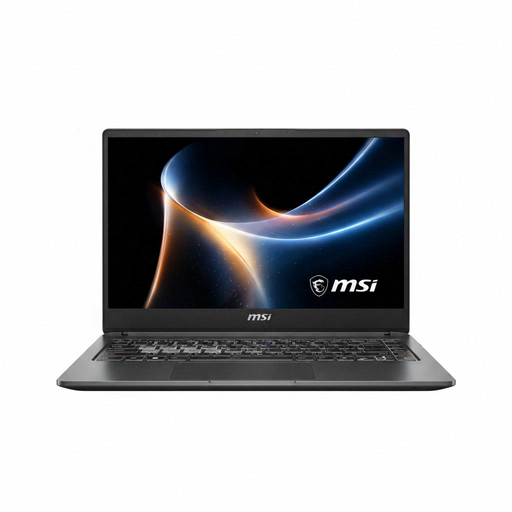
MSI Prestige N16 Flip AI+ C1XMT-044UKY 16-inch 2-in-1
For specialist or creative coursework, check that your required software supports this exact convertible configuration.
Listed configuration: NVIDIA RTX Spark N1X, 32GB RAM, 1TB SSD and 2.8K 120Hz OLED touchscreen.
Joybuy
 No image available
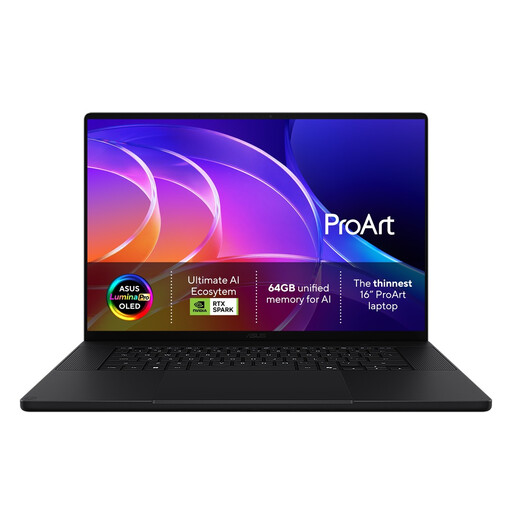
ASUS ProArt H7607BA-SE033W 16-inch 4K OLED Creator Laptop
Consider this larger Windows-route listing for creative or specialist work only after checking your course software requirements.
Listed product name specifies an NVIDIA RTX Spark N1X platform.
Joybuy
Frequently asked questions
What should I check before installing course software?
Get your department’s named software and device guidance, then check the operating system, processor requirements and exact laptop configuration. General university recommendations may be superseded by department-specific requirements; Loughborough University advises students to contact their school for course-specific guidance.
Can I use a Chromebook for university or college?
Yes, if your course supports every required task on ChromeOS. The University of Hertfordshire describes Chromebooks as suitable for basic writing, email and browsing but warns that some specialist software may not work; Loughborough University does not support Chromebooks. Those policies do not automatically apply to other institutions.
Do technical courses always need a high-performance laptop?
No; check whether your course requires demanding work to run on your own laptop. The University of Strathclyde says integrated graphics are generally acceptable for many of its students, while Ravensbourne University London specifies dedicated graphics for its listed architecture courses. The University of Warwick says an existing reliable laptop may meet its general guidance, subject to departmental requirements.
Can I cancel an online laptop order in the UK?
For eligible online purchases, GOV.UK says you can notify the seller within 14 days of receiving the goods that you wish to cancel, then have a further 14 days to return them. Exceptions can apply; cancellation rights are separate from remedies for goods that are faulty or not as described.


